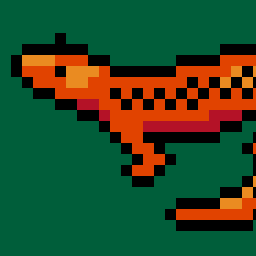
About Inktica
Inktica is a pixel art editor for artists and game developers creating low-resolution graphics and editing textures.Core Editing & Selection Tools
Drawing Tools: Includes Brush, Eraser, Flood-fill, Gradient, Line, Rectangle, Ellipse, and Pipette.
Pixel-Perfect Algorithm: Applies to drawing tools to ensure single-pixel-wide lines without unwanted extra pixels.
Selection: Supports copying, cutting, moving, pasting, rotating, and flipping selected image sections.
Layers: Supports layer management for organizing artwork elements.
Animation & Reference
Frame-by-Frame Animation: Includes dedicated tools for creating frame-based animations.
Onion Skinning: Displays overlay previews of preceding frames relative to the active frame.
Reference Images: Loads gallery images onto the canvas for comparison while drawing.
Color Palettes
Preset Palettes: Includes built-in palettes based on hardware profiles like Atari 2600, NES, and Game Boy.
Custom & Imported Palettes: Supports custom color palettes as well as importing palettes from Lospec.
Import, Export & Compatibility
File Import: Opens Aseprite project files (.ase, .aseprite) alongside standard raster formats (.png, .jpeg, .gif).
Export & Upscaling: Exports animations and images to formats including MP4 video, standard raster formats, or local storage/social sharing, with upscaling options to prevent interpolation blur on standard displays.