Filtering Options:
22 software:
-
 4 screenshots
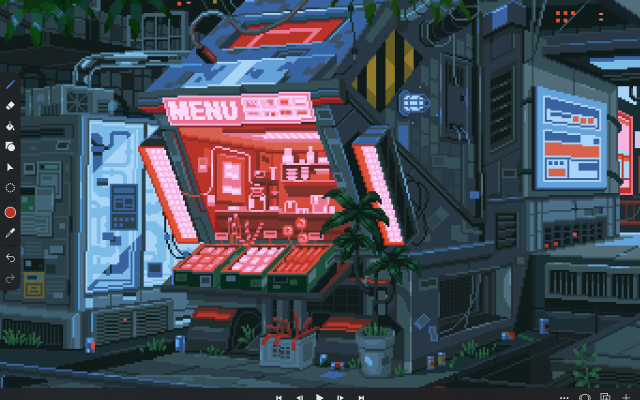
 voidspriteopen-source pixel art editor with extensive format support and features useful for game developmentFree24Pixel Art
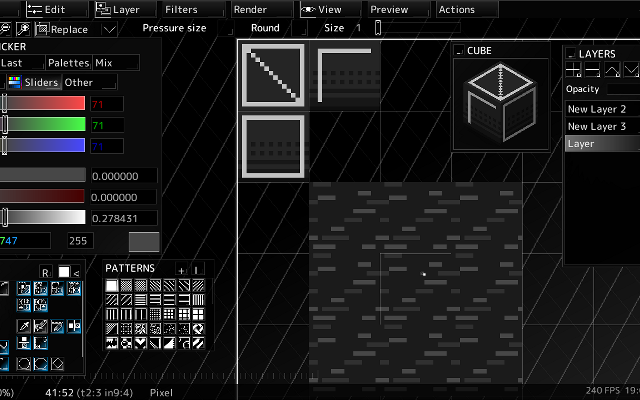
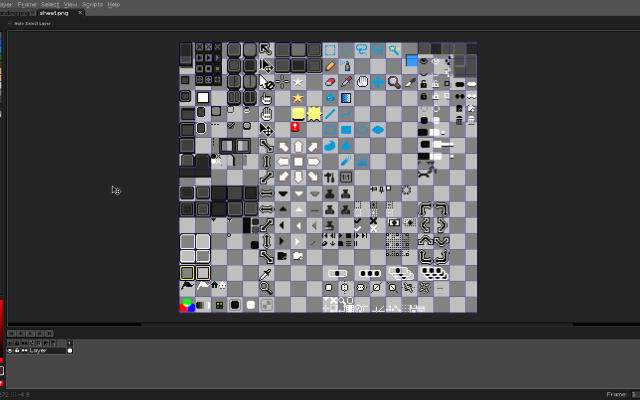
voidspriteopen-source pixel art editor with extensive format support and features useful for game developmentvoid◆sprite is an actively developed cross-platform, open-source pixelart editor.
voidspriteopen-source pixel art editor with extensive format support and features useful for game developmentFree24Pixel Art
voidspriteopen-source pixel art editor with extensive format support and features useful for game developmentvoid◆sprite is an actively developed cross-platform, open-source pixelart editor.
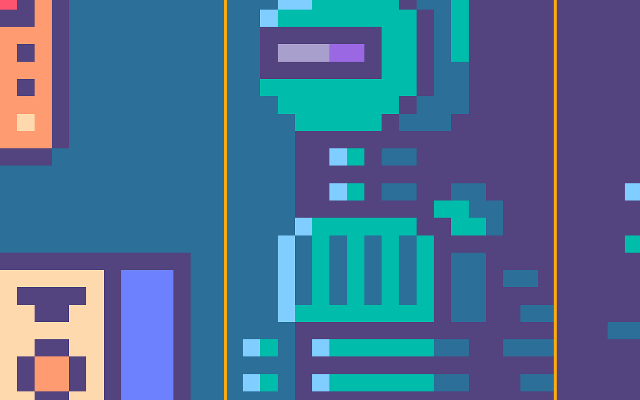
Has features useful for game development, such as split sessions (multiple files on one canvas) and previews of spritesheet animations, tilesets or 3D cubes.
Other unique features include: layer variants, on-canvas comments, custom patterns, templates and real-time LAN collaboration.
Supports many image formats, including some specific to other editors like Aseprite and GraphicsGale.
Most common color palette formats are supported too, and can be used in a separate indexed editor mode.Features:animationlayerspalette manipulationsprite sheet exportonlinetilemaps2dtilescross platformsprite editorimage conversionccollaboration24 6 pieces updated 23 days ago -
 6 screenshots
 AsepriteThe most popular dedicated pixel art editor, with animation, tilemaps and a scripting API.Paid18Pixel Art
AsepriteThe most popular dedicated pixel art editor, with animation, tilemaps and a scripting API.
AsepriteThe most popular dedicated pixel art editor, with animation, tilemaps and a scripting API.Paid18Pixel Art
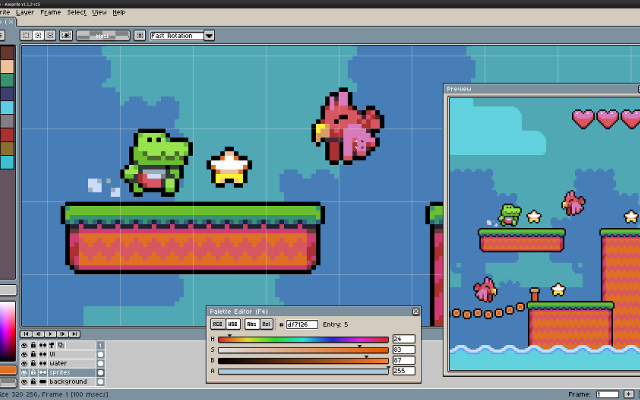
AsepriteThe most popular dedicated pixel art editor, with animation, tilemaps and a scripting API.Aseprite is a pixel art editor built around sprite work: an indexed-color workflow, onion skinning and a timeline for animation, tilemap layers, custom brushes, and export straight to sprite sheets. Extensions and Lua scripts add anything it lacks. It is the editor most Lospec artists reach for first.
Features:layersanimationonion skinningtilemapscustom brushespalette manipulationscriptingsprite sheet export18 451 pieces -
 8 screenshots
 PixiEditorA node-based open source editor with Lospec palette integration.Free14Pixel Art
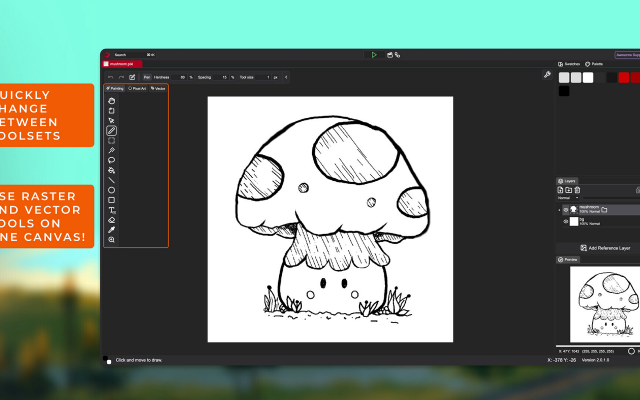
PixiEditorA node-based open source editor with Lospec palette integration.Free Open Source Pixel Art EditorsAnimation ToolsProcedural GeneratorsEffect & Particle GeneratorsLighting & Normal Map Tools ActivePixiEditor is a 2D graphics editor for creating and editing raster, vector, and procedural graphics. It supports pixel art, digital painting, vector shapes and paths, animation, and node-based image processing within the same document.
PixiEditorA node-based open source editor with Lospec palette integration.Free14Pixel Art
PixiEditorA node-based open source editor with Lospec palette integration.Free Open Source Pixel Art EditorsAnimation ToolsProcedural GeneratorsEffect & Particle GeneratorsLighting & Normal Map Tools ActivePixiEditor is a 2D graphics editor for creating and editing raster, vector, and procedural graphics. It supports pixel art, digital painting, vector shapes and paths, animation, and node-based image processing within the same document.
The editor uses a layer-based workflow combined with a node graph. Layers, effects, and other parts of a document can be represented as nodes and connected to create custom processing pipelines and procedural graphics.
Toolsets
PixiEditor includes several toolsets for different types of 2D work:
Pixel Art - tools designed for pixel-perfect drawing and editing.
Painting - brushes, shapes, and other raster painting tools.
Vector - vector shapes and paths.
These toolsets can be used together in the same document, allowing raster and vector content to be combined.
Animation
PixiEditor includes a timeline for creating frame-by-frame animations. Nodes can also be used to build procedural animations and animate custom effects.
Node Graph
Each document has an associated node graph used to define how its contents are generated and processed. Nodes can represent layers, effects, inputs, and other operations.
The node system can be used for non-destructive editing as well as procedural graphics and animations.Features:layerspalette list integrationpalette manipulationanimationonion skinningsprite sheet exportcustom brushestexture paintingextensions14 40 pieces -
 3 screenshots
 NovaboardA web-based pixel art editor that also runs on the desktop.Free5Pixel Art
NovaboardA web-based pixel art editor that also runs on the desktop.
NovaboardA web-based pixel art editor that also runs on the desktop.Free5Pixel Art
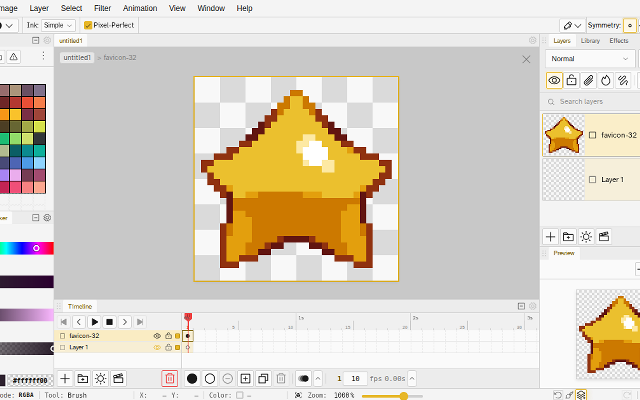
NovaboardA web-based pixel art editor that also runs on the desktop.Novaboard runs in the browser and as a desktop app, with layers, animation and effects.
Features:animationlayerspalette manipulation3d model exportonion skinningonlinesprite sheet export2dcustom brusheseffectssprite editorcross platform5 0 pieces -
 picoCAD 2A tiny low-poly modeller that also handles animations.
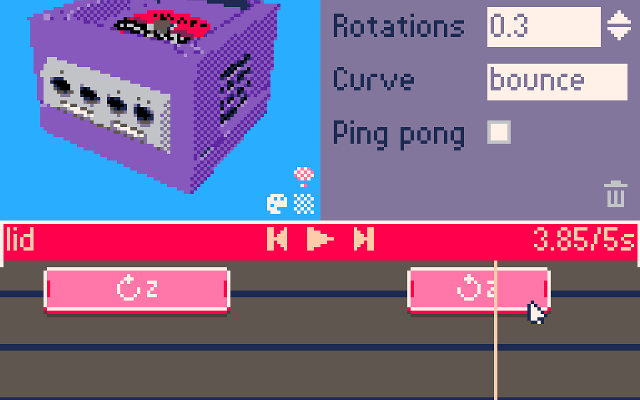
picoCAD 2 lets you make small low-poly models out of a handful of shapes and texture them with a single 128x128 texture sheet in a deliberately constrained toolset. Textures can be painted live in the program using a basic pixel art editor.
It also allows you to create simple animations and can be used to make larger and more complex models than the original picoCAD.
You can export renders, models and sprite sheets directly from it.
Features:low polytexture paintingmodel export3d model export3d modellingturntable renderanimationsprite sheet export4 26 pieces -
 6 screenshots
 PixquareA pixel art app for the iPad and iPhone, built around the Apple Pencil.Paid2Pixel Art
PixquareA pixel art app for the iPad and iPhone, built around the Apple Pencil.
PixquareA pixel art app for the iPad and iPhone, built around the Apple Pencil.Paid2Pixel Art
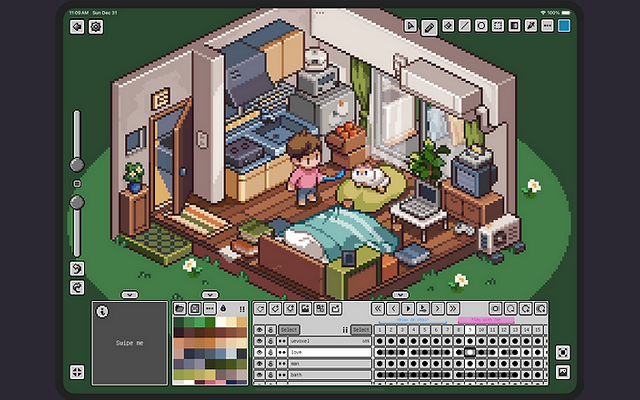
PixquareA pixel art app for the iPad and iPhone, built around the Apple Pencil.Pixquare is a pixel art editor for iPad and iPhone with a deliberately dense feature set: layers, animation, palettes, tiled preview and pressure-aware Apple Pencil drawing. It reads and writes the formats desktop editors use, so a drawing started on a tablet finishes anywhere.
2 54 pieces -
 PixakiA full pixel art and animation studio built for the iPad.
Pixaki is a full pixel art studio for the iPad, built for drawing with the Apple Pencil rather than a mouse. It has layers, a proper animation timeline with onion skinning, palette tools and tiled preview, and exports sprite sheets, GIFs and layered files.
2 4 pieces -
 6 screenshots
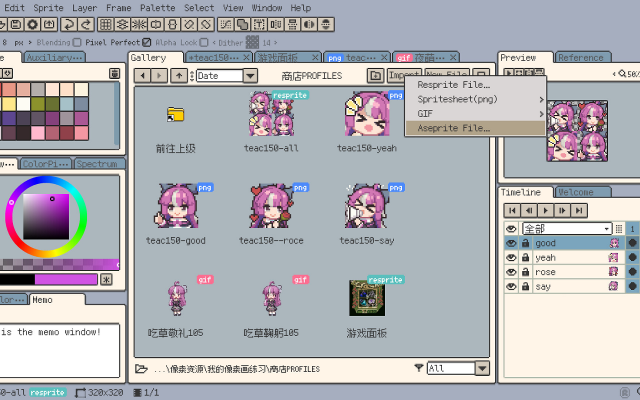
 RespriteA pixel art editor that runs the same project on a phone, a tablet and a desktop.Freemium1Pixel Art
RespriteA pixel art editor that runs the same project on a phone, a tablet and a desktop.
RespriteA pixel art editor that runs the same project on a phone, a tablet and a desktop.Freemium1Pixel Art
RespriteA pixel art editor that runs the same project on a phone, a tablet and a desktop.Resprite is a pixel art and animation editor for iOS, Android, Windows and macOS, built around a touch interface without losing the tools a desktop editor has: pixel-perfect lines, alpha lock, dithering patterns, custom brushes, gradients and symmetry. It imports and exports GIF, sprite sheets, PSD and APNG.
1 20 pieces -
 InkticaPixel art editor for iOS and AndroidInktica is a pixel art editor for artists and game developers creating low-resolution graphics and editing textures.
Core Editing & Selection Tools
Drawing Tools: Includes Brush, Eraser, Flood-fill, Gradient, Line, Rectangle, Ellipse, and Pipette.
Pixel-Perfect Algorithm: Applies to drawing tools to ensure single-pixel-wide lines without unwanted extra pixels.
Selection: Supports copying, cutting, moving, pasting, rotating, and flipping selected image sections.
Layers: Supports layer management for organizing artwork elements.
Animation & Reference
Frame-by-Frame Animation: Includes dedicated tools for creating frame-based animations.
Onion Skinning: Displays overlay previews of preceding frames relative to the active frame.
Reference Images: Loads gallery images onto the canvas for comparison while drawing.
Color Palettes
Preset Palettes: Includes built-in palettes based on hardware profiles like Atari 2600, NES, and Game Boy.
Custom & Imported Palettes: Supports custom color palettes as well as importing palettes from Lospec.
Import, Export & Compatibility
File Import: Opens Aseprite project files (.ase, .aseprite) alongside standard raster formats (.png, .jpeg, .gif).
Export & Upscaling: Exports animations and images to formats including MP4 video, standard raster formats, or local storage/social sharing, with upscaling options to prevent interpolation blur on standard displays.
1 1 piece -
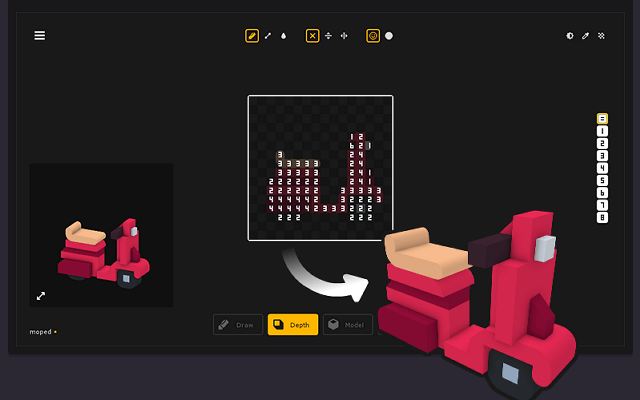
 Kenney ShapeBuilds chunky 2.5D icons and sprites out of stacked flat shapes.
Kenney Shape builds chunky 2.5D icons and sprites by stacking flat shapes and giving them depth, rather than by modelling in 3D. It is a fast way to get a consistent set of game icons, and exports both flat images and models.
1 0 pieces -
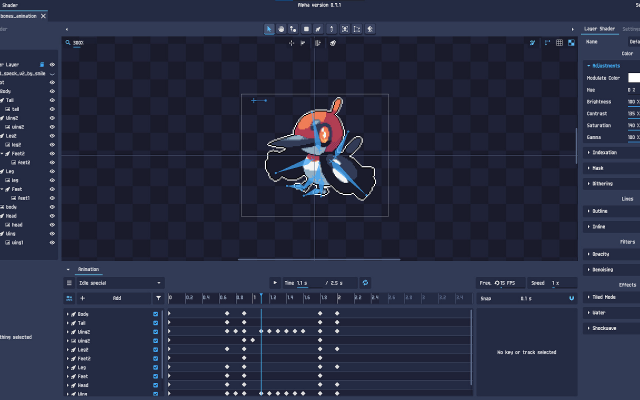 12 screenshotsPixelOverTurns artwork and 3D renders into animated pixel art without hand-pixelling every frame.Paid1Pixel Art
PixelOverTurns artwork and 3D renders into animated pixel art without hand-pixelling every frame.
12 screenshotsPixelOverTurns artwork and 3D renders into animated pixel art without hand-pixelling every frame.Paid1Pixel Art
PixelOverTurns artwork and 3D renders into animated pixel art without hand-pixelling every frame.PixelOver turns existing artwork, 3D renders and photographs into pixel art, with control over the palette, the dithering and the outline. It can rig and animate what it produces, so a single drawing becomes an animated sprite without pixelling every frame by hand.
1 0 pieces -
rxA modal pixel art editor driven from the keyboard, in the spirit of vi.
rx is a pixel art editor for people who live in a terminal. It is modal in the way vi is - keys are commands, not tools on a palette - and everything is configurable from a text file. It handles layers, animation strips and palettes, and exports sprite sheets.
1 0 pieces -
 4 screenshots
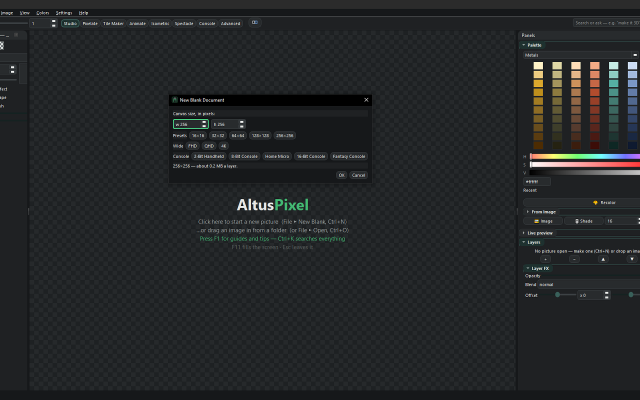
 AltusPixelPixel art editor, including animation, rigging, and palettes, and GameMaker projects...Paid0Pixel Art
AltusPixelPixel art editor, including animation, rigging, and palettes, and GameMaker projects...Paid $7.99 USD; one price, no DLC, updates included Pixel Art EditorsAnimation ToolsTile & Map EditorsPalette ToolsFont & Charset ToolsConverters & Scalers ActiveAltusPixel is a pixel art editor for game developers, sold on Steam for Windows and Linux. It is a single offline desktop application with no account.
AltusPixelPixel art editor, including animation, rigging, and palettes, and GameMaker projects...Paid0Pixel Art
AltusPixelPixel art editor, including animation, rigging, and palettes, and GameMaker projects...Paid $7.99 USD; one price, no DLC, updates included Pixel Art EditorsAnimation ToolsTile & Map EditorsPalette ToolsFont & Charset ToolsConverters & Scalers ActiveAltusPixel is a pixel art editor for game developers, sold on Steam for Windows and Linux. It is a single offline desktop application with no account.
Engine Export: complete GameMaker project exports (sprite, tileset and autotiles/room), a Godot TileSet and map scene, a Tiled map, Unity sprite metadata, and .ase filess.
Drawing: layers that can be added, reordered, hidden and recolored one at a time; lines that snap to isometric slopes and isometric scenes built block by block; fills with a material such as brick, stone, sand, grass, leaves, wood or water instead of a flat color; text in bundled pixel fonts with a live preview; a Bend tool that curves a straight strip.
Animation: frame-by-frame animation with onion skin and in-app playback; a character can be rigged on the canvas by placing joints, and several rigged characters can stand on one stage and run together; export to GIF, animated WebP, APNG and sprite sheets.
Tiles: tilemap layers where editing one tile updates every placed copy, and autotile set generation.
Color: thirty-six bundled palettes, a palette library, and template palettes pasted straight in.
Pipeline: recorded macros that run across a whole folder; an atlas packer with JSON metadata and native Godot .tres output; automatic re-export on save into a game's asset folder; in-file snapshots and a session timelapse recorder; PNG, integer-scaled PNG and sprite-sheet export.
Also developed: photos can be turned into a printable cross-stitch pattern at real size. The application contains no generative AI features.Features:animationlayerspalette manipulationonion skinningsprite sheet exporttilemapstilesimage conversiontexture paintingisometricexporttilemap exporttimelapse0 0 pieces -
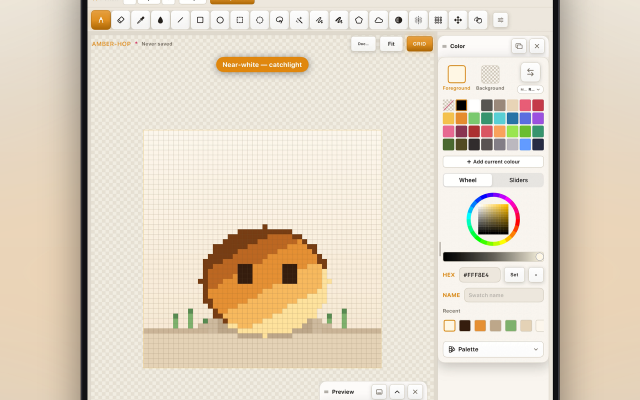 2 screenshots
 AmberspritePixel-art sprite editor, animation & tilemaps for iPad with Apple PencilPaid0Pixel Art
AmberspritePixel-art sprite editor, animation & tilemaps for iPad with Apple PencilAmbersprite is a pixel-art editor for iPad, built around Apple Pencil input. It provides pixel-perfect drawing with pressure and tilt support, frame-by-frame animation with onion skinning, and tilemap editing. Sprites and animations can be exported as PNG, GIF, APNG, sprite sheets, Aseprite (.ase) and PSD files, Tiled maps, and video. It works fully offline with no account, ads, or analytics.0 0 pieces
AmberspritePixel-art sprite editor, animation & tilemaps for iPad with Apple PencilPaid0Pixel Art
AmberspritePixel-art sprite editor, animation & tilemaps for iPad with Apple PencilAmbersprite is a pixel-art editor for iPad, built around Apple Pencil input. It provides pixel-perfect drawing with pressure and tilt support, frame-by-frame animation with onion skinning, and tilemap editing. Sprites and animations can be exported as PNG, GIF, APNG, sprite sheets, Aseprite (.ase) and PSD files, Tiled maps, and video. It works fully offline with no account, ads, or analytics.0 0 pieces -
 BespritedA free, open-source pixel-art and sprite animation editorBesprited is a free and open-source pixel-art editor and animation tool for Windows, macOS and Linux. It builds on LibreSprite, the community continuation of Aseprite’s last open-source release, with a faster release cycle. It offers layers and frames with onion skinning and real-time preview, a stabilized pencil for clean lines, shading ink, custom brushes, symmetry, RotSprite rotation, a tiling mode for seamless textures, and JavaScript scripting. It reads and writes Aseprite .ase files as well as GIF, PNG sequences and sprite sheets.0 0 pieces
 -
 12 screenshots
 Juice FXAdd squash, stretch, glow and other juice to sprites automatically.Paid0Pixel Art
Juice FXAdd squash, stretch, glow and other juice to sprites automatically.
Juice FXAdd squash, stretch, glow and other juice to sprites automatically.Paid0Pixel Art
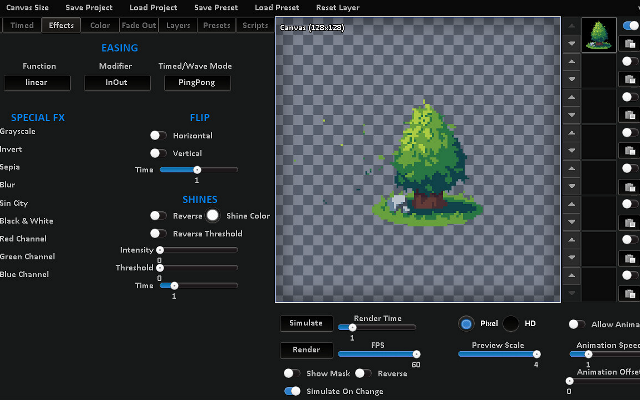
Juice FXAdd squash, stretch, glow and other juice to sprites automatically.Juice FX takes a sprite and generates effects such as shaking, flashing, outlines, dissolves and bounces as animated sprite sheets.
0 0 pieces -
 11 screenshots
 Pixel FX DesignerDesign pixel art particle effects and export them as sprite sheets.Paid0Pixel Art
Pixel FX DesignerDesign pixel art particle effects and export them as sprite sheets.
Pixel FX DesignerDesign pixel art particle effects and export them as sprite sheets.Paid0Pixel Art
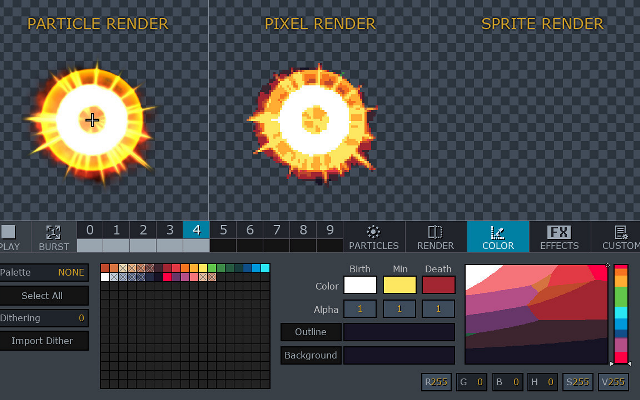
Pixel FX DesignerDesign pixel art particle effects and export them as sprite sheets.A particle editor that renders effects with pixel art constraints: fire, smoke, explosions and magic, exported as animated sprite sheets.
0 0 pieces -
 2 screenshots
 Pixel to 3D Batch BuilderTransform pixel art into lowpoly, voxels or sheets.Paid0Other Low-Spec
Pixel to 3D Batch BuilderTransform pixel art into lowpoly, voxels or sheets.Paid $12 Other Low-Spec Converters & Scalers3D ToolsEditorsProcedural GeneratorsUtilities MaintainedThis is a windows program that lets you convert your individual pixel art images into:
Pixel to 3D Batch BuilderTransform pixel art into lowpoly, voxels or sheets.Paid0Other Low-Spec
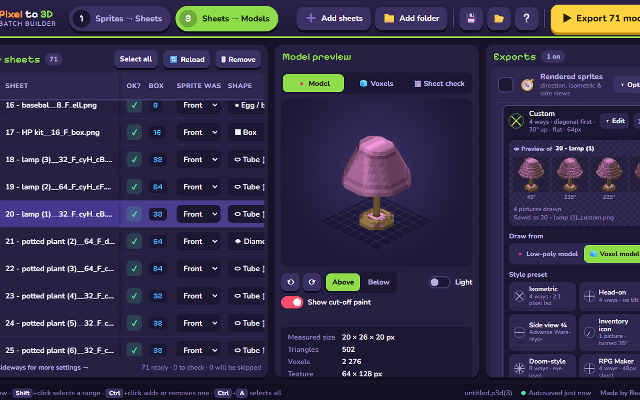
Pixel to 3D Batch BuilderTransform pixel art into lowpoly, voxels or sheets.Paid $12 Other Low-Spec Converters & Scalers3D ToolsEditorsProcedural GeneratorsUtilities MaintainedThis is a windows program that lets you convert your individual pixel art images into:- 3D low poly models (.GLB)
- Normal maps & roughness maps for said low poly models
- Voxel models (.VOX)
- Spritesheets
- (Doom II, Diablo 2, Advance Wars, RPG Maker, UI Icons, Red Alert 2)
- Turntable animated spinning .GIF
- and more.
Designed for layperson pixel artists - this is as easy as it gets. You can convert entire folders.
It will save you hours, days, weeks or even months of otherwise tedious work.Features:3d model export3d modellinglow polyvoxeluv mappingisometricnormal mapssprite sheet export3d0 0 pieces -
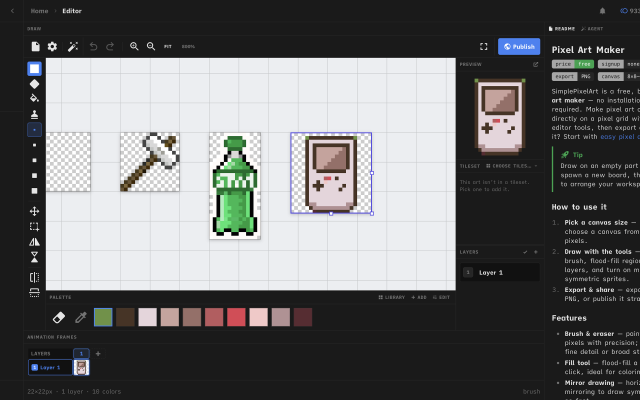
 Simple Pixel Art EditorFree, browser-based pixel art editor — draw sprites, build tilesets with auto-tiling terrains, paint tilemaps, animate fDraw sprites, build tilesets, paint tilemaps, and export game-ready assets for Godot, Unity, or Phaser — or just convert a photo and remix community templates. All free, in your browser.0 0 pieces
 -
 Sprite (Alpha)Micro Pixel EditorSprite is a keyboard first pixel art editor focused on small canvases, quick animations and a fast workflow.Features:animationlayerspalette manipulationonion skinningsprite sheet exportexportsprite editorgame boycustom charsetsautosaveretro constraintsditheringgif exportonlineframe exportcustom fontscross platformcolor replacementcollaboration0 0 pieces
 -
0 screenshotsSprite Sheet BuilderFree browser tool that packs, splits and converts sprite sheets for 2D game development.Free0Pixel Art
Sprite Sheet BuilderFree browser tool that packs, splits and converts sprite sheets for 2D game development.Sprite Sheet Builder is a set of free, browser-only sprite tools for 2D game developers. Pack PNG, JPG, WebP, GIF or HEIC frames into one transparent sheet with grid or auto-pack layout and adjustable padding and spacing, then preview the loop at 1-30 FPS before exporting. Split an existing sheet by grid or by transparent-region detection and download the frames as individual transparent PNGs. Convert animated GIFs into sprite sheets and back. Exports are engine-ready: TexturePacker-style JSON for Phaser and Unity, a Godot .tres SpriteFrames resource, and Sparrow XML for Flixel-family engines. The FNF Sprite Sheet and XML Generator groups animations and exports Sparrow XML plus a Psych Engine character JSON in one ZIP, and can re-import an existing atlas. Files never leave the browser - decoding, packing and export all run on the visitor's device, with no account and no watermark. Engine guides for Unity, Godot and Phaser are in the engine section of the site.0 0 pieces
-
 2 screenshots
 spritebitA free pixel art editor for sprites, animation and game tiles. Runs in your browser or as a Windows desktop app.Free0Pixel Art
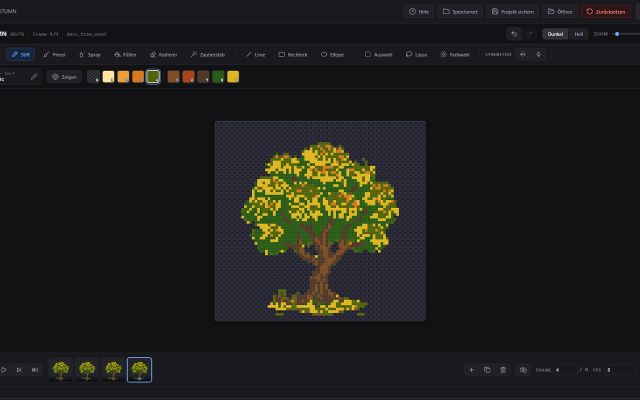
spritebitA free pixel art editor for sprites, animation and game tiles. Runs in your browser or as a Windows desktop app.spritebit is a free pixel art editor made for drawing, not for fiddling with settings. Open it in your browser and start painting: no account
spritebitA free pixel art editor for sprites, animation and game tiles. Runs in your browser or as a Windows desktop app.Free0Pixel Art
spritebitA free pixel art editor for sprites, animation and game tiles. Runs in your browser or as a Windows desktop app.spritebit is a free pixel art editor made for drawing, not for fiddling with settings. Open it in your browser and start painting: no account and your work stays on your device. Prefer a real program? The Windows desktop app has the same features, opens the same project files and handles canvases up to 8192 × 8192.
Draw
Pencil with Clean Stroke for crisp 1-pixel lines, brush, spray, fill and symmetry. The shading tool walks through your colour ramp, with a soft gradient from the centre or from one side. Turn any selection into a custom brush and save your favourites for every project. Tiled mode shows your image repeated around itself, so seamless patterns line up as you paint.
Colour
Load palettes straight from Lospec (.hex, .gpl, .pal or the PNG) and save your own. Replace a colour across a frame, a layer or the whole sprite. Reduce a photo to a palette, and add light and drop shadows on their own layer that you can change at any time.
Animate
A layer × frame timeline with tags, onion skin and linked cels. Play your animation right on the canvas.
For games
Tilemap layers: paint a tile once and it changes everywhere it's used. Export PNG, GIF, spritesheets with a JSON atlas, Godot 4 scenes, or code.
spritebit gets new features regularly and listens to feedback. The desktop app tells you when an update is ready and installs it with one click. It's open source (MIT), and what you draw is yours.
Available in English and German.
Features:layersframe exportanimationonion skinningpalette manipulationcroppingsprite sheet exportgif export0 0 pieces
There are no more software for your current criteria.
There are no software for your current criteria.
AD| join Patreon to remove ads!
Thanks for your feedback! If you want to say more, please post a Suggestion or Bug Report!
our next patreon goal: $263 / $500