Filtering Options:
21 software:
-
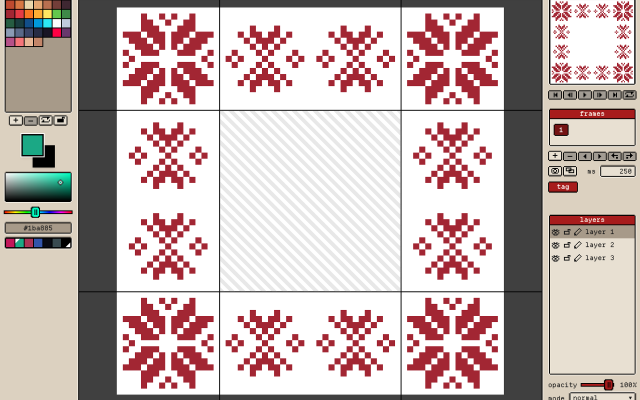 3 screenshots
 GribbleCross-platform Pixel Editor with Cloud Storage and Community FeaturesFreemium5Pixel Art
GribbleCross-platform Pixel Editor with Cloud Storage and Community Features
The pixel art editor
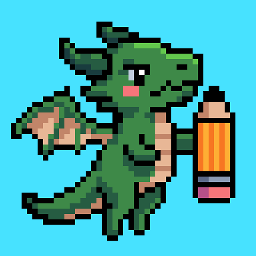
Gribble is a pixel art and animation editor that runs in the browser (gribble.app) or as an Android or iPhone app. One account syncs projects between all devices.
Website: gribble.app
Android: Play Store
iOS: App StoreLayers with opacity and 15 blend modes. Frame-by-frame animation with onion skin, frame tags and playback.
Every stroke is recorded, so a finished artwork can be exported as a timelapse.
The community features includes a global gallery with museum frames, a profile page, followers, likes and achievements.
Tools
Brushes, eraser, bucket, dither gradient, color picker, global color picker, ellipse tool, square tool, line tool, square select, lasso select, magic wand, dither, shading, outline, gradient, symmetry, smudge.
Features
Autosave, cloud-storage, timelapse, image/GIF imports, image/video/GIF/code/spritesheet exports, unique 9-patch mode and export, palette lock, alpha lock, themes, pixel perfect, 512x512 grids, palettes, gribble files (.grbl), artwork forking.
Features:animationlayerspalette manipulationsprite sheet exportonion skinning2dimage conversionexportonlinesprite editorditheringcross platformgif exportcolor reductionapple pencilpalettestimelapsejavascriptautosavepng exportsprite sheets5 3 pieces -
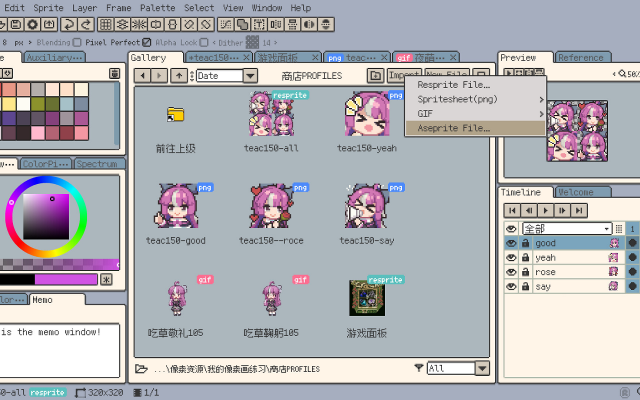 6 screenshots
 RespriteA pixel art editor that runs the same project on a phone, a tablet and a desktop.Freemium2Pixel Art
RespriteA pixel art editor that runs the same project on a phone, a tablet and a desktop.
Resprite is a pixel art and animation editor for iOS, Android, Windows and macOS, built around a touch interface without losing the tools a desktop editor has: pixel-perfect lines, alpha lock, dithering patterns, custom brushes, gradients and symmetry. It imports and exports GIF, sprite sheets, PSD and APNG.
2 25 pieces -
 InkticaPixel art editor for iOS and AndroidInktica is a pixel art editor for artists and game developers creating low-resolution graphics and editing textures.
Core Editing & Selection Tools
Drawing Tools: Includes Brush, Eraser, Flood-fill, Gradient, Line, Rectangle, Ellipse, and Pipette.
Pixel-Perfect Algorithm: Applies to drawing tools to ensure single-pixel-wide lines without unwanted extra pixels.
Selection: Supports copying, cutting, moving, pasting, rotating, and flipping selected image sections.
Layers: Supports layer management for organizing artwork elements.
Animation & Reference
Frame-by-Frame Animation: Includes dedicated tools for creating frame-based animations.
Onion Skinning: Displays overlay previews of preceding frames relative to the active frame.
Reference Images: Loads gallery images onto the canvas for comparison while drawing.
Color Palettes
Preset Palettes: Includes built-in palettes based on hardware profiles like Atari 2600, NES, and Game Boy.
Custom & Imported Palettes: Supports custom color palettes as well as importing palettes from Lospec.
Import, Export & Compatibility
File Import: Opens Aseprite project files (.ase, .aseprite) alongside standard raster formats (.png, .jpeg, .gif).
Export & Upscaling: Exports animations and images to formats including MP4 video, standard raster formats, or local storage/social sharing, with upscaling options to prevent interpolation blur on standard displays.
1 1 piece -
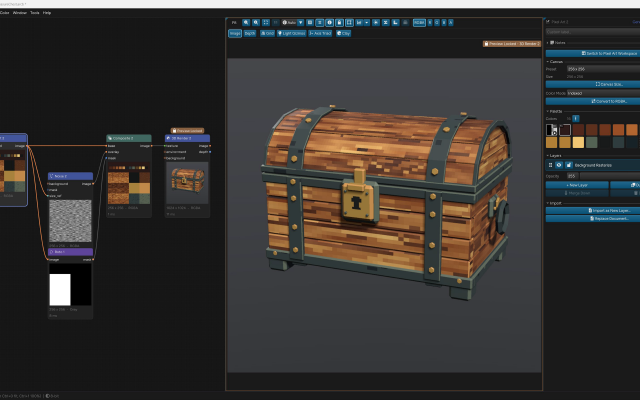
 ArcBrushThe node-based image editor.Freemium Free for personal use; one-time $49 commercial license Other Low-Spec EditorsPalette ToolsProcedural GeneratorsConverters & Scalers3D ToolsUtilities ActiveArcBrush is a node-based image editor for Windows, macOS and Linux. Images are built as a graph of nodes, so every step stays editable.
Its Pixel Art node is a sprite, icon and tile editor inside that graph. It has layers, Pixel-Perfect tools, symmetry axes, seamless wrapping, Marquee, Lasso and Magic Wand selections, RGBA or Indexed canvases whose palette round-trips with Swatches, and a shading ink along palette ramps.
Other nodes can recolor, pack into atlases and batch export the result. Export Data writes CSV, JSON or text sprite tables.
It also has nodes for texture and material work, photo editing and compositing. It is free for personal use; commercial use needs a one-time Pro license.Features:layerspalette manipulationsprite sheet export2dcustom brushesimage conversionexporttilemapssprite editorcross platformeffectstexture paintingditheringnormal mapsbatch processing3dcolor replacementrenderingcolor reductionpng exportsprite sheetsprocedural1 0 pieces -
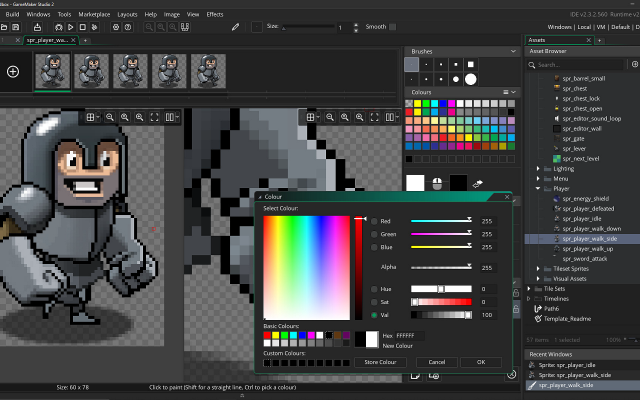 6 screenshots
 GameMakerThe 2D engine behind Undertale, Hyper Light Drifter and Katana ZERO.Freemium1Programming
GameMakerThe 2D engine behind Undertale, Hyper Light Drifter and Katana ZERO.
GameMaker is a 2D-first engine with a built-in sprite editor and room editor, used by many of the best known pixel art games.
1 0 pieces -
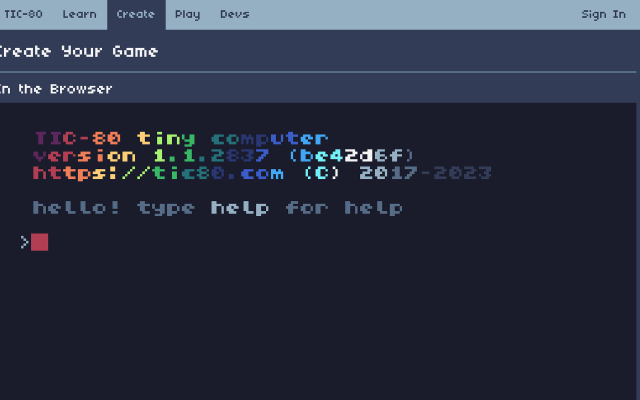
 TIC-80A free and open source fantasy computer with a 240×136 screen.
TIC-80 is an open source fantasy console in the PICO-8 mould with a larger screen, several scripting languages, and built-in sprite, map, sound and music editors.
1 0 pieces -
 9 screenshots
 Pixel StudioA cross-platform pixel art editor that syncs the same project between desktop and phone.Freemium0Pixel Art
Pixel StudioA cross-platform pixel art editor that syncs the same project between desktop and phone.
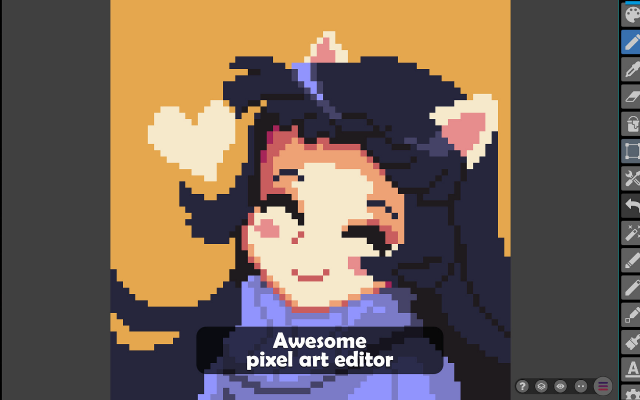
Pixel Studio is a pixel art editor that runs on desktop, phone and tablet with the same project open on all of them. It covers layers, animation with onion skinning, tilesets and palettes, and reads and writes Aseprite files, which makes it a practical way to keep drawing away from a desk.
0 11 pieces -
 6 screenshotsAsset ForgeBuilds low-poly models by snapping premade blocks together.Freemium0Low-Poly
 Asset ForgeBuilds low-poly models by snapping premade blocks together.
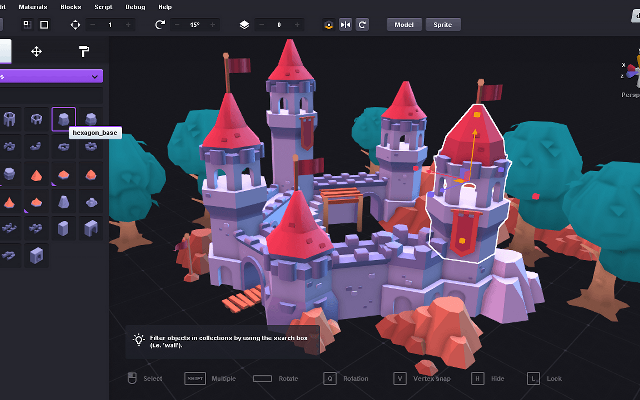
Asset Forge makes models by kitbashing: drop blocks from its kits into a scene, snap them together, recolor them and export the result as a model or as rendered 2D sprites.
0 0 pieces -
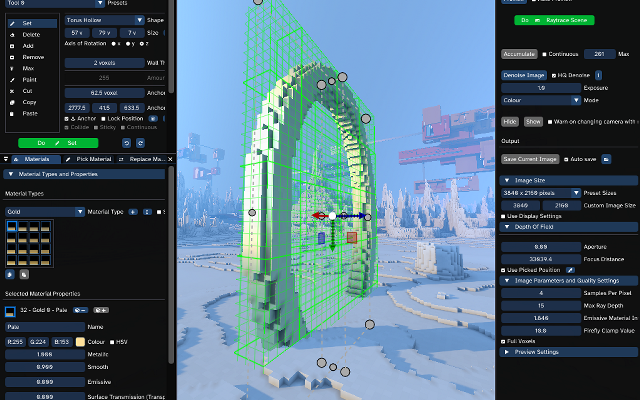
 AvoydA voxel editor and renderer built for very large scenes.
Avoyd edits and renders voxel scenes with billions of voxels, with a custom smoothing algorithm and imports for Minecraft maps.
0 0 pieces -
 0 screenshotsCrosyBrowser-based cross-stitch chart creation, editing and progress tracking.Freemium0Pixel Art
CrosyBrowser-based cross-stitch chart creation, editing and progress tracking.Freemium 30 credits/pattern unlock; credit packs and optional Pro. Pixel Art EditorsConverters & Scalers ActiveCrosy is a browser-based editor for cross-stitch charts. It converts a photo to a limited-color stitch grid, or starts from a blank design. Users can adjust chart dimensions and thread colors, edit individual stitches and backstitch, and mark stitching progress. Projects save on the current device, with optional account cloud sync within plan limits. Preview, standard editing and progress tracking are free. A 30-credit pattern unlock enables chart and project downloads in PDF, image, SVG and exchange formats. Credit packs and optional Pro subscriptions are available. Crosy uses image conversion and direct grid editing; it is not an AI image generator.Features:image conversionpalette manipulationgrid editingcross stitchbackstitchprogress trackingpdf export0 0 pieces
-
 6 screenshots
 GDevelopA no-code game engine with an event sheet instead of a scripting language.Freemium0Programming
GDevelopA no-code game engine with an event sheet instead of a scripting language.
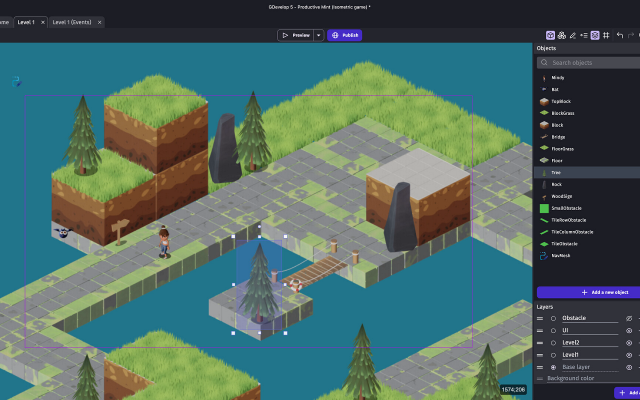
GDevelop builds games out of events - conditions and actions picked from a list - rather than code, which makes it a common first engine. It handles tilemaps, 2D lighting, physics and multiplayer, exports to web, desktop and mobile, and the underlying engine is open source.
0 0 pieces -
 0 screenshotsPixel Character GeneratorBrowser tool that generates animated 32x32 pixel art characters and exports them as sprite sheets.Freemium0Pixel Art
Pixel Character GeneratorBrowser tool that generates animated 32x32 pixel art characters and exports them as sprite sheets.Pixel Character Generator is a browser tool that builds animated 32x32 pixel art characters for games. It has eight preset roles, such as knight, mage, rogue and archer, and options for body type, skin, hair, headgear, outfit, colours, cape, weapon and shield. A seed makes results repeatable, and a crowd button rolls twelve characters at once. Each character has idle, walk, attack, hurt, jump and die animations in a side view, plus front and back views. Shading uses hue-shifted colour ramps and a coloured outline. It exports a sprite sheet with JSON frame data. The free version allows three exports a day at 1x and 2x scale. The paid Pro plan adds 4x and 8x scale, a 4-direction top-down sheet, front and back frames, Godot 4 SpriteFrames files and crowd ZIPs. It is part of GameShipKit, a collection of browser tools for game developers.0 0 pieces
-
 0 screenshotsPixel Monster GeneratorBrowser tool that generates animated 32x32 pixel art monsters and exports them as sprite sheets.Freemium0Pixel Art
Pixel Monster GeneratorBrowser tool that generates animated 32x32 pixel art monsters and exports them as sprite sheets.Pixel Monster Generator is a browser tool that builds animated 32x32 pixel art enemies for games. It has nine monster types: slime, bat, ghost, floating eye, mushroom, spider, wisp, biting plant and rock golem. Each type has three body shapes, width and height sliders, colours, eye styles, patterns such as spots and stripes, and extras such as horns or a crown. A random button and a seed field make new monsters, and a horde button rolls twelve at once. Every monster has idle, move, attack, hurt and die animations on one sheet. It exports a sprite sheet with JSON frame data. The free version allows three exports a day at 1x and 2x scale. The paid Pro plan adds 4x and 8x scale, Godot 4 SpriteFrames files and horde ZIPs. It is part of GameShipKit, a collection of browser tools for game developers.0 0 pieces
-
 0 screenshotsPixel VFX StudioBrowser tool that generates 37 animated pixel art effects you can recolour and export as sprite sheets.Freemium0Pixel Art
Pixel VFX StudioBrowser tool that generates 37 animated pixel art effects you can recolour and export as sprite sheets.Pixel VFX Studio is a browser tool that draws animated pixel art effects with code. It includes 37 effects in ten groups: fire, explosions, impacts, magic, ice, lightning, water, nature, weather and pickups. Loops such as torches, portals and rain wrap without a seam. One-shots such as explosions and slashes start and end on an empty frame. Each effect uses a ramp of six colours, so it can be recoloured with a preset palette or with custom colours. Size, frame count, speed and random seed can be changed. Optional dithering and a dark outline are available. It exports a sprite sheet with JSON frame data or a GIF. The free version allows three exports a day at 1x and 2x scale. The paid Pro plan adds 4x and 8x scale, Godot 4 SpriteFrames files, single frame PNGs and category ZIPs. It is part of GameShipKit, a collection of browser tools for game developers.0 0 pieces
-
 2 screenshots
 Pixsama: Pixel Art EditorAn offline pixel art and animation editor for Android phones and tablets, built for touch and stylus.Freemium0Pixel Art
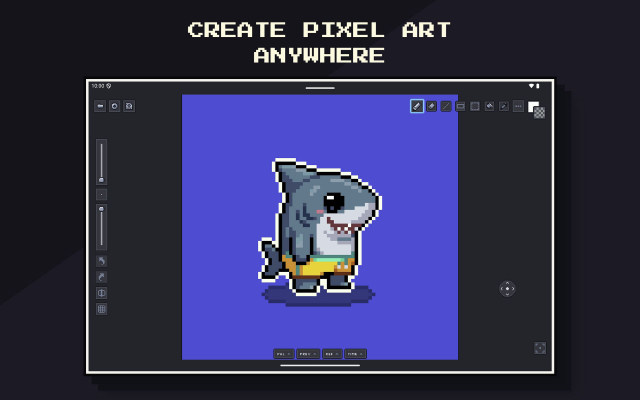
Pixsama: Pixel Art EditorAn offline pixel art and animation editor for Android phones and tablets, built for touch and stylus.Pixsama is a pixel art and sprite animation editor for Android 10 and newer. It supports drawing with touch or a compatible stylus, with movable panels for palettes, animation, previews and reference images. It works offline without an account.
Features include layers, frame-by-frame animation, onion skinning, indexed colour, custom palettes, selections and PNG export. The free version supports canvases up to 128 × 128 pixels, three layers and six animation frames.
An optional Pro upgrade increases these limits and adds workflows including editable Aseprite import and export, sprite sheets, animated GIF and WebP export, seamless tiled drawing, symmetry and dithering.
Features:animationlayerspalette manipulationsprite sheet exportonion skinningindexed colourselectionsstylus supportreference imagesaseprite supporttiled modesymmetryditheringpng exportgif exportwebp exportoffline0 0 pieces -
 2 screenshotsPuffProcedural pixel art effect generator for explosions, hit sparks, magic, and looping fire, smoke and aurasFreemium0Pixel Art
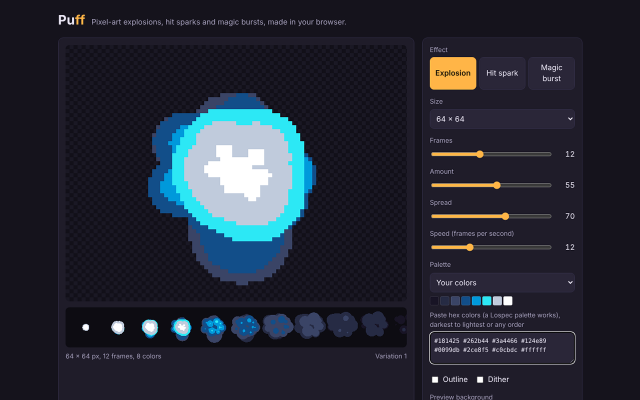
PuffProcedural pixel art effect generator for explosions, hit sparks, magic, and looping fire, smoke and aurasFreemium Free in browser (GIF export); $5 adds sprite sheets and JSON Pixel Art Effect & Particle GeneratorsProcedural Generators ActivePuff generates animated pixel art effects from particle rules, for game developers and pixel artists who need effect sprites. It has twelve effects: nine one-shots (explosion, hit spark, magic burst, shockwave, smoke, debris, mushroom blast, chain explosion and plasma burst) and three seamless loops (fire, smoke and aura). Each numbered variation always draws the same frames; New variation draws another. Settings cover effect type, frame size from 16 to 256 px, frame count from 4 to 48, particle amount, spread, playback speed, palette (eight built in, or up to 32 pasted hex colors such as a Lospec palette; every frame uses only those colors), outline and ordered dither. The free version runs on its web page and exports animated GIFs. The $5 download is a single HTML file that runs in any browser without an internet connection and adds sprite sheet PNG export with a JSON frame map (columns, rows, each frame's position, Godot hframes and vframes) and a Godot 4 SpriteFrames file, for one effect or all twelve at once.0 0 pieces
-
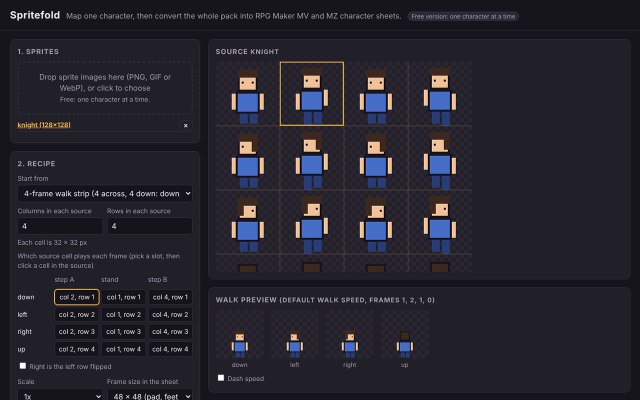
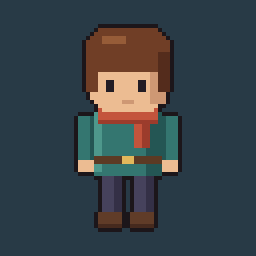 SpritefoldBrowser tool that rearranges character sprites from other layouts into RPG Maker MV and MZ character sheets.
Spritefold rearranges character sprites into the sheet layout RPG Maker MV and MZ use: three frames by four directions per character, up to eight characters per sheet.
It starts from a common layout (4-frame walk strips, LPC walk rows or RPG Maker order) or a custom grid where you pick which cell plays each frame, and previews the walk at RPG Maker's default speed. 32 px art can be padded to 48 x 48 or scaled 2x. The right-facing row can be the left row flipped. It reads PNG, GIF and WebP and exports PNG with transparency.
It runs in the browser. The free version on its itch.io page exports one character at a time; the paid version, an HTML file that also works offline, adds batch export of a whole pack, eight-character sheets, saved mappings and object sheets.
0 0 pieces -
SunVoxA modular synth and tracker that runs on almost anything.Freemium free on desktop, paid on mobile Chiptune TrackersSynths & InstrumentsDAWs & Sequencers Active
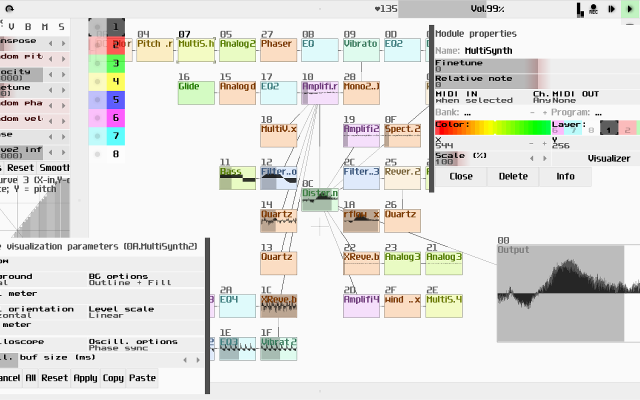
SunVox combines a pattern tracker with a modular synthesizer, and runs the same on desktops, phones and the web.
0 0 pieces -
 4 screenshots
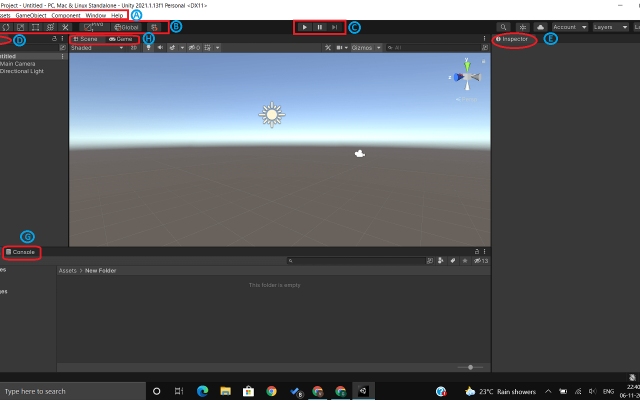
 UnityA general game engine with a widely used 2D pixel art pipeline.Freemium0Programming
UnityA general game engine with a widely used 2D pixel art pipeline.
Unity is a general-purpose game engine with a well-worn 2D pipeline: a sprite editor and atlas packer, a tilemap system with rule tiles, 2D lights and shadows, and a large asset store. It is heavier than the dedicated 2D engines, and in return it goes anywhere.
0 0 pieces -
0 screenshotsVoxelDraftBrowser-based voxel editor for creating and exporting voxel artFreemium0Voxel Art
VoxelDraftBrowser-based voxel editor for creating and exporting voxel artVoxelDraft is a browser-based voxel editor for making small voxel scenes, characters, and game assets. It provides editing, rendering, animation, sharing, and export workflows for OBJ, GLB, VOX, Minecraft .schem, and Roblox .rbxl formats. Because it runs in a browser, it can be used without installing a desktop editor. A hosted MCP endpoint is also available for AI-assisted voxel modeling workflows.0 0 pieces updated a month ago
-
 dotpictA phone pixel art app built around a drawing community.
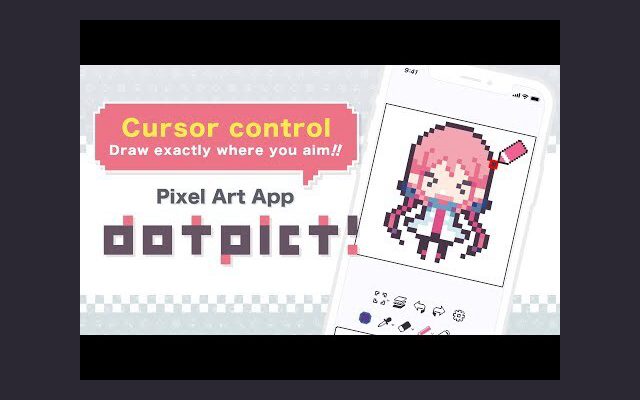
dotpict is a phone app for drawing pixel art, built around a community that posts and comments on what it makes. The canvas is deliberately small and the tools are few, which suits short sessions and daily practice more than long production work.
0 0 pieces
There are no more software for your current criteria.
There are no software for your current criteria.
Thanks for your feedback! If you want to say more, please post a Suggestion or Bug Report!
our next patreon goal: $301 / $500