Filtering Options:
18 software:
-
 4 screenshots
 voidspriteopen-source pixel art editor with extensive format support and features useful for game developmentFree24Pixel Art
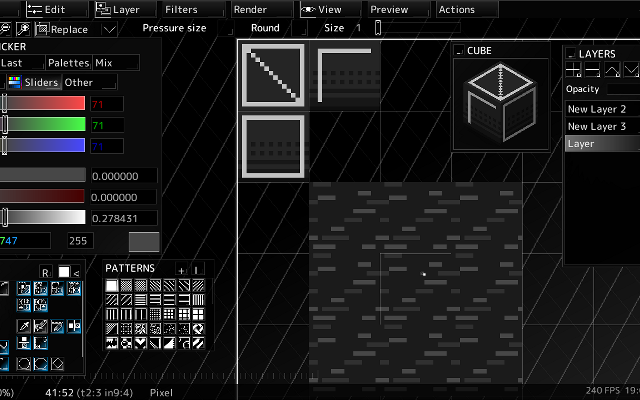
voidspriteopen-source pixel art editor with extensive format support and features useful for game developmentvoid◆sprite is an actively developed cross-platform, open-source pixelart editor.
voidspriteopen-source pixel art editor with extensive format support and features useful for game developmentFree24Pixel Art
voidspriteopen-source pixel art editor with extensive format support and features useful for game developmentvoid◆sprite is an actively developed cross-platform, open-source pixelart editor.
Has features useful for game development, such as split sessions (multiple files on one canvas) and previews of spritesheet animations, tilesets or 3D cubes.
Other unique features include: layer variants, on-canvas comments, custom patterns, templates and real-time LAN collaboration.
Supports many image formats, including some specific to other editors like Aseprite and GraphicsGale.
Most common color palette formats are supported too, and can be used in a separate indexed editor mode.Features:animationlayerspalette manipulationsprite sheet exportonlinetilemaps2dtilescross platformsprite editorimage conversionccollaboration24 6 pieces updated 23 days ago -
 12 screenshots
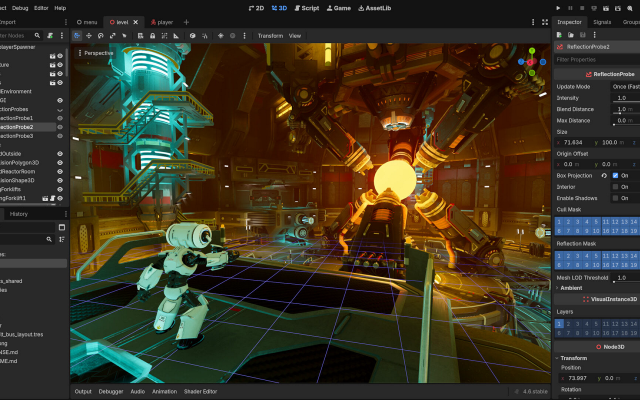
 Godot EngineA free, open source 2D and 3D game engine with excellent pixel art support.Free5Programming
Godot EngineA free, open source 2D and 3D game engine with excellent pixel art support.
Godot EngineA free, open source 2D and 3D game engine with excellent pixel art support.Free5Programming
Godot EngineA free, open source 2D and 3D game engine with excellent pixel art support.Godot has a dedicated 2D renderer with pixel-snapping, nearest neighbour filtering and viewport scaling options that make low-resolution games straightforward.
5 0 pieces -
 3 screenshots
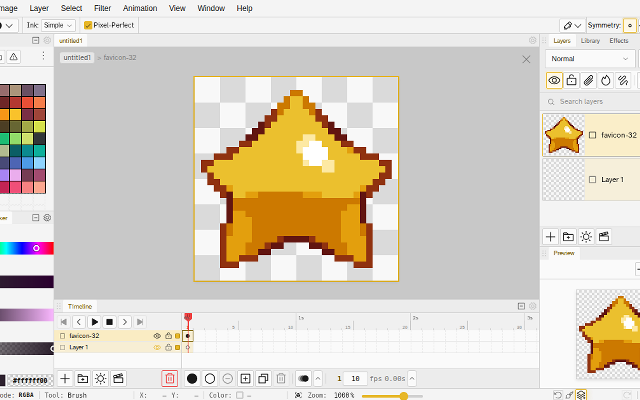
 NovaboardA web-based pixel art editor that also runs on the desktop.Free5Pixel Art
NovaboardA web-based pixel art editor that also runs on the desktop.
NovaboardA web-based pixel art editor that also runs on the desktop.Free5Pixel Art
NovaboardA web-based pixel art editor that also runs on the desktop.Novaboard runs in the browser and as a desktop app, with layers, animation and effects.
Features:animationlayerspalette manipulation3d model exportonion skinningonlinesprite sheet export2dcustom brusheseffectssprite editorcross platform5 0 pieces -
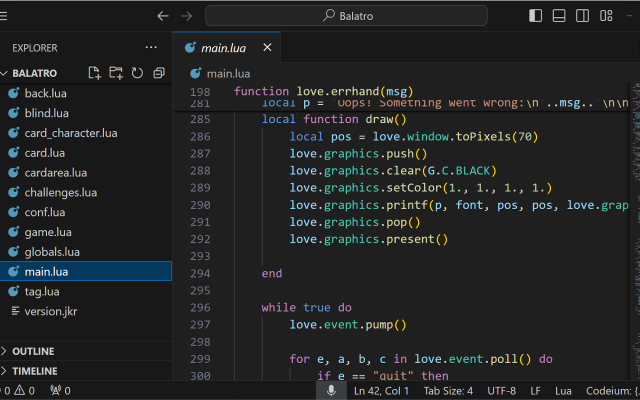
 LÖVEA free framework for making 2D games in Lua.
LÖVE is a small, well documented Lua framework with nearest-neighbour filtering and canvases that make pixel-perfect rendering easy.
3 0 pieces -
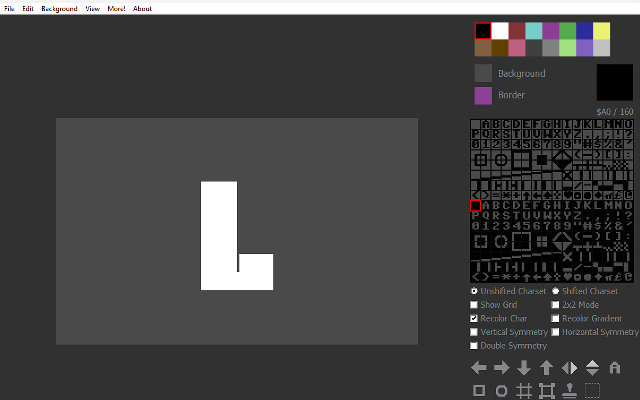
 Petscii ColaA free PETSCII editor for Commodore 64 art.
Petscii Cola is a free, basic PETSCII editor which can save raster images and Commodore 64-playable files, as well as convert raster images to PETSCII, multicolor or hires Commodore 64 images.
It also includes a choice of Commodore 64 palettes, and a gallery of PETSCII art.
1 5 pieces -
 InkticaPixel art editor for iOS and AndroidInktica is a pixel art editor for artists and game developers creating low-resolution graphics and editing textures.
Core Editing & Selection Tools
Drawing Tools: Includes Brush, Eraser, Flood-fill, Gradient, Line, Rectangle, Ellipse, and Pipette.
Pixel-Perfect Algorithm: Applies to drawing tools to ensure single-pixel-wide lines without unwanted extra pixels.
Selection: Supports copying, cutting, moving, pasting, rotating, and flipping selected image sections.
Layers: Supports layer management for organizing artwork elements.
Animation & Reference
Frame-by-Frame Animation: Includes dedicated tools for creating frame-based animations.
Onion Skinning: Displays overlay previews of preceding frames relative to the active frame.
Reference Images: Loads gallery images onto the canvas for comparison while drawing.
Color Palettes
Preset Palettes: Includes built-in palettes based on hardware profiles like Atari 2600, NES, and Game Boy.
Custom & Imported Palettes: Supports custom color palettes as well as importing palettes from Lospec.
Import, Export & Compatibility
File Import: Opens Aseprite project files (.ase, .aseprite) alongside standard raster formats (.png, .jpeg, .gif).
Export & Upscaling: Exports animations and images to formats including MP4 video, standard raster formats, or local storage/social sharing, with upscaling options to prevent interpolation blur on standard displays.
1 1 piece -
 12 screenshotsDefoldA small, free 2D engine that builds tiny games for a lot of platforms.Free1Programming
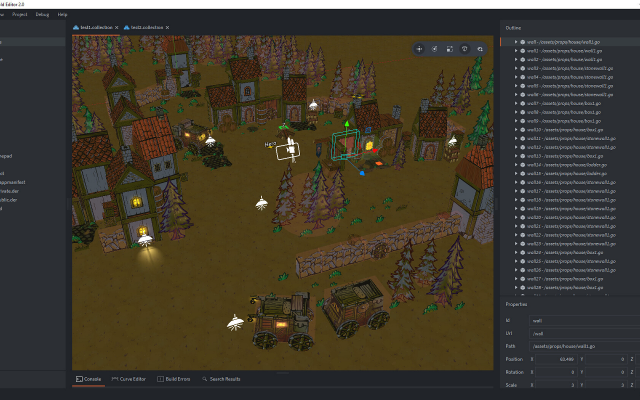
 DefoldA small, free 2D engine that builds tiny games for a lot of platforms.
Defold is a small, free 2D engine that builds unusually light games for desktop, web, mobile and consoles from one project. It is scripted in Lua, ships as a single editor with no licence tiers, and its tilemap and sprite handling suit pixel art directly.
1 0 pieces -
 6 screenshots
 GameMakerThe 2D engine behind Undertale, Hyper Light Drifter and Katana ZERO.Freemium1Programming
GameMakerThe 2D engine behind Undertale, Hyper Light Drifter and Katana ZERO.
GameMakerThe 2D engine behind Undertale, Hyper Light Drifter and Katana ZERO.Freemium1Programming
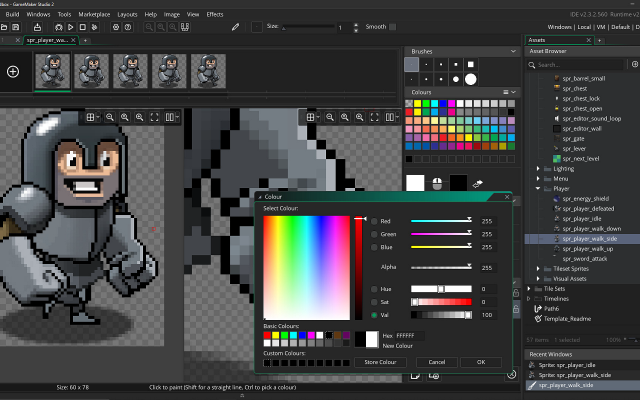
GameMakerThe 2D engine behind Undertale, Hyper Light Drifter and Katana ZERO.GameMaker is a 2D-first engine with a built-in sprite editor and room editor, used by many of the best known pixel art games.
1 0 pieces -
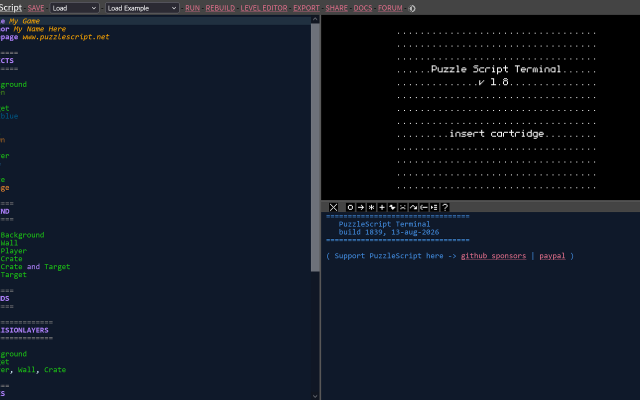
PuzzleScriptWrites a whole puzzle game as a short text file in the browser.
PuzzleScript is a browser engine where an entire puzzle game is a short text file: a legend of characters, a set of rewrite rules, and the levels drawn as ASCII. Games run and share as a single link, which has made it the usual home for small tile-based puzzle experiments.
1 0 pieces -
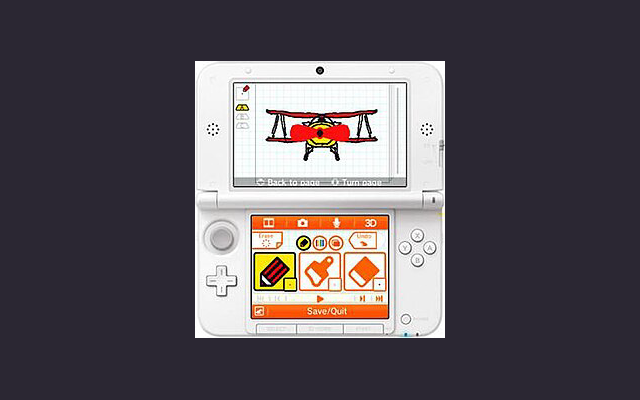
 Flipnote Studio 3DA simple drawing & animation program on the Nintendo 3DS, with limited colour palette and resolution.
Flipnote Studio 3D allows users to create short animated sketches known as Flipnotes. Flipnotes can be made up of hundreds of frames, and can be played back at a variety of speeds. The software offers users the option to create 3D Flipnotes by drawing different parts of the animation on up to three layers. The main tools include a pen, an eraser, and a paintbrush. New to Flipnote Studio 3D are tools that draw shapes, fill enclosed areas (paint bucket), and insert text. The application features a limited color palette, including black, white, red, blue, green, and yellow. This is a slight improvement upon Flipnote Studio, which did not include yellow and green as selectable colors, but were still possible using color mixing. The selection tool is used to copy and manipulate parts of a frame. Users can also use the 3DS system's camera and microphone to add audio and photos to their creations. These animations can be shared by exporting them as GIF or AVI files.
The program is now discontinued and can only be used on a 3DS that already have it installed or a modded 3DS.
0 4 pieces -
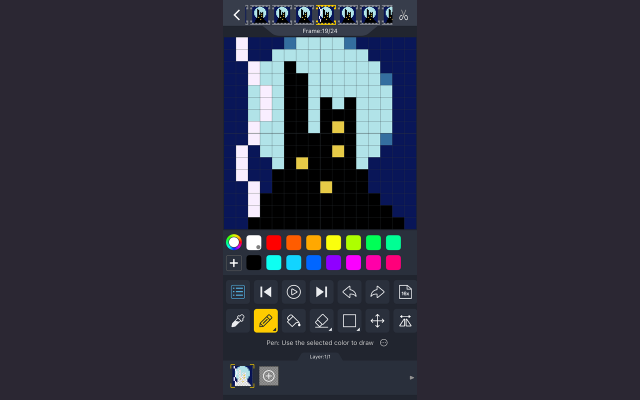
 DivoomThe official app for Divoom products, allowing you to create and import pixel art to display on Divoom devices.
Divoom is a pixel art editor for Android and iOS devices, letting you create and import pixel art for display on Divoom devices such as the Ditoo speaker or the Pixoo picture frame.
It can be used without these devices just as a portable pixel art program and features the ability to import and resize images, as well as layers and animations.
There is also a text display function with many animated effects and palettes, as well as some audio features such as a keyboard and simple DJ mixer.
Divoom also features a pixel art gallery and community, allowing you to display images from community members on your devices and interact with pixel artists across the globe.
0 0 pieces -
 6 screenshots
 GDevelopA no-code game engine with an event sheet instead of a scripting language.Freemium0Programming
GDevelopA no-code game engine with an event sheet instead of a scripting language.
GDevelopA no-code game engine with an event sheet instead of a scripting language.Freemium0Programming
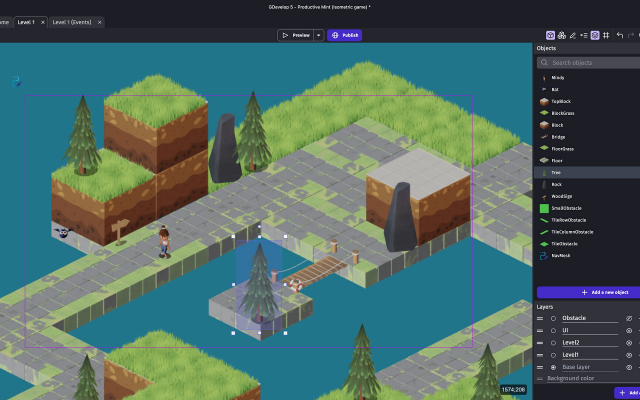
GDevelopA no-code game engine with an event sheet instead of a scripting language.GDevelop builds games out of events - conditions and actions picked from a list - rather than code, which makes it a common first engine. It handles tilemaps, 2D lighting, physics and multiplayer, exports to web, desktop and mobile, and the underlying engine is open source.
0 0 pieces -
 5 screenshots
 PhaserThe most used JavaScript framework for 2D games in the browser.Free0Programming
PhaserThe most used JavaScript framework for 2D games in the browser.
PhaserThe most used JavaScript framework for 2D games in the browser.Free0Programming
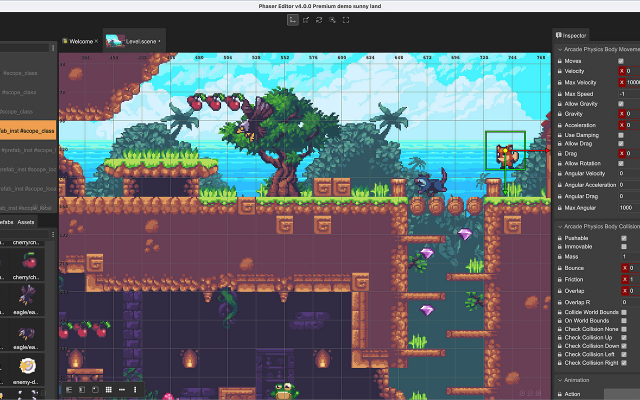
PhaserThe most used JavaScript framework for 2D games in the browser.Phaser is the most used JavaScript framework for 2D games in the browser. It covers sprites, tilemaps, physics, input, audio and scene management, has a very large body of examples and tutorials behind it, and runs anywhere a browser does.
0 0 pieces -
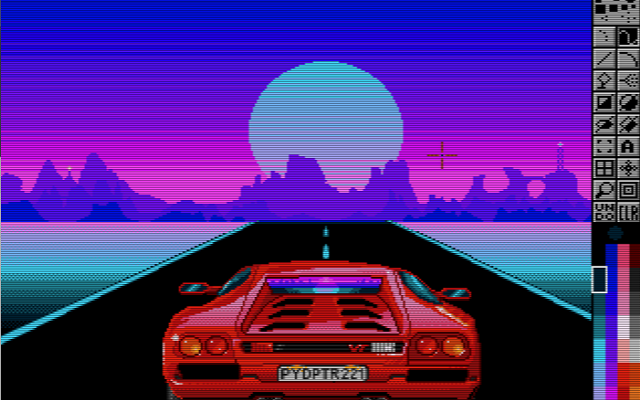
 PyDPainterA clone of Deluxe Paint written for modern computers.
PyDPainter is an open-source pixel art and animation program inspired by classic 16-bit painting tools like Electronic Arts' Deluxe Paint. Built with Python and PyGame, it provides a retro-styled digital canvas for creating pixel art, sprites, and frame-by-frame animations.
What it does
PyDPainter has traditional raster and pixel art tools, including custom brush creation, color palette management, stencil/masking features, and multi-frame animation controls. It combines a retro user interface layout running on modern hardware.What it is good at
It can be used for pixel art creation, retro game asset design, and animating in low-resolution with animation path, palette controls, speed controls, and GIF import and export.Who it is for
It is designed for pixel artists, retro game developers, demoscene creators, and digital artists who want the workflow and aesthetic of classic Amiga-era painting software while using modern hardware.0 0 pieces -
 2 screenshots
 SH Pixel StudioTool that can pixelate a model or an image and also stamp or adjust the quality of the pixelation.Paid0Pixel Art
SH Pixel StudioTool that can pixelate a model or an image and also stamp or adjust the quality of the pixelation.Paid $18.99, Free Demo Pixel Art Palette Tools3D ToolsEditorsProcedural GeneratorsUtilitiesTile & Map Editors MaintainedWhat is SH Pixelation Studio?
SH Pixel StudioTool that can pixelate a model or an image and also stamp or adjust the quality of the pixelation.Paid0Pixel Art
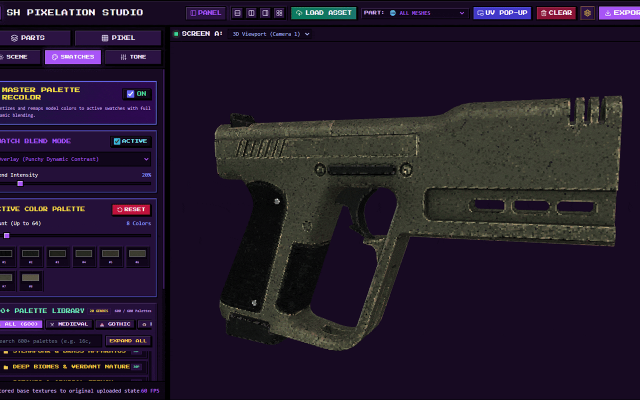
SH Pixel StudioTool that can pixelate a model or an image and also stamp or adjust the quality of the pixelation.Paid $18.99, Free Demo Pixel Art Palette Tools3D ToolsEditorsProcedural GeneratorsUtilitiesTile & Map Editors MaintainedWhat is SH Pixelation Studio?If you are tired of wrestling with clunky pipelines just to get that crisp, nostalgic retro look for your 3D assets, SH Pixelation Studio is built for you. Whether you are crafting indie low-poly retro games, stylized animations, or unique pixel art, this studio gives you complete control over downsampling, color palettes, and surface texturing without destroying your source geometry.
🔥 Key Features & Capabilities
Load Your Model: No complicated file routing or deep directory searches. Simply load your GLTF, GLB, OBJ, FBX or Image directly into the studio workspace and watch them load instantly.
Dual-Viewport Workspaces: Inspect your models from multiple angles simultaneously using independently orbitable viewports and side-by-side or stacked layouts.
Advanced Pixel & Dither Engine: Dial in your exact pixel size, choose from classic dithering matrices (Bayer, Floyd-Steinberg, Atkinson, and more), and posterize colors on the fly.
Submesh Targeting: Isolate specific submeshes and turn off the texture or the model part itself so you can pixelate even more accurately!
Over 500+ Grounded Color Palettes: Instantly remap your model's tonal clusters using hand-curated palette libraries ranging from retro hardware systems to cyberpunk neon and military camo.
Surface Paint Layers: Layer carbon fiber, honeycomb, scanlines, or custom stencils directly onto your surfaces with adjustable opacity and blend modes.
Looking to try before you buy?
Check out the official Demo version available on itch.io page! While advanced features like bulk batch processing and uncompressed high-res outputs are locked to the full version, the demo lets you test the core pixelation engine on your own 3D models and images. Perfect for indie developers searching for a fast, reliable tool to generate retro pixel art, low-poly textures, and PSX-style aesthetic assets for Unity, Unreal, Godot, or custom game engines.Surface Paint Layer
Making it easier to add details without having to leave the software!
You can simply upload your own image or apply the presets press STAMP and you'll see in real time how pixelation affects your new effect.
UI Colors
Make it yours!
UI colors that you can change making it feel easier for you to pixelate in your own vibe, with your own color!
Colors come in 6 variations and they are muted/soft to not feel like they'll blind you or take your attention too much.
Tone Map
Less reasons to leave and more reasons to stay!
Tone map has presets that make your life easier, why worry about how your model looks like due to swatches that feel darker/lighter than others when you can just adjust the tone map yourself!
Isolate & Hide
Struggling to understand how your model looks like inside a different part of the mesh? Maybe your texture is too bright and you want to make it less of an issue and that's where Isolation or Hiding of the texture comes in handy.
Since it's an easy-to-use 3D Canvas, isolation comes in handy because you can zoom/rotate and look exactly where you want to without seeing parts of the mesh blocking you!
Isolate & Hide parts as you please, this option was made to simplify your life instead of asking yourself "How do I know how my UV texture looks inside?!"
Swatches Blend Mode
Swatch Palettes usually come in lots of variations, you have medieval, gothic, nostalgia, anime and many many maaaaany more but the issue is that... usually your texture looks amazing already, right? You made it so of course it looks amazing.
Therefore, the process of adding a new palette of colors ONTO your model should feel almost as if it's upgrading your model instead of changing it completely . . . WHICH Is why Swatch Blend Mode exists, to simplify your life and beautify your already pixel perfect model.
Batch Import & Export and UI Updates.
Batch import and export is here! Now you can work on 5-10-20-30-100??? models at the same time and export all of them with folders and sub-folders. Upgrading your workflow with easy access, batch upload, download and save states that allow you to take a pause and come back later to continue on your work.
0 0 pieces -
0 screenshotsSprite Sheet BuilderFree browser tool that packs, splits and converts sprite sheets for 2D game development.Free0Pixel Art
Sprite Sheet BuilderFree browser tool that packs, splits and converts sprite sheets for 2D game development.Sprite Sheet Builder is a set of free, browser-only sprite tools for 2D game developers. Pack PNG, JPG, WebP, GIF or HEIC frames into one transparent sheet with grid or auto-pack layout and adjustable padding and spacing, then preview the loop at 1-30 FPS before exporting. Split an existing sheet by grid or by transparent-region detection and download the frames as individual transparent PNGs. Convert animated GIFs into sprite sheets and back. Exports are engine-ready: TexturePacker-style JSON for Phaser and Unity, a Godot .tres SpriteFrames resource, and Sparrow XML for Flixel-family engines. The FNF Sprite Sheet and XML Generator groups animations and exports Sparrow XML plus a Psych Engine character JSON in one ZIP, and can re-import an existing atlas. Files never leave the browser - decoding, packing and export all run on the visitor's device, with no account and no watermark. Engine guides for Unity, Godot and Phaser are in the engine section of the site.0 0 pieces
-
 4 screenshots
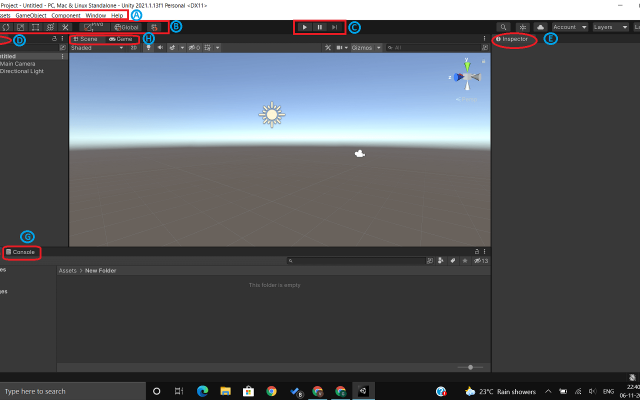
 UnityA general game engine with a widely used 2D pixel art pipeline.Freemium0Programming
UnityA general game engine with a widely used 2D pixel art pipeline.
UnityA general game engine with a widely used 2D pixel art pipeline.Freemium0Programming
UnityA general game engine with a widely used 2D pixel art pipeline.Unity is a general-purpose game engine with a well-worn 2D pipeline: a sprite editor and atlas packer, a tilemap system with rule tiles, 2D lights and shadows, and a large asset store. It is heavier than the dedicated 2D engines, and in return it goes anywhere.
0 0 pieces -
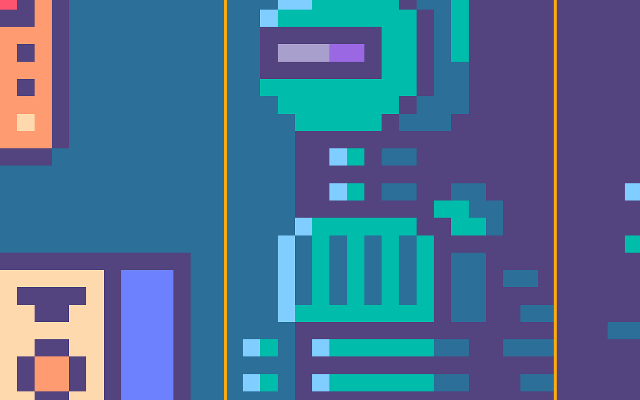
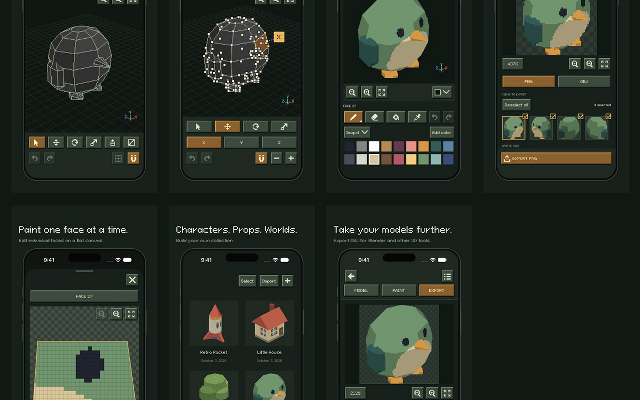
 isopxlIsopxl is a low poly 3d pixel art editorIsopxl is a low poly 3d editor for pixel art game developers and artists. You can create 3d models, paint textures, and export assets specifically for isometric games, though it also includes an OBJ exporter so you can take your models further in tools like Blender.
Isopxl's strongest use is making small 3d assets that become consistent pixel-art sprites. You can rotate an object, check its silhouette, and keep details consistent between views. Palettes and surface painting give you control over its visual style.
0 0 pieces
There are no more software for your current criteria.
There are no software for your current criteria.
AD| join Patreon to remove ads!
Thanks for your feedback! If you want to say more, please post a Suggestion or Bug Report!
our next patreon goal: $263 / $500