Filtering Options:
4 software:
-
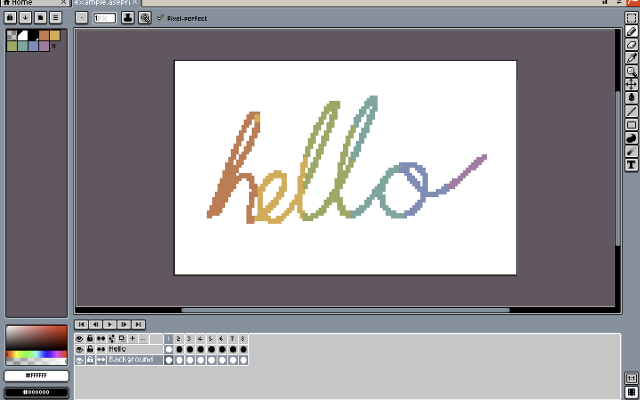
 XpriteFree, open-source pixel art and animation editor for the browser.Xprite is a free, open-source browser-based editor for pixel art, sprites, and frame-by-frame animation. It provides drawing tools, layers, animation frames and tags, palette controls, and export to PNG, GIF, and sprite sheets. It runs in modern browsers and can be installed as a PWA on supported desktop and mobile devices.
The editor opens and saves .ase and .aseprite projects. It supports mouse, touch, and stylus input, with panels that can be moved, resized, and combined into a custom workspace. The interface is available in English and Simplified Chinese.
Core editing runs locally on the user's device. Browser-saved projects do not automatically sync between devices, so downloadable project files should be kept as backups.
Xprite is is an independent project inspired by Aseprite and LibreSprite, and is not affiliated with or endorsed by Aseprite or Igara Studio.1 0 pieces -
 2 screenshots
 GribbleCross-platform Pixel Editor with Cloud Storage and Community FeaturesFreemium0Pixel Art
GribbleCross-platform Pixel Editor with Cloud Storage and Community Features
GribbleCross-platform Pixel Editor with Cloud Storage and Community FeaturesFreemium0Pixel Art
GribbleCross-platform Pixel Editor with Cloud Storage and Community FeaturesThe pixel art editor
Gribble is a pixel art and animation editor that runs in the browser (gribble.app) or as an Android or iPhone app. One account syncs projects between all devices.
Website: gribble.app
Android: Play Store
iOS: App StoreLayers with opacity and 15 blend modes. Frame-by-frame animation with onion skin, frame tags and playback.
Every stroke is recorded, so a finished artwork can be exported as a timelapse.
The community features includes a global gallery with museum frames, a profile page, followers, likes and achievements.
Tools
Brushes, eraser, bucket, dither gradient, color picker, global color picker, ellipse tool, square tool, line tool, square select, lasso select, magic wand, dither, shading, outline, gradient, symmetry, smudge.
Features
Autosave, cloud-storage, timelapse, image/GIF imports, image/video/GIF/code/spritesheet exports, unique 9-patch mode and export, palette lock, alpha lock, themes, pixel perfect, 512x512 grids, palettes, gribble files (.grbl), artwork forking.
Features:animationlayerspalette manipulationsprite sheet exportonion skinning2dimage conversionexportonlinesprite editorditheringcross platformgif exportcolor reductionapple pencilpalettestimelapsejavascriptautosavepng exportsprite sheets0 0 pieces -
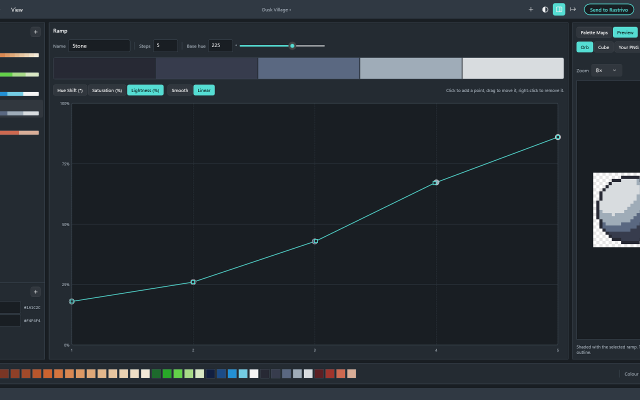
 HuetrivoFree palette designer for pixel artists, built ramp by ramp with hue, saturation and lightness curves.Huetrivo is a free palette designer made for pixel artists. Instead of picking colours one at a time, you build your palette ramp by ramp: choose a base hue, then shape how the ramp shades from dark to light with three curves, for hue shift, saturation and lightness.
New ramps come hue-shifted out of the box, with light steps leaning towards yellow and dark steps leaning away from it, so you start from good shading and fine-tune from there. Click to add curve points and drag to reshape them; smooth curves never overshoot, so your shades always stay in order.
Check your work as you go:
- A hue wheel and lightness plot show every ramp in the palette at once
- Greyscale mode shows the true lightness of every colour, to check your contrast
- Preview a ramp on a sample orb or cube, or open your own PNG and see it recoloured with your palette
Shared colours let you use one outline or highlight colour across every ramp, and a colour limit (4 to 256) warns you when the palette grows too big.
Export as a .hex file, a PNG strip (1 px or 8 px per colour) or a PNG with a row per ramp, ready to load into Aseprite or any other editor. If you use Rastrivo Studio, Send to Rastrivo opens the palette there in one click and saves it as a preset.
Free, with no account, ads or tracking. Available for Windows on the Microsoft Store, with a Mac version coming soon.
Features:palette manipulationexportpng exportcolor reductionaseprite exportproceduralpalettesmixeraseprite support0 0 pieces -
 4 screenshots
 PixorRenders 3D models and their animations into pixel-art sprite sheets, from 4, 8 or 16 directions.Paid0Pixel Art
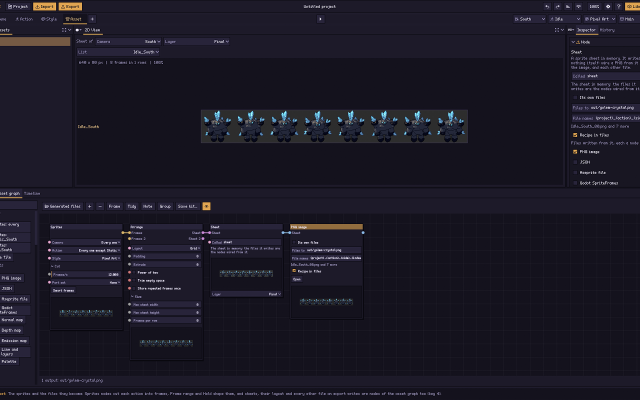
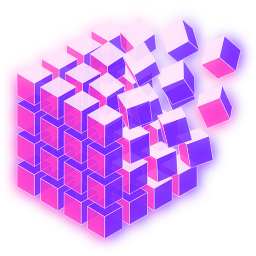
PixorRenders 3D models and their animations into pixel-art sprite sheets, from 4, 8 or 16 directions.Paid $19.99 one-time, free updates, free browser demo Pixel Art 3D ToolsAnimation ToolsLighting & Normal Map Tools ActivePixor is a desktop program that renders 3D models (glTF/GLB, FBX, OBJ, MagicaVoxel .vox) into pixel-art sprites and sprite sheets. It renders each animation from 4, 8 or 16 directions at one fixed pixel scale, with the pivot on the same pixel in every frame.
PixorRenders 3D models and their animations into pixel-art sprite sheets, from 4, 8 or 16 directions.Paid0Pixel Art
PixorRenders 3D models and their animations into pixel-art sprite sheets, from 4, 8 or 16 directions.Paid $19.99 one-time, free updates, free browser demo Pixel Art 3D ToolsAnimation ToolsLighting & Normal Map Tools ActivePixor is a desktop program that renders 3D models (glTF/GLB, FBX, OBJ, MagicaVoxel .vox) into pixel-art sprites and sprite sheets. It renders each animation from 4, 8 or 16 directions at one fixed pixel scale, with the pivot on the same pixel in every frame.The look is built from nodes: light bands, hue-shifted colour ramps, selective outlines, palettes (Lospec .hex and GIMP .gpl), dithering and cleanup. It measures and reduces flicker between animation frames.
It exports PNG sheets with JSON, .aseprite files with layers and tags, Godot SpriteFrames, GIF, and normal and depth maps, and has a command line for batches. A free browser demo covers import, camera, animation and PNG export. It is aimed at game developers who model in 3D and want consistent multi-direction sprites.
Features:3d to 2dsprite sheetsmulti directionalanimationpalettesditheringoutlinesnormal mapsaseprite exportgodot exportcommand line0 0 pieces
There are no more software for your current criteria.
There are no software for your current criteria.
AD| join Patreon to remove ads!
Thanks for your feedback! If you want to say more, please post a Suggestion or Bug Report!
our next patreon goal: $264 / $500