Filtering Options:
12 software:
-
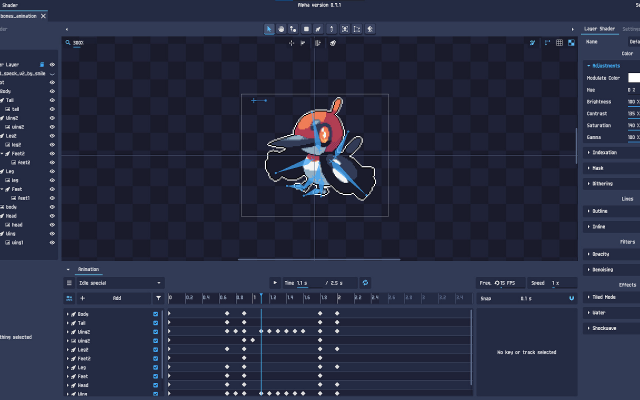 12 screenshotsPixelOverTurns artwork and 3D renders into animated pixel art without hand-pixelling every frame.Paid1Pixel Art
 PixelOverTurns artwork and 3D renders into animated pixel art without hand-pixelling every frame.
PixelOver turns existing artwork, 3D renders and photographs into pixel art, with control over the palette, the dithering and the outline. It can rig and animate what it produces, so a single drawing becomes an animated sprite without pixelling every frame by hand.
1 0 pieces -
 4 screenshots
 AltusPixelPixel art editor, including animation, rigging, and palettes, and GameMaker projects...Paid0Pixel Art
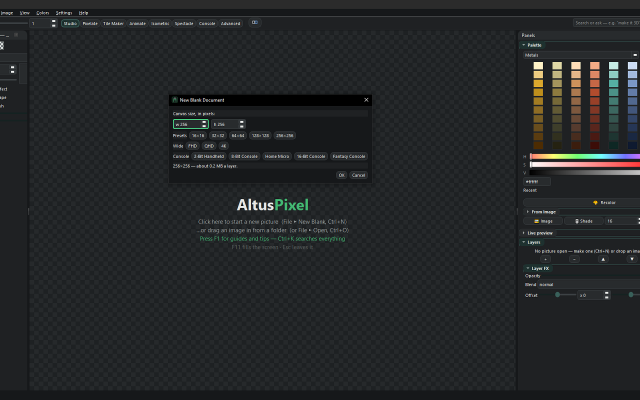
AltusPixelPixel art editor, including animation, rigging, and palettes, and GameMaker projects...Paid $7.99 USD; one price, no DLC, updates included Pixel Art EditorsAnimation ToolsTile & Map EditorsPalette ToolsFont & Charset ToolsConverters & Scalers ActiveAltusPixel is a pixel art editor for game developers, sold on Steam for Windows and Linux. It is a single offline desktop application with no account.
AltusPixelPixel art editor, including animation, rigging, and palettes, and GameMaker projects...Paid0Pixel Art
AltusPixelPixel art editor, including animation, rigging, and palettes, and GameMaker projects...Paid $7.99 USD; one price, no DLC, updates included Pixel Art EditorsAnimation ToolsTile & Map EditorsPalette ToolsFont & Charset ToolsConverters & Scalers ActiveAltusPixel is a pixel art editor for game developers, sold on Steam for Windows and Linux. It is a single offline desktop application with no account.
Engine Export: complete GameMaker project exports (sprite, tileset and autotiles/room), a Godot TileSet and map scene, a Tiled map, Unity sprite metadata, and .ase filess.
Drawing: layers that can be added, reordered, hidden and recolored one at a time; lines that snap to isometric slopes and isometric scenes built block by block; fills with a material such as brick, stone, sand, grass, leaves, wood or water instead of a flat color; text in bundled pixel fonts with a live preview; a Bend tool that curves a straight strip.
Animation: frame-by-frame animation with onion skin and in-app playback; a character can be rigged on the canvas by placing joints, and several rigged characters can stand on one stage and run together; export to GIF, animated WebP, APNG and sprite sheets.
Tiles: tilemap layers where editing one tile updates every placed copy, and autotile set generation.
Color: thirty-six bundled palettes, a palette library, and template palettes pasted straight in.
Pipeline: recorded macros that run across a whole folder; an atlas packer with JSON metadata and native Godot .tres output; automatic re-export on save into a game's asset folder; in-file snapshots and a session timelapse recorder; PNG, integer-scaled PNG and sprite-sheet export.
Also developed: photos can be turned into a printable cross-stitch pattern at real size. The application contains no generative AI features.Features:animationlayerspalette manipulationonion skinningsprite sheet exporttilemapstilesimage conversiontexture paintingisometricexporttilemap exporttimelapse0 0 pieces -
 0 screenshotsAnimaFXBrowser tool that turns images into pixel art with retro palettes and dithering.Free0Pixel Art
AnimaFXBrowser tool that turns images into pixel art with retro palettes and dithering.AnimaFX is a browser tool that turns photos and images into low-resolution, palette-limited pixel art. Drop in a PNG or JPG (or a whole folder), pick a preset or adjust the sliders, and export a PNG.
0 screenshotsAnimaFXBrowser tool that turns images into pixel art with retro palettes and dithering.Free0Pixel Art
AnimaFXBrowser tool that turns images into pixel art with retro palettes and dithering.AnimaFX is a browser tool that turns photos and images into low-resolution, palette-limited pixel art. Drop in a PNG or JPG (or a whole folder), pick a preset or adjust the sliders, and export a PNG.The image is resampled to an internal grid from 32 to 512 px, with optional color reduction to the Game Boy, NES or PICO-8 palettes, adjustable dithering, posterization, contrast, saturation and black crush. Extra effects include chromatic aberration, scanlines, grain and a wobble effect that exports a 4-frame looping GIF. Export at native size, x2, x4 or 1080p with nearest-neighbor scaling.
Images are processed locally in the browser and never uploaded. No account or install required. Interface in English and Italian. Built by a solo developer while making pixel art for his own game, as a quick way to test how a palette looks on a reference image. Bug reports and feedback are welcome.
0 0 pieces -
 DivoomThe official app for Divoom products, allowing you to create and import pixel art to display on Divoom devices.
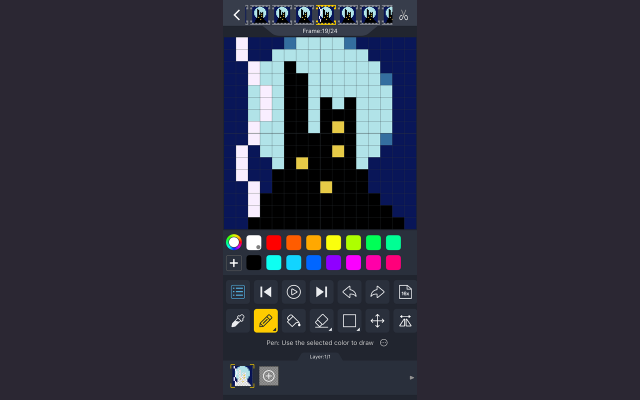
Divoom is a pixel art editor for Android and iOS devices, letting you create and import pixel art for display on Divoom devices such as the Ditoo speaker or the Pixoo picture frame.
It can be used without these devices just as a portable pixel art program and features the ability to import and resize images, as well as layers and animations.
There is also a text display function with many animated effects and palettes, as well as some audio features such as a keyboard and simple DJ mixer.
Divoom also features a pixel art gallery and community, allowing you to display images from community members on your devices and interact with pixel artists across the globe.
0 0 pieces -
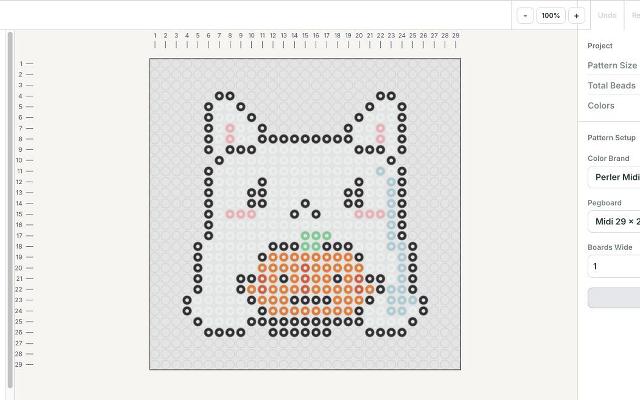
 Fuse Bead PatternsA browser editor that turns images into printable fuse bead patterns.Fuse Bead Patterns is a browser-based editor for planning fuse bead projects. It converts images into a bead grid, maps colors to supported bead palettes, and lets users paint, fill, erase and replace colors. Patterns can be exported as printable PDF charts, grid images, SVG or spreadsheets. Projects can be saved to a local file and reopened. Image conversion runs in the browser without an account. The editing interface is in English. Physical bead colors and pegboard fit should be checked before making a project.0 0 pieces
 -
 12 screenshotsMultipaintPaints inside the real colour limits of the C64, Spectrum, MSX and other 8-bit machines.Free0Pixel Art
MultipaintPaints inside the real colour limits of the C64, Spectrum, MSX and other 8-bit machines.
12 screenshotsMultipaintPaints inside the real colour limits of the C64, Spectrum, MSX and other 8-bit machines.Free0Pixel Art
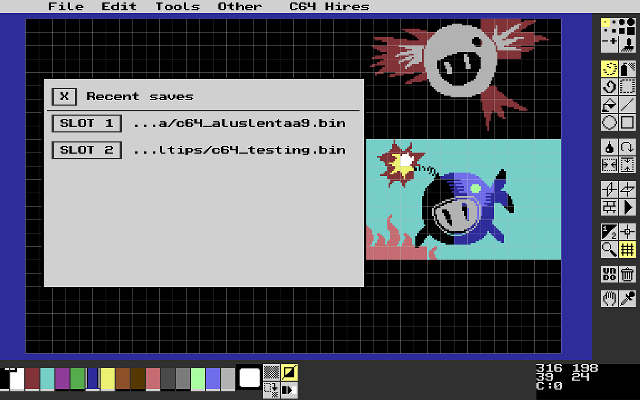
MultipaintPaints inside the real colour limits of the C64, Spectrum, MSX and other 8-bit machines.Multipaint paints inside the real limits of 8-bit machines. Pick a target - Commodore 64, ZX Spectrum, MSX, Amstrad CPC and others - and the canvas enforces that machine's resolution, palette and attribute rules while you draw, so what you see is what the hardware could actually display. It exports in native formats.
0 0 pieces -
 12 screenshots
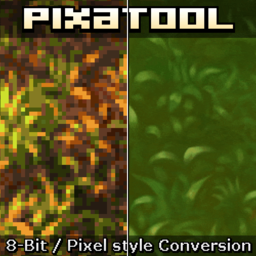 PixaToolTurns images, sprites and video into pixel art with a stack of retro filters.Paid0Pixel Art
PixaToolTurns images, sprites and video into pixel art with a stack of retro filters.
PixaToolTurns images, sprites and video into pixel art with a stack of retro filters.Paid0Pixel Art
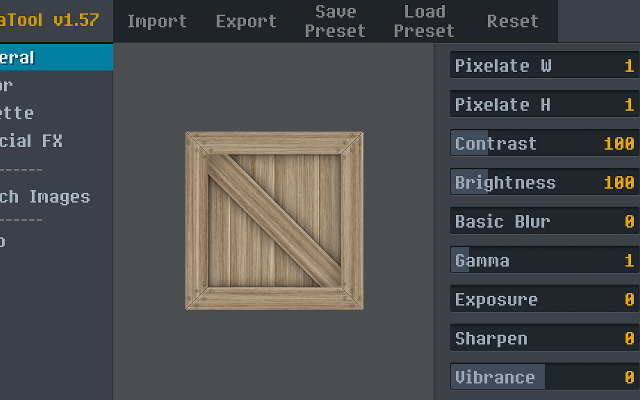
PixaToolTurns images, sprites and video into pixel art with a stack of retro filters.PixaTool converts images, sprite sheets and video into pixel art, with control over the output resolution, the palette, dithering, outlines and CRT-style effects. It works in batches and from the command line, which makes it useful for putting a whole folder of art through the same treatment.
0 0 pieces -
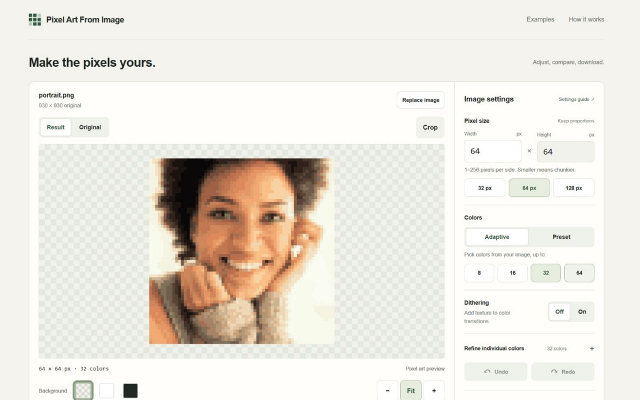
 Pixel Art From ImageA browser-based image converter with palette reduction and PNG export.Pixel Art From Image is a free browser-based tool for converting existing images into low-resolution, palette-limited images. It accepts PNG, JPEG, and static WebP files up to 20 MiB. Conversion runs locally in the browser using image-processing algorithms, without an AI model or an account requirement.
Users can adjust the output size, reduce images to 8, 16, 32, or 64 colors, choose fixed palettes, enable dithering, and crop the source image. Manual color replacement supports undo and redo. Results can be exported as PNG at 1×, 2×, 4×, or 8× scale.
0 0 pieces -
 0 screenshotsPixelCirclesFree browser tool that turns a picture into a pixel art grid or fuse-bead pattern with colour counts, and prints grids.Free0Pixel Art
PixelCirclesFree browser tool that turns a picture into a pixel art grid or fuse-bead pattern with colour counts, and prints grids.PixelCircles is a free web tool that works in the browser. Its pixel art pages turn a picture into a grid of coloured squares, using 8, 16 or 32 colours taken from the picture or a set of 36 fuse bead colours, and count the squares or beads of each colour. The pattern can be printed or saved as a PNG. It also makes blank numbered grids from 4 to 128 squares a side, and 16×16, 32×32 and 64×64 templates to print on A4 or Letter paper. Pictures are converted in the browser and are not uploaded. It is meant for people who make fuse bead sprites or plan pixel art on paper. The same site also has Minecraft planners for circles, spheres and domes.0 0 pieces
0 screenshotsPixelCirclesFree browser tool that turns a picture into a pixel art grid or fuse-bead pattern with colour counts, and prints grids.Free0Pixel Art
PixelCirclesFree browser tool that turns a picture into a pixel art grid or fuse-bead pattern with colour counts, and prints grids.PixelCircles is a free web tool that works in the browser. Its pixel art pages turn a picture into a grid of coloured squares, using 8, 16 or 32 colours taken from the picture or a set of 36 fuse bead colours, and count the squares or beads of each colour. The pattern can be printed or saved as a PNG. It also makes blank numbered grids from 4 to 128 squares a side, and 16×16, 32×32 and 64×64 templates to print on A4 or Letter paper. Pictures are converted in the browser and are not uploaded. It is meant for people who make fuse bead sprites or plan pixel art on paper. The same site also has Minecraft planners for circles, spheres and domes.0 0 pieces -
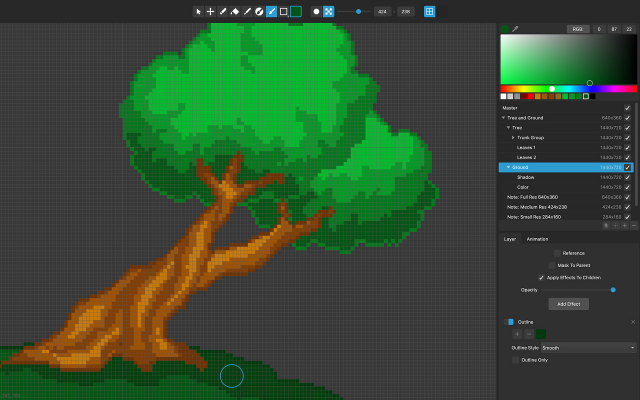 12 screenshots
 PixelmashPixelizes high-resolution artwork non-destructively, with the settings still live.Paid0Pixel Art
PixelmashPixelizes high-resolution artwork non-destructively, with the settings still live.
PixelmashPixelizes high-resolution artwork non-destructively, with the settings still live.Paid0Pixel Art
PixelmashPixelizes high-resolution artwork non-destructively, with the settings still live.Pixelmash takes high-resolution artwork - painted, photographed or rendered - and pixelizes it through a stack of layers whose settings stay editable. Change the output resolution or the palette at any point and everything downstream re-renders, which makes it a way to try pixel sizes rather than commit to one.
0 0 pieces -
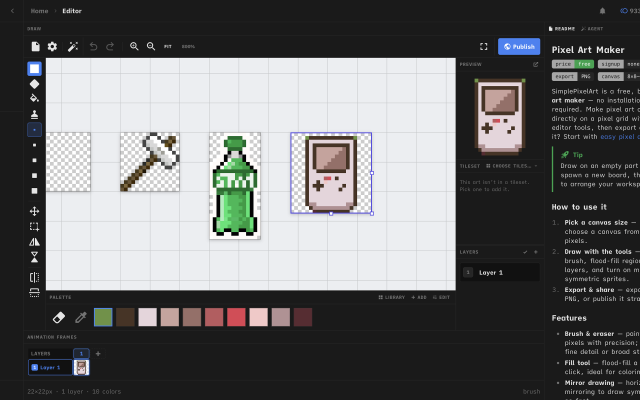
 Simple Pixel Art EditorFree, browser-based pixel art editor — draw sprites, build tilesets with auto-tiling terrains, paint tilemaps, animate fDraw sprites, build tilesets, paint tilemaps, and export game-ready assets for Godot, Unity, or Phaser — or just convert a photo and remix community templates. All free, in your browser.0 0 pieces
 -
0 screenshotsSprite Sheet BuilderFree browser tool that packs, splits and converts sprite sheets for 2D game development.Free0Pixel Art
Sprite Sheet BuilderFree browser tool that packs, splits and converts sprite sheets for 2D game development.Sprite Sheet Builder is a set of free, browser-only sprite tools for 2D game developers. Pack PNG, JPG, WebP, GIF or HEIC frames into one transparent sheet with grid or auto-pack layout and adjustable padding and spacing, then preview the loop at 1-30 FPS before exporting. Split an existing sheet by grid or by transparent-region detection and download the frames as individual transparent PNGs. Convert animated GIFs into sprite sheets and back. Exports are engine-ready: TexturePacker-style JSON for Phaser and Unity, a Godot .tres SpriteFrames resource, and Sparrow XML for Flixel-family engines. The FNF Sprite Sheet and XML Generator groups animations and exports Sparrow XML plus a Psych Engine character JSON in one ZIP, and can re-import an existing atlas. Files never leave the browser - decoding, packing and export all run on the visitor's device, with no account and no watermark. Engine guides for Unity, Godot and Phaser are in the engine section of the site.0 0 pieces
There are no more software for your current criteria.
There are no software for your current criteria.
AD| join Patreon to remove ads!
Thanks for your feedback! If you want to say more, please post a Suggestion or Bug Report!
our next patreon goal: $263 / $500