Filtering Options:
11 software:
-
 5 screenshots
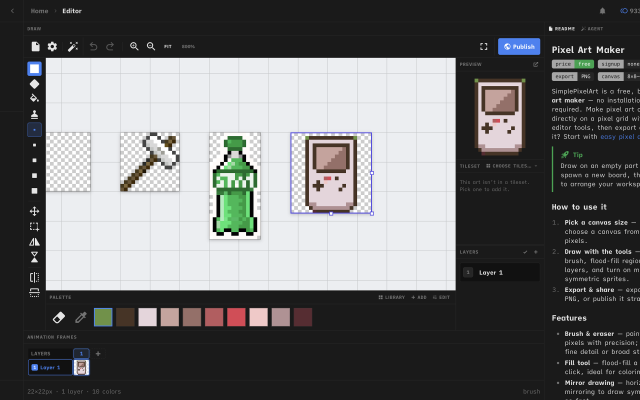
 Simple Pixel Art EditorFree in-browser pixel art editor: sprites, animation, auto-tiling tilesets and tilemaps, exports for Godot and Tiled.Free9Pixel Art
Simple Pixel Art EditorFree in-browser pixel art editor: sprites, animation, auto-tiling tilesets and tilemaps, exports for Godot and Tiled.
Simple Pixel Art Editor is a free pixel art editor that runs in the browser, with no install or account needed. It covers sprite drawing with layers, mirror drawing and selections, frame-by-frame animation with onion skin and frame tags, and exports to PNG, GIF and sprite sheets.
It also includes tools for game assets: a tileset editor that generates Wang-16 and blob-47 auto-tile terrains from a base tile and exports Godot 4 TileSet (.tres) and Tiled (.tsx) files, a tilemap painter with an isometric mode, a palette library and an image-to-pixel-art converter.
It suits beginners and hobbyists making sprites and tilesets for small 2D games. The source code is MIT-licensed.
Features:animationlayersonion skinningsprite sheet exportgif exportpng exportengine exporttilemap exporttilesisometricpalette manipulationimage conversioncustom brushes9 1 piece -
 3 screenshots
 GribbleCross-platform Pixel Editor with Cloud Storage and Community FeaturesFreemium5Pixel Art
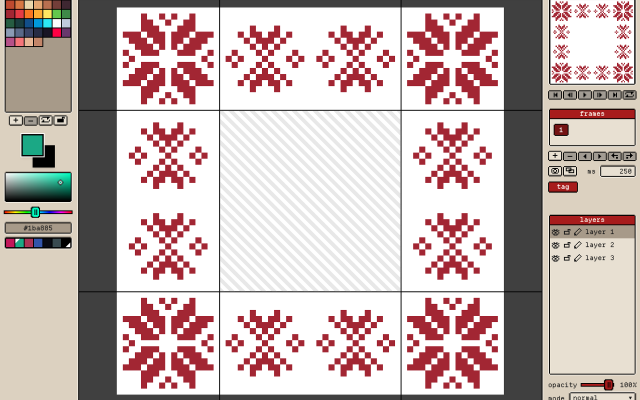
GribbleCross-platform Pixel Editor with Cloud Storage and Community Features
The pixel art editor
Gribble is a pixel art and animation editor that runs in the browser (gribble.app) or as an Android or iPhone app. One account syncs projects between all devices.
Website: gribble.app
Android: Play Store
iOS: App StoreLayers with opacity and 15 blend modes. Frame-by-frame animation with onion skin, frame tags and playback.
Every stroke is recorded, so a finished artwork can be exported as a timelapse.
The community features includes a global gallery with museum frames, a profile page, followers, likes and achievements.
Tools
Brushes, eraser, bucket, dither gradient, color picker, global color picker, ellipse tool, square tool, line tool, square select, lasso select, magic wand, dither, shading, outline, gradient, symmetry, smudge.
Features
Autosave, cloud-storage, timelapse, image/GIF imports, image/video/GIF/code/spritesheet exports, unique 9-patch mode and export, palette lock, alpha lock, themes, pixel perfect, 512x512 grids, palettes, gribble files (.grbl), artwork forking.
Features:animationlayerspalette manipulationsprite sheet exportonion skinning2dimage conversionexportonlinesprite editorditheringcross platformgif exportcolor reductionapple pencilpalettestimelapsejavascriptautosavepng exportsprite sheets5 3 pieces -
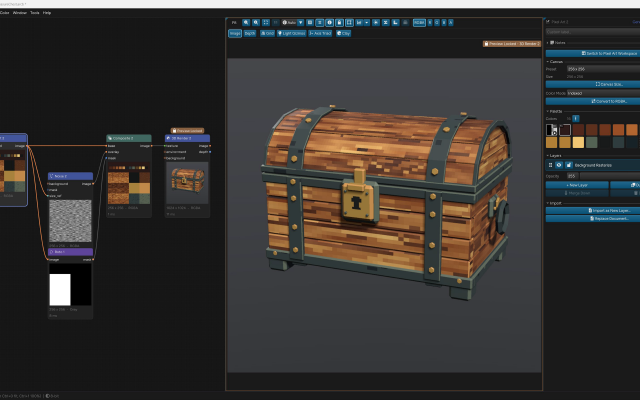
 ArcBrushThe node-based image editor.Freemium Free for personal use; one-time $49 commercial license Other Low-Spec EditorsPalette ToolsProcedural GeneratorsConverters & Scalers3D ToolsUtilities ActiveArcBrush is a node-based image editor for Windows, macOS and Linux. Images are built as a graph of nodes, so every step stays editable.
Its Pixel Art node is a sprite, icon and tile editor inside that graph. It has layers, Pixel-Perfect tools, symmetry axes, seamless wrapping, Marquee, Lasso and Magic Wand selections, RGBA or Indexed canvases whose palette round-trips with Swatches, and a shading ink along palette ramps.
Other nodes can recolor, pack into atlases and batch export the result. Export Data writes CSV, JSON or text sprite tables.
It also has nodes for texture and material work, photo editing and compositing. It is free for personal use; commercial use needs a one-time Pro license.Features:layerspalette manipulationsprite sheet export2dcustom brushesimage conversionexporttilemapssprite editorcross platformeffectstexture paintingditheringnormal mapsbatch processing3dcolor replacementrenderingcolor reductionpng exportsprite sheetsprocedural1 0 pieces -
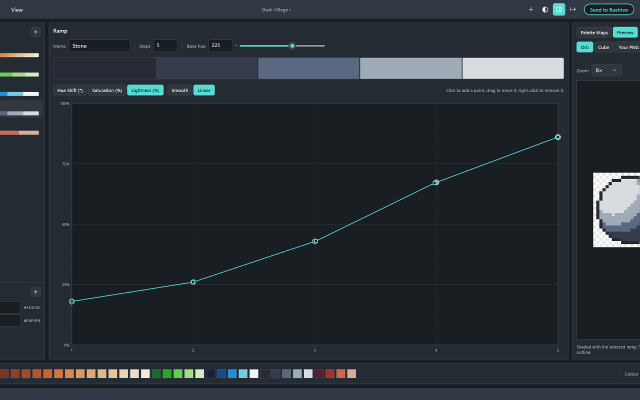
 HuetrivoFree palette designer for pixel artists, built ramp by ramp with hue, saturation and lightness curves.Huetrivo is a free palette designer made for pixel artists. Instead of picking colours one at a time, you build your palette ramp by ramp: choose a base hue, then shape how the ramp shades from dark to light with three curves, for hue shift, saturation and lightness.
New ramps come hue-shifted out of the box, with light steps leaning towards yellow and dark steps leaning away from it, so you start from good shading and fine-tune from there. Click to add curve points and drag to reshape them; smooth curves never overshoot, so your shades always stay in order.
Check your work as you go:
- A hue wheel and lightness plot show every ramp in the palette at once
- Greyscale mode shows the true lightness of every colour, to check your contrast
- Preview a ramp on a sample orb or cube, or open your own PNG and see it recoloured with your palette
Shared colours let you use one outline or highlight colour across every ramp, and a colour limit (4 to 256) warns you when the palette grows too big.
Export as a .hex file, a PNG strip (1 px or 8 px per colour) or a PNG with a row per ramp, ready to load into Aseprite or any other editor. If you use Rastrivo Studio, Send to Rastrivo opens the palette there in one click and saves it as a preset.
Free, with no account, ads or tracking. Available for Windows on the Microsoft Store, with a Mac version coming soon.
Features:palette manipulationexportpng exportcolor reductionaseprite exportproceduralpalettesmixeraseprite support0 0 pieces -
 0 screenshotsMyBeadPattern Pixel Art ConverterA free browser-based image-to-pixel-art converter with editing and printable grids.Free0Pixel Art
MyBeadPattern Pixel Art ConverterA free browser-based image-to-pixel-art converter with editing and printable grids.MyBeadPattern Pixel Art Converter turns an image into a pixel-art grid in the browser. Users can adjust the grid and colors, edit individual pixels, and export a PNG or printable PDF chart with coordinates and a color list. Source images are processed locally on the device. The converter is free to use and does not require an account. It uses image-processing algorithms rather than a generative AI model.0 0 pieces
-
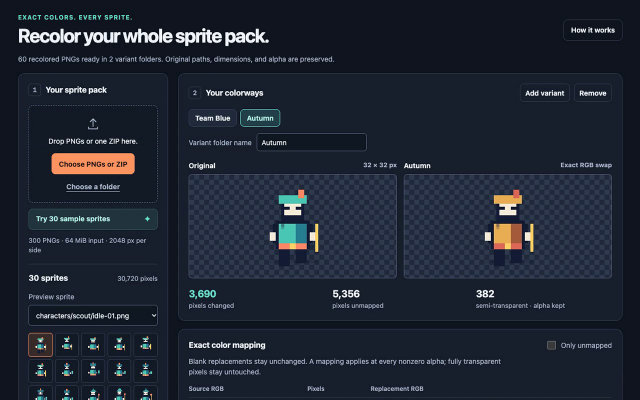
 Palette BatchA browser-based PNG recoloring tool with reusable RGB mappings and batch palette variants.Paid $5 USD one-time offline edition; free single-image browser demo. Pixel Art Palette Tools ActivePalette Batch applies user-selected RGB replacements to PNG sprites. It can recolor a sprite collection into named variants for team colors, biome changes, or palette corrections. Unmapped colors stay unchanged. Image dimensions and pixel transparency are preserved, including semi-transparent pixels. Fully transparent pixels are left untouched.
The offline edition imports multiple PNGs, folders, or a ZIP, previews the changes, and exports up to eight named variants in a ZIP. Folder paths and original filenames are preserved within each variant folder. Color mappings can be saved and loaded as JSON. Processing runs locally in a current desktop browser.
The free browser demo supports one image, one variant, and PNG export. The offline batch edition is a $5 USD one-time download. Batch limits include 300 PNGs, 64 MiB of input, 2048 pixels per side, and 8,388,608 source pixels. Animated, 16-bit, and interlaced PNGs are not supported. Output is 8-bit RGBA; PNG metadata and color profiles are omitted. Additional ZIP and output limits are documented in the app.
Development used AI-assisted code. The tool applies explicit color mappings and does not use AI models to process images.
0 0 pieces -
 4 screenshots
 Pico Image ToolSmall image conversion, resizing, color reduction, palette conversion tool for retro game development.Free0Pixel Art
Pico Image ToolSmall image conversion, resizing, color reduction, palette conversion tool for retro game development.
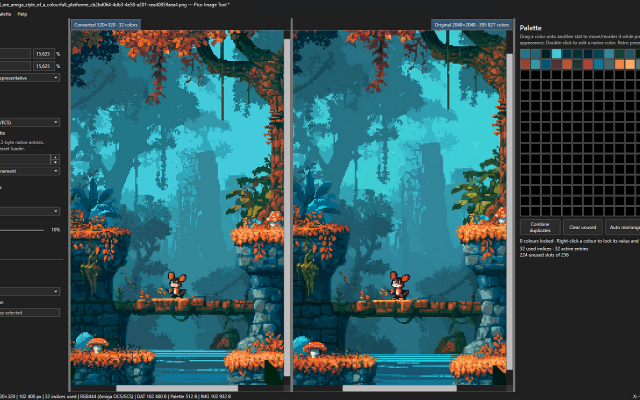
PicoImageTool is a lightweight, portable application designed for preparing graphics for retro computers, embedded systems, and other hardware with limited display capabilities.
The application provides tools for image resizing, color quantization, palette management, and dithering, allowing modern images to be converted into formats suitable for low-color and indexed graphics systems.
PicoImageTool was originally developed in late 2025 as a small internal utility for Raspberry Pi Pico (hence the name) projects using VGA output.
The initial purpose was to convert PNG images into raw indexed graphics data while maintaining a separate, unified palette.
What began as a simple hand written project-specific tool has since evolved into a more versatile image conversion utility, with an improved interface, additional processing algorithms, and support for retro image formats. Currently its mostly vibe coded using Codex.
It's completely free and requires no installation.
Requirements: .NET 10 Desktop Runtime x64
Features:palette manipulationimage conversionditheringpng exportretro constraintscolor replacementcolor reduction0 0 pieces -
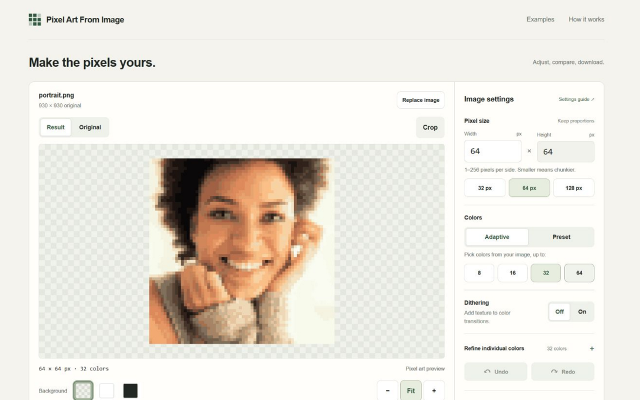
 Pixel Art From ImageA browser-based image converter with palette reduction and PNG export.Pixel Art From Image is a free browser-based tool for converting existing images into low-resolution, palette-limited images. It accepts PNG, JPEG, and static WebP files up to 20 MiB. Conversion runs locally in the browser using image-processing algorithms, without an AI model or an account requirement.
Users can adjust the output size, reduce images to 8, 16, 32, or 64 colors, choose fixed palettes, enable dithering, and crop the source image. Manual color replacement supports undo and redo. Results can be exported as PNG at 1×, 2×, 4×, or 8× scale.
0 0 pieces -
 0 screenshotsPixelArtSuiteFree browser-based pixel art tools: convert images, edit on layers, export bead-ready patterns with exact color counts.Free0Pixel Art
PixelArtSuiteFree browser-based pixel art tools: convert images, edit on layers, export bead-ready patterns with exact color counts.Free pixel art tools in your browser — convert images, edit on layers, export bead and Minecraft patterns. No sign-up.Features:layerspalette manipulationimage conversionditheringcolor reductionbead patternpng exportprintable grids0 0 pieces
-
 5 screenshots
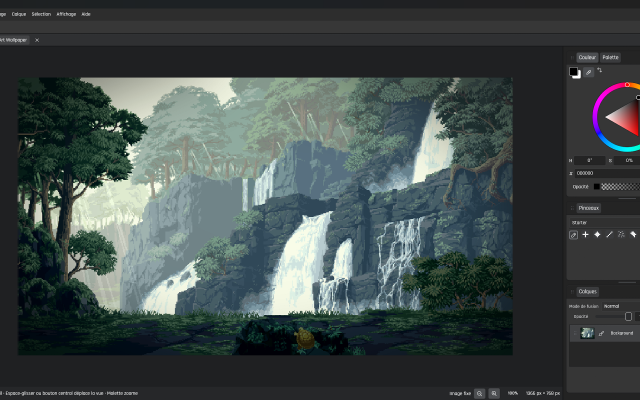
 PixelithraPixel art and animation editor with editable curves, shapes and linked fills.Paid0Pixel Art
PixelithraPixel art and animation editor with editable curves, shapes and linked fills.Pixelithra is a pixel art and frame animation editor for Windows. It combines raster drawing with editable lines, curves and shapes. Linked fills follow changes to their boundaries, so artists can adjust an outline without rebuilding its fill. Native .pxlithra projects preserve these elements alongside layers, palettes, animation frames and timing.
Drawing tools include Pencil and Eraser with Pixel-Perfect options, palette-step shading, fills, gradients and dithering. The editor also provides selections, raster transformations and a workspace with docked panels or freely arranged floating modules.
Export options include PNG, JPEG, animated GIF, sprite sheets and PNG sequences. Photoshop PSD/PSB and Aseprite ASE/ASEPRITE import and export support subsets of those formats. Editable paths and linked fills are rasterized in external copies, while native projects keep them editable. Tilemaps are not supported.
Pixelithra is a portable Windows x64 application with interfaces in English, French, Japanese, Korean, Chinese, Spanish and Portuguese. A one-time purchase provides a permanent license with all future updates included.
The free 15-day trial includes all tools, saving and export, and works offline without an account. Purchased licenses work offline after initial itch.io activation.
Students can request a free permanent license for personal or commercial projects, with all tools and future updates included. The license remains valid after their studies.
Features:layerspalette manipulationsprite sheet exportonion skinningcustom brushesditheringsprite editorgif exportpng exportanimation0 0 pieces -
 2 screenshots
 Pixsama: Pixel Art EditorAn offline pixel art and animation editor for Android phones and tablets, built for touch and stylus.Freemium0Pixel Art
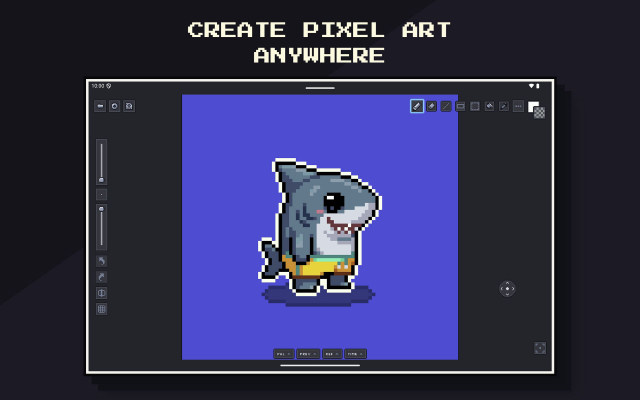
Pixsama: Pixel Art EditorAn offline pixel art and animation editor for Android phones and tablets, built for touch and stylus.Pixsama is a pixel art and sprite animation editor for Android 10 and newer. It supports drawing with touch or a compatible stylus, with movable panels for palettes, animation, previews and reference images. It works offline without an account.
Features include layers, frame-by-frame animation, onion skinning, indexed colour, custom palettes, selections and PNG export. The free version supports canvases up to 128 × 128 pixels, three layers and six animation frames.
An optional Pro upgrade increases these limits and adds workflows including editable Aseprite import and export, sprite sheets, animated GIF and WebP export, seamless tiled drawing, symmetry and dithering.
Features:animationlayerspalette manipulationsprite sheet exportonion skinningindexed colourselectionsstylus supportreference imagesaseprite supporttiled modesymmetryditheringpng exportgif exportwebp exportoffline0 0 pieces
There are no more software for your current criteria.
There are no software for your current criteria.
Thanks for your feedback! If you want to say more, please post a Suggestion or Bug Report!
our next patreon goal: $350 / $500