Filtering Options:
9 software:
-
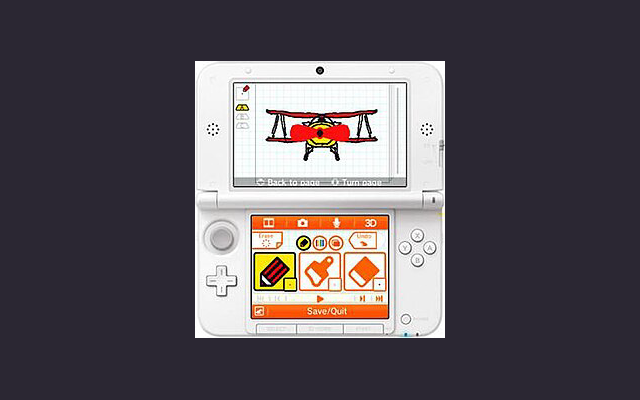
 Flipnote Studio 3DA simple drawing & animation program on the Nintendo 3DS, with limited colour palette and resolution.
Flipnote Studio 3D allows users to create short animated sketches known as Flipnotes. Flipnotes can be made up of hundreds of frames, and can be played back at a variety of speeds. The software offers users the option to create 3D Flipnotes by drawing different parts of the animation on up to three layers. The main tools include a pen, an eraser, and a paintbrush. New to Flipnote Studio 3D are tools that draw shapes, fill enclosed areas (paint bucket), and insert text. The application features a limited color palette, including black, white, red, blue, green, and yellow. This is a slight improvement upon Flipnote Studio, which did not include yellow and green as selectable colors, but were still possible using color mixing. The selection tool is used to copy and manipulate parts of a frame. Users can also use the 3DS system's camera and microphone to add audio and photos to their creations. These animations can be shared by exporting them as GIF or AVI files.
The program is now discontinued and can only be used on a 3DS that already have it installed or a modded 3DS.
0 4 pieces -
 0 screenshotsAnimaFXBrowser tool that turns images into pixel art with retro palettes and dithering.Free0Pixel Art
AnimaFXBrowser tool that turns images into pixel art with retro palettes and dithering.AnimaFX is a browser tool that turns photos and images into low-resolution, palette-limited pixel art. Drop in a PNG or JPG (or a whole folder), pick a preset or adjust the sliders, and export a PNG.
0 screenshotsAnimaFXBrowser tool that turns images into pixel art with retro palettes and dithering.Free0Pixel Art
AnimaFXBrowser tool that turns images into pixel art with retro palettes and dithering.AnimaFX is a browser tool that turns photos and images into low-resolution, palette-limited pixel art. Drop in a PNG or JPG (or a whole folder), pick a preset or adjust the sliders, and export a PNG.The image is resampled to an internal grid from 32 to 512 px, with optional color reduction to the Game Boy, NES or PICO-8 palettes, adjustable dithering, posterization, contrast, saturation and black crush. Extra effects include chromatic aberration, scanlines, grain and a wobble effect that exports a 4-frame looping GIF. Export at native size, x2, x4 or 1080p with nearest-neighbor scaling.
Images are processed locally in the browser and never uploaded. No account or install required. Interface in English and Italian. Built by a solo developer while making pixel art for his own game, as a quick way to test how a palette looks on a reference image. Bug reports and feedback are welcome.
0 0 pieces -
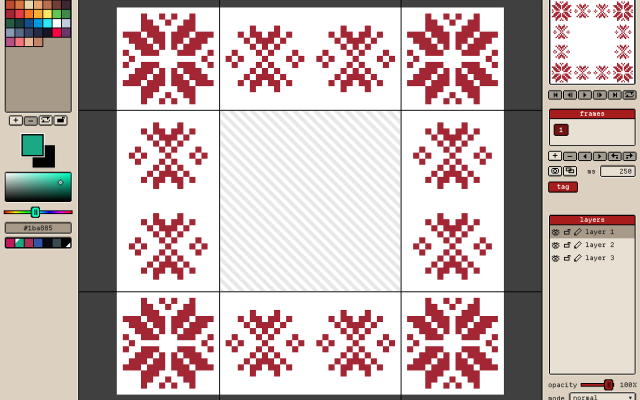 2 screenshots
 GribbleCross-platform Pixel Editor with Cloud Storage and Community FeaturesFreemium0Pixel Art
GribbleCross-platform Pixel Editor with Cloud Storage and Community Features
GribbleCross-platform Pixel Editor with Cloud Storage and Community FeaturesFreemium0Pixel Art
GribbleCross-platform Pixel Editor with Cloud Storage and Community FeaturesThe pixel art editor
Gribble is a pixel art and animation editor that runs in the browser (gribble.app) or as an Android or iPhone app. One account syncs projects between all devices.
Website: gribble.app
Android: Play Store
iOS: App StoreLayers with opacity and 15 blend modes. Frame-by-frame animation with onion skin, frame tags and playback.
Every stroke is recorded, so a finished artwork can be exported as a timelapse.
The community features includes a global gallery with museum frames, a profile page, followers, likes and achievements.
Tools
Brushes, eraser, bucket, dither gradient, color picker, global color picker, ellipse tool, square tool, line tool, square select, lasso select, magic wand, dither, shading, outline, gradient, symmetry, smudge.
Features
Autosave, cloud-storage, timelapse, image/GIF imports, image/video/GIF/code/spritesheet exports, unique 9-patch mode and export, palette lock, alpha lock, themes, pixel perfect, 512x512 grids, palettes, gribble files (.grbl), artwork forking.
Features:animationlayerspalette manipulationsprite sheet exportonion skinning2dimage conversionexportonlinesprite editorditheringcross platformgif exportcolor reductionapple pencilpalettestimelapsejavascriptautosavepng exportsprite sheets0 0 pieces -
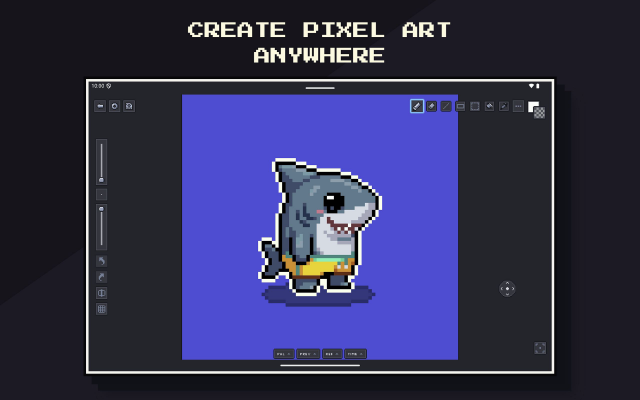 2 screenshots
 Pixsama: Pixel Art EditorAn offline pixel art and animation editor for Android phones and tablets, built for touch and stylus.Freemium0Pixel Art
Pixsama: Pixel Art EditorAn offline pixel art and animation editor for Android phones and tablets, built for touch and stylus.Pixsama is a pixel art and sprite animation editor for Android 10 and newer. It supports drawing with touch or a compatible stylus, with movable panels for palettes, animation, previews and reference images. It works offline without an account.
Pixsama: Pixel Art EditorAn offline pixel art and animation editor for Android phones and tablets, built for touch and stylus.Freemium0Pixel Art
Pixsama: Pixel Art EditorAn offline pixel art and animation editor for Android phones and tablets, built for touch and stylus.Pixsama is a pixel art and sprite animation editor for Android 10 and newer. It supports drawing with touch or a compatible stylus, with movable panels for palettes, animation, previews and reference images. It works offline without an account.Features include layers, frame-by-frame animation, onion skinning, indexed colour, custom palettes, selections and PNG export. The free version supports canvases up to 128 × 128 pixels, three layers and six animation frames.
An optional Pro upgrade increases these limits and adds workflows including editable Aseprite import and export, sprite sheets, animated GIF and WebP export, seamless tiled drawing, symmetry and dithering.
Features:animationlayerspalette manipulationsprite sheet exportonion skinningindexed colourselectionsstylus supportreference imagesaseprite supporttiled modesymmetryditheringpng exportgif exportwebp exportoffline0 0 pieces -
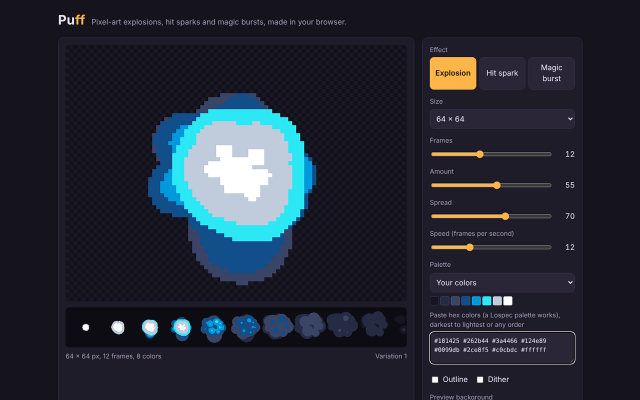 2 screenshotsPuffProcedural pixel art effect generator for explosions, hit sparks, magic, and looping fire, smoke and aurasFreemium0Pixel Art
 PuffProcedural pixel art effect generator for explosions, hit sparks, magic, and looping fire, smoke and aurasFreemium Free in browser (GIF export); $5 adds sprite sheets and JSON Pixel Art Effect & Particle GeneratorsProcedural Generators ActivePuff generates animated pixel art effects from particle rules, for game developers and pixel artists who need effect sprites. It has twelve effects: nine one-shots (explosion, hit spark, magic burst, shockwave, smoke, debris, mushroom blast, chain explosion and plasma burst) and three seamless loops (fire, smoke and aura). Each numbered variation always draws the same frames; New variation draws another. Settings cover effect type, frame size from 16 to 256 px, frame count from 4 to 48, particle amount, spread, playback speed, palette (eight built in, or up to 32 pasted hex colors such as a Lospec palette; every frame uses only those colors), outline and ordered dither. The free version runs on its web page and exports animated GIFs. The $5 download is a single HTML file that runs in any browser without an internet connection and adds sprite sheet PNG export with a JSON frame map (columns, rows, each frame's position, Godot hframes and vframes) and a Godot 4 SpriteFrames file, for one effect or all twelve at once.0 0 pieces
 -
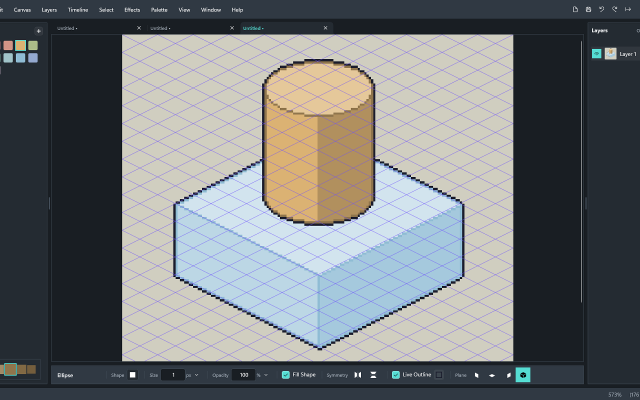
 Rastrivo StudioIsometric Pixel Art & AnimationPaid ($14.99 / £12.99), with a free trial Pixel Art EditorsAnimation ToolsTile & Map EditorsFont & Charset Tools MaintainedRastrivo Studio is a pixel art and animation editor for Windows, made by a solo developer.
Its standout feature is built-in isometric tools: a 2:1 iso grid, pixel-clean lines that snap to iso angles, shapes that sit on walls and floors, and shaded cubes and cylinders drawn in a single drag.
It also has everything you’d expect for sprites and animation: a frame timeline with onion skin, per-frame timing and animation tags; pixel-perfect pencil, dither brush and dither gradient, symmetry and live outline; RotSprite rotation and free transform; custom brushes and shareable brush packs; a built-in pixel font creator with a Text tool; .hex palette import (works great with Lospec palettes); and export to PNG at any scale, sprite sheets with Aseprite-format JSON, and transparent animated GIFs.
One-off purchase on the Microsoft Store, with a free 30-day trial.
Features:isometricanimationonion skinningditheringcustom brushessprite sheet exportsprite editorgif exporttilemapstilemap exportcustom fonts0 0 pieces -
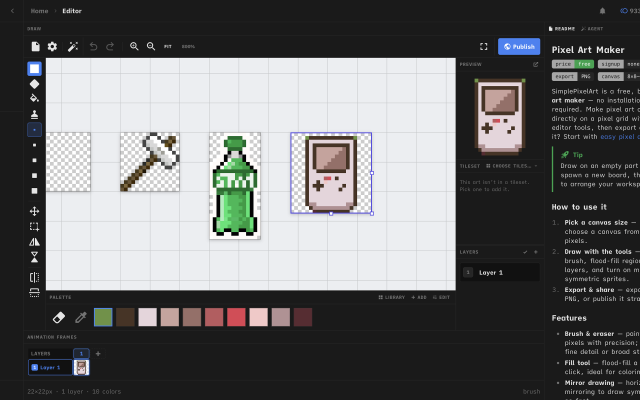
 Simple Pixel Art EditorFree in-browser pixel art editor: sprites, animation, auto-tiling tilesets and tilemaps, exports for Godot and Tiled.
Simple Pixel Art Editor is a free pixel art editor that runs in the browser, with no install or account needed. It covers sprite drawing with layers, mirror drawing and selections, frame-by-frame animation with onion skin and frame tags, and exports to PNG, GIF and sprite sheets.
It also includes tools for game assets: a tileset editor that generates Wang-16 and blob-47 auto-tile terrains from a base tile and exports Godot 4 TileSet (.tres) and Tiled (.tsx) files, a tilemap painter with an isometric mode, a palette library and an image-to-pixel-art converter.
It suits beginners and hobbyists making sprites and tilesets for small 2D games. The source code is MIT-licensed.
Features:animationlayersonion skinningsprite sheet exportgif exportpng exportengine exporttilemap exporttilesisometricpalette manipulationimage conversioncustom brushes0 0 pieces -
 Sprite (Alpha)Micro Pixel EditorSprite is a keyboard first pixel art editor focused on small canvases, quick animations and a fast workflow.Features:animationlayerspalette manipulationonion skinningsprite sheet exportexportsprite editorgame boycustom charsetsautosaveretro constraintsditheringgif exportonlineframe exportcustom fontscross platformcolor replacementcollaboration0 0 pieces
 -
 2 screenshots
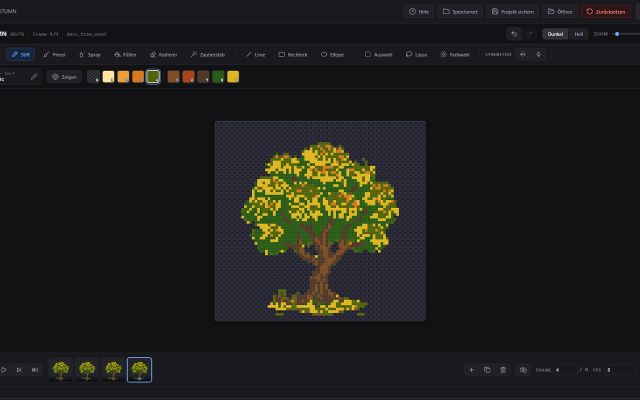
 spritebitA free pixel art editor for sprites, animation and game tiles. Runs in your browser or as a Windows desktop app.Free0Pixel Art
spritebitA free pixel art editor for sprites, animation and game tiles. Runs in your browser or as a Windows desktop app.spritebit is a free pixel art editor made for drawing, not for fiddling with settings. Open it in your browser and start painting: no account
spritebitA free pixel art editor for sprites, animation and game tiles. Runs in your browser or as a Windows desktop app.Free0Pixel Art
spritebitA free pixel art editor for sprites, animation and game tiles. Runs in your browser or as a Windows desktop app.spritebit is a free pixel art editor made for drawing, not for fiddling with settings. Open it in your browser and start painting: no account and your work stays on your device. Prefer a real program? The Windows desktop app has the same features, opens the same project files and handles canvases up to 8192 × 8192.
Draw
Pencil with Clean Stroke for crisp 1-pixel lines, brush, spray, fill and symmetry. The shading tool walks through your colour ramp, with a soft gradient from the centre or from one side. Turn any selection into a custom brush and save your favourites for every project. Tiled mode shows your image repeated around itself, so seamless patterns line up as you paint.
Colour
Load palettes straight from Lospec (.hex, .gpl, .pal or the PNG) and save your own. Replace a colour across a frame, a layer or the whole sprite. Reduce a photo to a palette, and add light and drop shadows on their own layer that you can change at any time.
Animate
A layer × frame timeline with tags, onion skin and linked cels. Play your animation right on the canvas.
For games
Tilemap layers: paint a tile once and it changes everywhere it's used. Export PNG, GIF, spritesheets with a JSON atlas, Godot 4 scenes, or code.
spritebit gets new features regularly and listens to feedback. The desktop app tells you when an update is ready and installs it with one click. It's open source (MIT), and what you draw is yours.
Available in English and German.
Features:layersframe exportanimationonion skinningpalette manipulationcroppingsprite sheet exportgif export0 0 pieces
There are no more software for your current criteria.
There are no software for your current criteria.
AD| join Patreon to remove ads!
Thanks for your feedback! If you want to say more, please post a Suggestion or Bug Report!
our next patreon goal: $247 / $250