Filtering Options:
6 software:
-
 4 screenshots
 GribbleCross-platform Pixel Editor with Cloud Storage and Community FeaturesFreemium5Pixel Art
GribbleCross-platform Pixel Editor with Cloud Storage and Community Features
The pixel art editor
Gribble is a pixel art and animation editor that runs in the browser (gribble.app) or as an Android or iPhone app. One account syncs projects between all devices.
Website: gribble.app
Android: Play Store
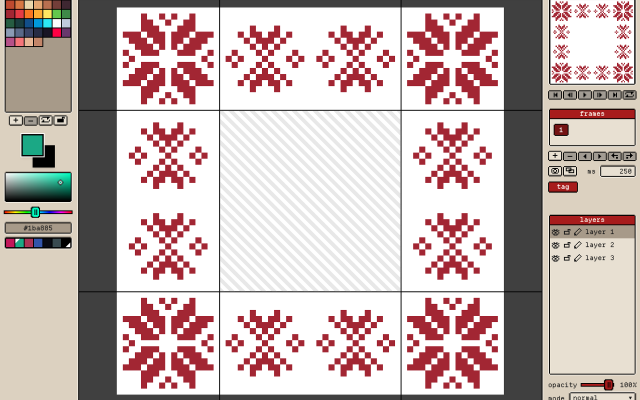
iOS: App StoreLayers with opacity and 15 blend modes. Frame-by-frame animation with onion skin, frame tags and playback.
Every stroke is recorded, so a finished artwork can be exported as a timelapse.
The community features includes a global gallery with museum frames, a profile page, followers, likes and achievements.
Tools
Brushes, eraser, bucket, dither gradient, color picker, global color picker, ellipse tool, square tool, line tool, square select, lasso select, magic wand, dither, shading, outline, gradient, symmetry, smudge.
Features
Autosave, cloud-storage, timelapse, image/GIF imports, image/video/GIF/code/spritesheet exports, unique 9-patch mode and export, palette lock, alpha lock, themes, pixel perfect, 512x512 grids, palettes, gribble files (.grbl), artwork forking.
Features:animationlayerspalette manipulationsprite sheet exportonion skinning2dimage conversionexportonlinesprite editorditheringcross platformgif exportcolor reductionapple pencilpalettestimelapsejavascriptautosavepng exportsprite sheets5 3 pieces -
 5 screenshots
 Sprite LabBrowser-based pixel art and sprite sheet editor for game sprites and their animations.Free2Pixel Art
Sprite LabBrowser-based pixel art and sprite sheet editor for game sprites and their animations.Sprite Lab is a free pixel art editor that runs in the web browser, aimed at making sprites and sprite sheets for games. It works without an account: work is stored in the browser's local storage on the user's device and can be exported as a project file.
Drawing tools include a brush and eraser with six tips (round, square, pixel-perfect, dither, spray, crayon), fill with tolerance, shapes, text, and kaleidoscope mirror symmetry with 2 to 20 radii. Selections can be rectangular, freehand or magic wand, and can be moved, scaled, rotated and flipped.
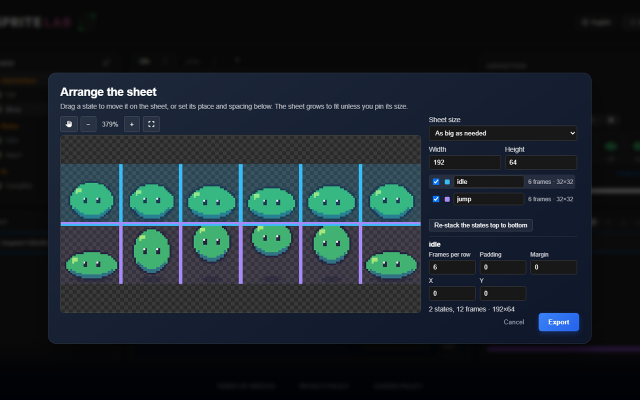
Sprites are organised in folders, and each sprite can hold several named states (for example idle, run, jump). Each state is a strip of frames on layers, with a live animation preview, onion skinning and its own undo history.
PNG and GIF images can be imported, including existing sprite sheets, which are split into frames automatically or read with an Aseprite-format JSON file. Export is to PNG, animated GIF, or one sheet with a row per state plus an Aseprite-format JSON describing the frames, durations and states, which many game engines can read.
The interface works on desktop and touch devices and is available in 130 languages. It suits beginners and game developers who need sprites quickly, for example during game jams.
Features:layersanimationonion skinningsprite sheetssymmetryselectiongif exportaseprite json exporttouch support2 0 pieces -
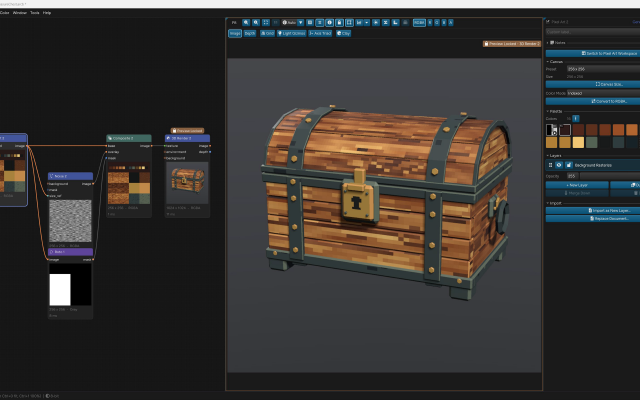
 ArcBrushThe node-based image editor.Freemium Free for personal use; one-time $49 commercial license Other Low-Spec EditorsPalette ToolsProcedural GeneratorsConverters & Scalers3D ToolsUtilities ActiveArcBrush is a node-based image editor for Windows, macOS and Linux. Images are built as a graph of nodes, so every step stays editable.
Its Pixel Art node is a sprite, icon and tile editor inside that graph. It has layers, Pixel-Perfect tools, symmetry axes, seamless wrapping, Marquee, Lasso and Magic Wand selections, RGBA or Indexed canvases whose palette round-trips with Swatches, and a shading ink along palette ramps.
Other nodes can recolor, pack into atlases and batch export the result. Export Data writes CSV, JSON or text sprite tables.
It also has nodes for texture and material work, photo editing and compositing. It is free for personal use; commercial use needs a one-time Pro license.Features:layerspalette manipulationsprite sheet export2dcustom brushesimage conversionexporttilemapssprite editorcross platformeffectstexture paintingditheringnormal mapsbatch processing3dcolor replacementrenderingcolor reductionpng exportsprite sheetsprocedural1 0 pieces -
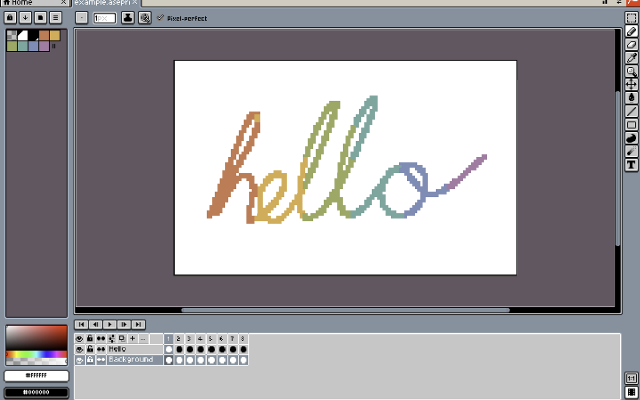
 XpriteFree, open-source pixel art and animation editor for the browser.Xprite is a free, open-source browser-based editor for pixel art, sprites, and frame-by-frame animation. It provides drawing tools, layers, animation frames and tags, palette controls, and export to PNG, GIF, and sprite sheets. It runs in modern browsers and can be installed as a PWA on supported desktop and mobile devices.
The editor opens and saves .ase and .aseprite projects. It supports mouse, touch, and stylus input, with panels that can be moved, resized, and combined into a custom workspace. The interface is available in English and Simplified Chinese.
Core editing runs locally on the user's device. Browser-saved projects do not automatically sync between devices, so downloadable project files should be kept as backups.
Xprite is is an independent project inspired by Aseprite and LibreSprite, and is not affiliated with or endorsed by Aseprite or Igara Studio.1 0 pieces -
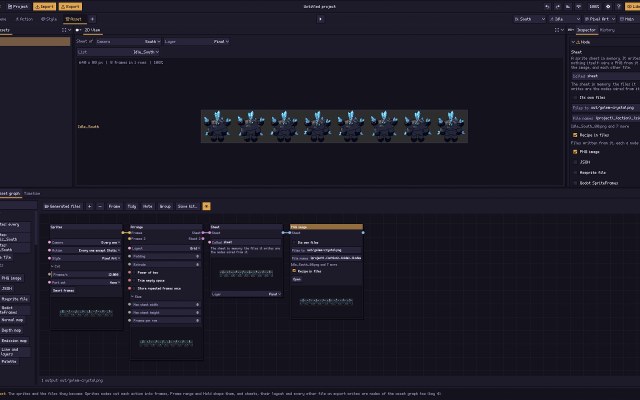
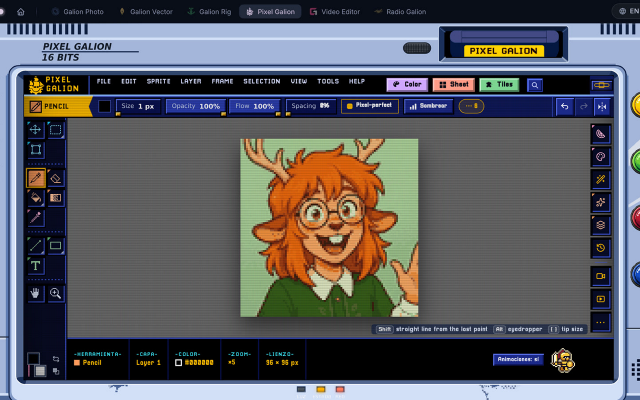
 Pixel GalionPixel art and animation editor that runs in the browser, part of the free GalionToon art suite.Pixel Galion is a pixel art and animation editor that runs in the web browser. It is one of the tools in GalionToon, a free art suite made by a solo developer.
It covers sprite drawing with pixel-perfect lines, symmetry and dithering, layers, frame-by-frame animation with onion skinning, indexed color palettes, lighting, tilesets and sprite sheet export.
No account is required. It can be installed as a web app and used offline, and files stay on the user's computer. The interface is available in English, Spanish and French.
Features:layersanimationonion skinningindexed colorditheringsymmetrytilesetssprite sheetspixel perfect0 0 pieces -
 4 screenshots
 PixorRenders 3D models and their animations into pixel-art sprite sheets, from 4, 8 or 16 directions.Paid0Pixel Art
PixorRenders 3D models and their animations into pixel-art sprite sheets, from 4, 8 or 16 directions.Paid $19.99 one-time, free updates, free browser demo Pixel Art 3D ToolsAnimation ToolsLighting & Normal Map Tools ActivePixor is a desktop program that renders 3D models (glTF/GLB, FBX, OBJ, MagicaVoxel .vox) into pixel-art sprites and sprite sheets. It renders each animation from 4, 8 or 16 directions at one fixed pixel scale, with the pivot on the same pixel in every frame.
The look is built from nodes: light bands, hue-shifted colour ramps, selective outlines, palettes (Lospec .hex and GIMP .gpl), dithering and cleanup. It measures and reduces flicker between animation frames.
It exports PNG sheets with JSON, .aseprite files with layers and tags, Godot SpriteFrames, GIF, and normal and depth maps, and has a command line for batches. A free browser demo covers import, camera, animation and PNG export. It is aimed at game developers who model in 3D and want consistent multi-direction sprites.
Features:3d to 2dsprite sheetsmulti directionalanimationpalettesditheringoutlinesnormal mapsaseprite exportgodot exportcommand line0 0 pieces
There are no more software for your current criteria.
There are no software for your current criteria.
Thanks for your feedback! If you want to say more, please post a Suggestion or Bug Report!
our next patreon goal: $351 / $500