Filtering Options:
12 software:
-
 6 screenshots
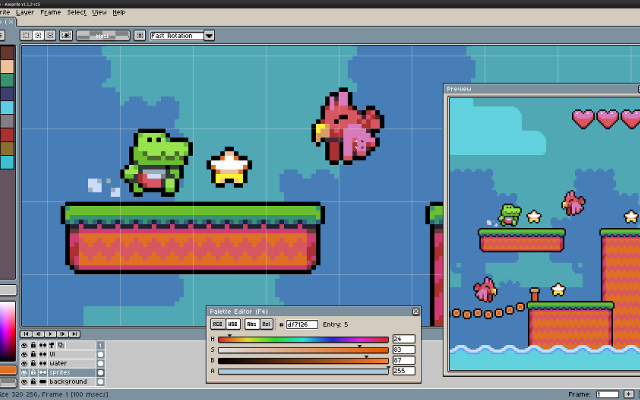
 AsepriteThe most popular dedicated pixel art editor, with animation, tilemaps and a scripting API.Paid18Pixel Art
AsepriteThe most popular dedicated pixel art editor, with animation, tilemaps and a scripting API.
AsepriteThe most popular dedicated pixel art editor, with animation, tilemaps and a scripting API.Paid18Pixel Art
AsepriteThe most popular dedicated pixel art editor, with animation, tilemaps and a scripting API.Aseprite is a pixel art editor built around sprite work: an indexed-color workflow, onion skinning and a timeline for animation, tilemap layers, custom brushes, and export straight to sprite sheets. Extensions and Lua scripts add anything it lacks. It is the editor most Lospec artists reach for first.
Features:layersanimationonion skinningtilemapscustom brushespalette manipulationscriptingsprite sheet export18 451 pieces -
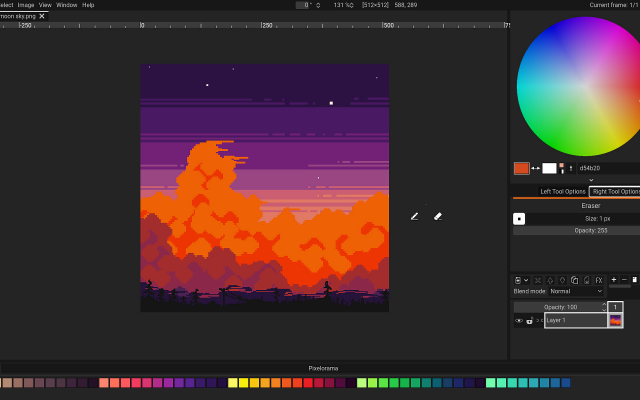
 PixeloramaA free, open source pixel art editor made with Godot.
Pixelorama is a full featured free editor: layers, animation with onion skinning, tile mode, palettes, and an active development pace. It runs on every desktop platform and in the browser.
3 23 pieces -
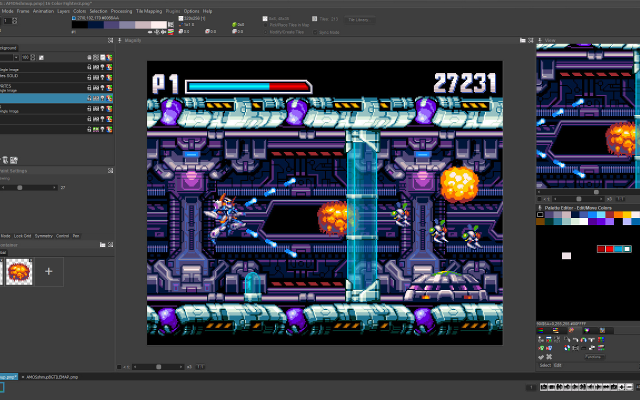 6 screenshotsPro Motion NGA professional pixel art and animation tool descended from Deluxe Paint.Paid1Pixel Art
 Pro Motion NGA professional pixel art and animation tool descended from Deluxe Paint.
Pro Motion NG is inspired by Amiga Deluxe Paint and used in commercial game studios. It has a detached-window interface, deep palette and tile tools, and an animation workflow tuned for sprite production.
1 3 pieces -
 LDtkA modern level editor from the creator of Dead Cells.
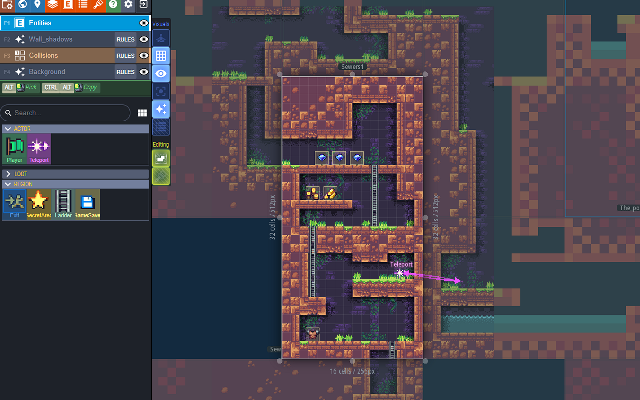
LDtk is a level editor with auto-tiling rules, entity definitions and a clean JSON format with loaders for most engines.
1 0 pieces -
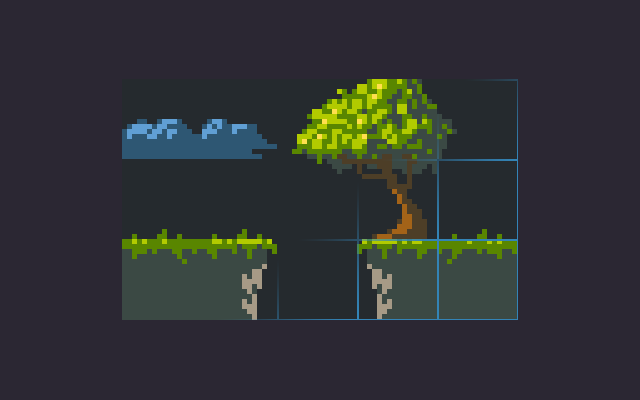
 Pyxel EditA pixel art editor built around tiles and tilesets.
Pyxel Edit is a smaller pixel art program focused on tile editing: paint tiles once and every placed copy updates, then export the tileset and tilemap for your engine. It also handles simple animation.
1 0 pieces -
 TiledThe general purpose 2D level and tilemap editor.
Tiled is a flexible tilemap editor supporting orthogonal, isometric and hexagonal maps, with importers for most engines.
1 0 pieces -
 5 screenshots
 TilesetterTurns a handful of hand-drawn tiles into a complete auto-tiling tileset.Paid1Pixel Art
TilesetterTurns a handful of hand-drawn tiles into a complete auto-tiling tileset.
TilesetterTurns a handful of hand-drawn tiles into a complete auto-tiling tileset.Paid1Pixel Art
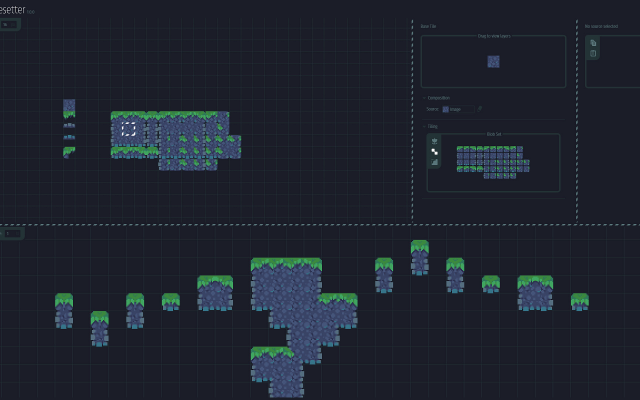
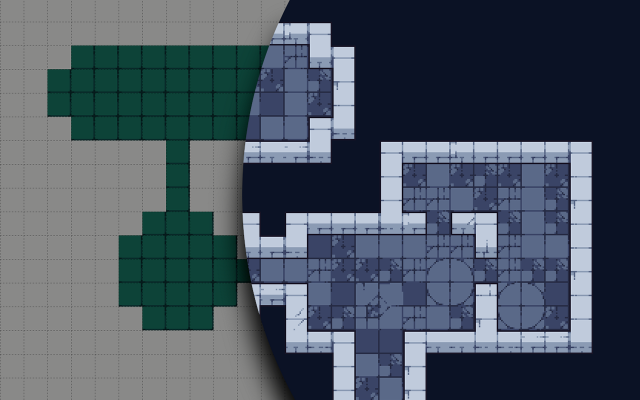
TilesetterTurns a handful of hand-drawn tiles into a complete auto-tiling tileset.Tilesetter takes a handful of hand-drawn tiles and works out the rest: corners, edges and transitions are generated into a complete auto-tiling tileset, which it can then export along with a map. It is aimed at the part of tile work that is repetitive rather than creative.
1 0 pieces -
 4 screenshots
 AltusPixelPixel art editor, including animation, rigging, and palettes, and GameMaker projects...Paid0Pixel Art
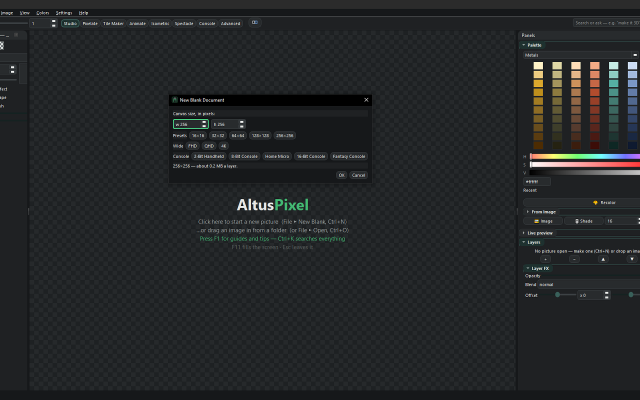
AltusPixelPixel art editor, including animation, rigging, and palettes, and GameMaker projects...Paid $7.99 USD; one price, no DLC, updates included Pixel Art EditorsAnimation ToolsTile & Map EditorsPalette ToolsFont & Charset ToolsConverters & Scalers ActiveAltusPixel is a pixel art editor for game developers, sold on Steam for Windows and Linux. It is a single offline desktop application with no account.
AltusPixelPixel art editor, including animation, rigging, and palettes, and GameMaker projects...Paid0Pixel Art
AltusPixelPixel art editor, including animation, rigging, and palettes, and GameMaker projects...Paid $7.99 USD; one price, no DLC, updates included Pixel Art EditorsAnimation ToolsTile & Map EditorsPalette ToolsFont & Charset ToolsConverters & Scalers ActiveAltusPixel is a pixel art editor for game developers, sold on Steam for Windows and Linux. It is a single offline desktop application with no account.
Engine Export: complete GameMaker project exports (sprite, tileset and autotiles/room), a Godot TileSet and map scene, a Tiled map, Unity sprite metadata, and .ase filess.
Drawing: layers that can be added, reordered, hidden and recolored one at a time; lines that snap to isometric slopes and isometric scenes built block by block; fills with a material such as brick, stone, sand, grass, leaves, wood or water instead of a flat color; text in bundled pixel fonts with a live preview; a Bend tool that curves a straight strip.
Animation: frame-by-frame animation with onion skin and in-app playback; a character can be rigged on the canvas by placing joints, and several rigged characters can stand on one stage and run together; export to GIF, animated WebP, APNG and sprite sheets.
Tiles: tilemap layers where editing one tile updates every placed copy, and autotile set generation.
Color: thirty-six bundled palettes, a palette library, and template palettes pasted straight in.
Pipeline: recorded macros that run across a whole folder; an atlas packer with JSON metadata and native Godot .tres output; automatic re-export on save into a game's asset folder; in-file snapshots and a session timelapse recorder; PNG, integer-scaled PNG and sprite-sheet export.
Also developed: photos can be turned into a printable cross-stitch pattern at real size. The application contains no generative AI features.Features:animationlayerspalette manipulationonion skinningsprite sheet exporttilemapstilesimage conversiontexture paintingisometricexporttilemap exporttimelapse0 0 pieces -
 2 screenshots
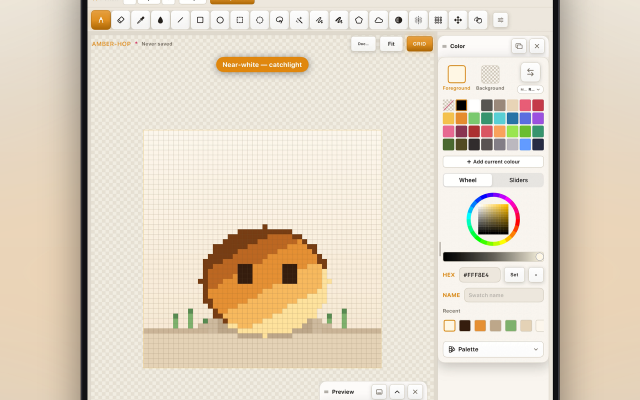
 AmberspritePixel-art sprite editor, animation & tilemaps for iPad with Apple PencilPaid0Pixel Art
AmberspritePixel-art sprite editor, animation & tilemaps for iPad with Apple PencilAmbersprite is a pixel-art editor for iPad, built around Apple Pencil input. It provides pixel-perfect drawing with pressure and tilt support, frame-by-frame animation with onion skinning, and tilemap editing. Sprites and animations can be exported as PNG, GIF, APNG, sprite sheets, Aseprite (.ase) and PSD files, Tiled maps, and video. It works fully offline with no account, ads, or analytics.0 0 pieces
AmberspritePixel-art sprite editor, animation & tilemaps for iPad with Apple PencilPaid0Pixel Art
AmberspritePixel-art sprite editor, animation & tilemaps for iPad with Apple PencilAmbersprite is a pixel-art editor for iPad, built around Apple Pencil input. It provides pixel-perfect drawing with pressure and tilt support, frame-by-frame animation with onion skinning, and tilemap editing. Sprites and animations can be exported as PNG, GIF, APNG, sprite sheets, Aseprite (.ase) and PSD files, Tiled maps, and video. It works fully offline with no account, ads, or analytics.0 0 pieces -
 0 screenshotsNostalgic Assets Workshop: NAWGraphics editor for NES-compatible assetsPay What You Want0Pixel Art
Nostalgic Assets Workshop: NAWGraphics editor for NES-compatible assetsAn editor built to be fully compliant with the NES. Workflow is based around tilemaps and a 4-color palettes. Capable of exporting images as functional NES-roms.0 0 pieces
0 screenshotsNostalgic Assets Workshop: NAWGraphics editor for NES-compatible assetsPay What You Want0Pixel Art
Nostalgic Assets Workshop: NAWGraphics editor for NES-compatible assetsAn editor built to be fully compliant with the NES. Workflow is based around tilemaps and a 4-color palettes. Capable of exporting images as functional NES-roms.0 0 pieces -
 2 screenshots
 SH Pixel StudioTool that can pixelate a model or an image and also stamp or adjust the quality of the pixelation.Paid0Pixel Art
SH Pixel StudioTool that can pixelate a model or an image and also stamp or adjust the quality of the pixelation.Paid $18.99, Free Demo Pixel Art Palette Tools3D ToolsEditorsProcedural GeneratorsUtilitiesTile & Map Editors MaintainedWhat is SH Pixelation Studio?
SH Pixel StudioTool that can pixelate a model or an image and also stamp or adjust the quality of the pixelation.Paid0Pixel Art
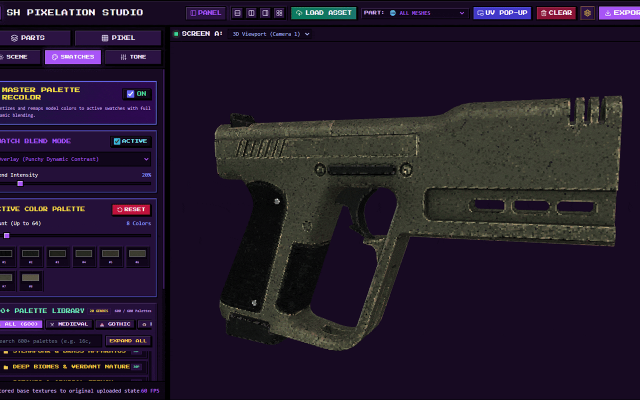
SH Pixel StudioTool that can pixelate a model or an image and also stamp or adjust the quality of the pixelation.Paid $18.99, Free Demo Pixel Art Palette Tools3D ToolsEditorsProcedural GeneratorsUtilitiesTile & Map Editors MaintainedWhat is SH Pixelation Studio?If you are tired of wrestling with clunky pipelines just to get that crisp, nostalgic retro look for your 3D assets, SH Pixelation Studio is built for you. Whether you are crafting indie low-poly retro games, stylized animations, or unique pixel art, this studio gives you complete control over downsampling, color palettes, and surface texturing without destroying your source geometry.
🔥 Key Features & Capabilities
Load Your Model: No complicated file routing or deep directory searches. Simply load your GLTF, GLB, OBJ, FBX or Image directly into the studio workspace and watch them load instantly.
Dual-Viewport Workspaces: Inspect your models from multiple angles simultaneously using independently orbitable viewports and side-by-side or stacked layouts.
Advanced Pixel & Dither Engine: Dial in your exact pixel size, choose from classic dithering matrices (Bayer, Floyd-Steinberg, Atkinson, and more), and posterize colors on the fly.
Submesh Targeting: Isolate specific submeshes and turn off the texture or the model part itself so you can pixelate even more accurately!
Over 500+ Grounded Color Palettes: Instantly remap your model's tonal clusters using hand-curated palette libraries ranging from retro hardware systems to cyberpunk neon and military camo.
Surface Paint Layers: Layer carbon fiber, honeycomb, scanlines, or custom stencils directly onto your surfaces with adjustable opacity and blend modes.
Looking to try before you buy?
Check out the official Demo version available on itch.io page! While advanced features like bulk batch processing and uncompressed high-res outputs are locked to the full version, the demo lets you test the core pixelation engine on your own 3D models and images. Perfect for indie developers searching for a fast, reliable tool to generate retro pixel art, low-poly textures, and PSX-style aesthetic assets for Unity, Unreal, Godot, or custom game engines.Surface Paint Layer
Making it easier to add details without having to leave the software!
You can simply upload your own image or apply the presets press STAMP and you'll see in real time how pixelation affects your new effect.
UI Colors
Make it yours!
UI colors that you can change making it feel easier for you to pixelate in your own vibe, with your own color!
Colors come in 6 variations and they are muted/soft to not feel like they'll blind you or take your attention too much.
Tone Map
Less reasons to leave and more reasons to stay!
Tone map has presets that make your life easier, why worry about how your model looks like due to swatches that feel darker/lighter than others when you can just adjust the tone map yourself!
Isolate & Hide
Struggling to understand how your model looks like inside a different part of the mesh? Maybe your texture is too bright and you want to make it less of an issue and that's where Isolation or Hiding of the texture comes in handy.
Since it's an easy-to-use 3D Canvas, isolation comes in handy because you can zoom/rotate and look exactly where you want to without seeing parts of the mesh blocking you!
Isolate & Hide parts as you please, this option was made to simplify your life instead of asking yourself "How do I know how my UV texture looks inside?!"
Swatches Blend Mode
Swatch Palettes usually come in lots of variations, you have medieval, gothic, nostalgia, anime and many many maaaaany more but the issue is that... usually your texture looks amazing already, right? You made it so of course it looks amazing.
Therefore, the process of adding a new palette of colors ONTO your model should feel almost as if it's upgrading your model instead of changing it completely . . . WHICH Is why Swatch Blend Mode exists, to simplify your life and beautify your already pixel perfect model.
Batch Import & Export and UI Updates.
Batch import and export is here! Now you can work on 5-10-20-30-100??? models at the same time and export all of them with folders and sub-folders. Upgrading your workflow with easy access, batch upload, download and save states that allow you to take a pause and come back later to continue on your work.
0 0 pieces -
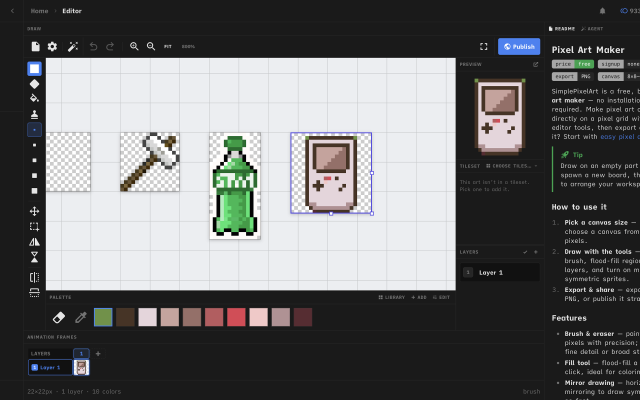
 Simple Pixel Art EditorFree, browser-based pixel art editor — draw sprites, build tilesets with auto-tiling terrains, paint tilemaps, animate fDraw sprites, build tilesets, paint tilemaps, and export game-ready assets for Godot, Unity, or Phaser — or just convert a photo and remix community templates. All free, in your browser.0 0 pieces
There are no more software for your current criteria.
There are no software for your current criteria.
AD| join Patreon to remove ads!
Thanks for your feedback! If you want to say more, please post a Suggestion or Bug Report!
our next patreon goal: $263 / $500