Filtering Options:
14 software:
-
 6 screenshots
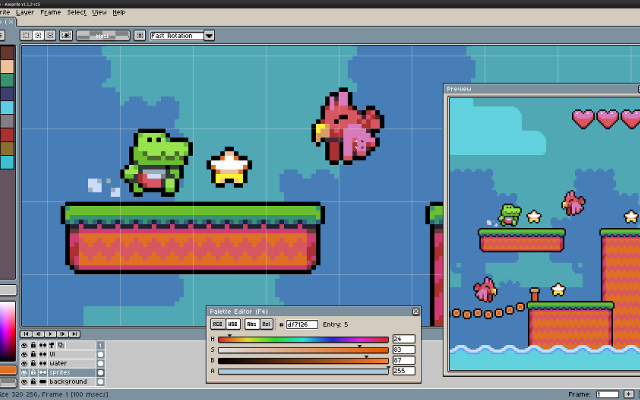
 AsepriteThe most popular dedicated pixel art editor, with animation, tilemaps and a scripting API.Paid18Pixel Art
AsepriteThe most popular dedicated pixel art editor, with animation, tilemaps and a scripting API.
AsepriteThe most popular dedicated pixel art editor, with animation, tilemaps and a scripting API.Paid18Pixel Art
AsepriteThe most popular dedicated pixel art editor, with animation, tilemaps and a scripting API.Aseprite is a pixel art editor built around sprite work: an indexed-color workflow, onion skinning and a timeline for animation, tilemap layers, custom brushes, and export straight to sprite sheets. Extensions and Lua scripts add anything it lacks. It is the editor most Lospec artists reach for first.
Features:layersanimationonion skinningtilemapscustom brushespalette manipulationscriptingsprite sheet export18 451 pieces -
 8 screenshots
 PixiEditorA node-based open source editor with Lospec palette integration.Free14Pixel Art
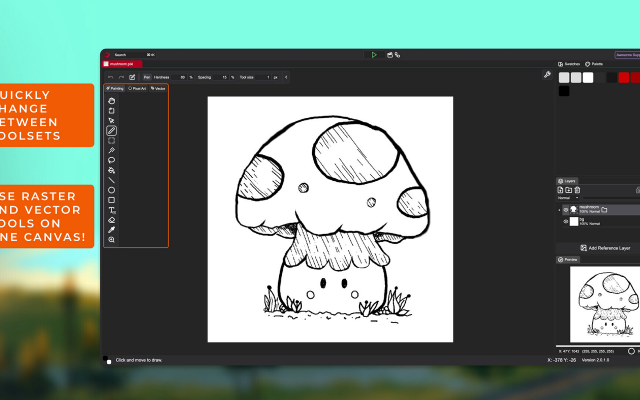
PixiEditorA node-based open source editor with Lospec palette integration.Free Open Source Pixel Art EditorsAnimation ToolsProcedural GeneratorsEffect & Particle GeneratorsLighting & Normal Map Tools ActivePixiEditor is a 2D graphics editor for creating and editing raster, vector, and procedural graphics. It supports pixel art, digital painting, vector shapes and paths, animation, and node-based image processing within the same document.
PixiEditorA node-based open source editor with Lospec palette integration.Free14Pixel Art
PixiEditorA node-based open source editor with Lospec palette integration.Free Open Source Pixel Art EditorsAnimation ToolsProcedural GeneratorsEffect & Particle GeneratorsLighting & Normal Map Tools ActivePixiEditor is a 2D graphics editor for creating and editing raster, vector, and procedural graphics. It supports pixel art, digital painting, vector shapes and paths, animation, and node-based image processing within the same document.
The editor uses a layer-based workflow combined with a node graph. Layers, effects, and other parts of a document can be represented as nodes and connected to create custom processing pipelines and procedural graphics.
Toolsets
PixiEditor includes several toolsets for different types of 2D work:
Pixel Art - tools designed for pixel-perfect drawing and editing.
Painting - brushes, shapes, and other raster painting tools.
Vector - vector shapes and paths.
These toolsets can be used together in the same document, allowing raster and vector content to be combined.
Animation
PixiEditor includes a timeline for creating frame-by-frame animations. Nodes can also be used to build procedural animations and animate custom effects.
Node Graph
Each document has an associated node graph used to define how its contents are generated and processed. Nodes can represent layers, effects, inputs, and other operations.
The node system can be used for non-destructive editing as well as procedural graphics and animations.Features:layerspalette list integrationpalette manipulationanimationonion skinningsprite sheet exportcustom brushestexture paintingextensions14 40 pieces -
 3 screenshots
 NovaboardA web-based pixel art editor that also runs on the desktop.Free5Pixel Art
NovaboardA web-based pixel art editor that also runs on the desktop.
NovaboardA web-based pixel art editor that also runs on the desktop.Free5Pixel Art
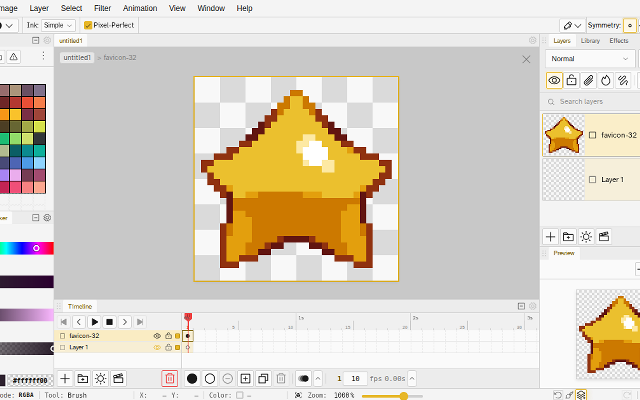
NovaboardA web-based pixel art editor that also runs on the desktop.Novaboard runs in the browser and as a desktop app, with layers, animation and effects.
Features:animationlayerspalette manipulation3d model exportonion skinningonlinesprite sheet export2dcustom brusheseffectssprite editorcross platform5 0 pieces -
 PhotoshopThe big image editor, usable for pixel art with the right settings.
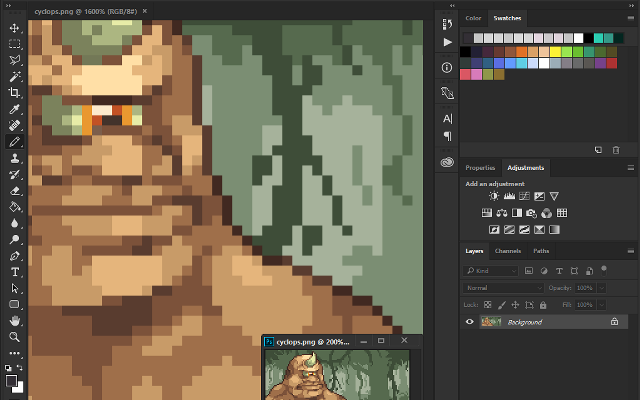
A general purpose image editor that can be set up for pixel art: nearest neighbour scaling, pencil tool, indexed color mode. Animation is awkward, but the flexibility lets you mimic advanced tools such as index painting.
3 62 pieces -
 3 screenshots
 GrafX2A DOS-era bitmap editor inspired by Deluxe Paint, still going.Free3Pixel Art
GrafX2A DOS-era bitmap editor inspired by Deluxe Paint, still going.
GrafX2A DOS-era bitmap editor inspired by Deluxe Paint, still going.Free3Pixel Art
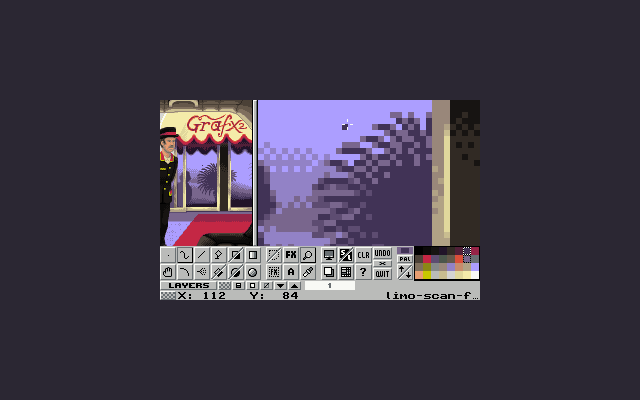
GrafX2A DOS-era bitmap editor inspired by Deluxe Paint, still going.GrafX2 was made for DOS and has been ported everywhere since. It has tools no other program does, constraints for retro platforms, and an antiquated interface.
3 1 piece -
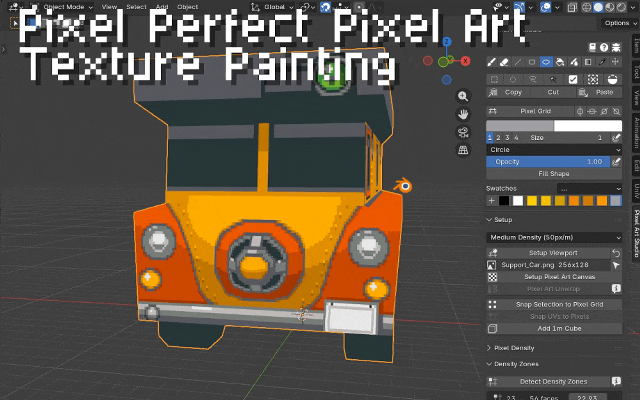
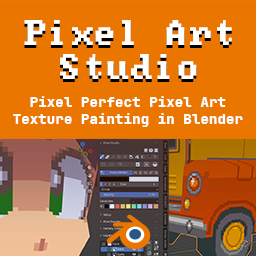 Pixel Art Studio for BlenderBlender add-on for pixel perfect pixel art drawing and texture painting in 3D and 2DPixel Art Studio is a Blender add-on (plugin) for pixel perfect pixel art texture painting. It supports drawing and painting pixel art inside Blender, in the 3D Viewport on top of the model (in Object and Edit modes) and in 2D in the Image Editor. It has tools for drawing and painting (including colors, palettes, layers, pressure sensitivity, bucket fill, gradients), selecting and moving pixels, and quickly setting up the model and the viewport for pixel art. Don't worry about UVs anymore: one click unwraps the whole model for pixel art (texel density, pixel sizes and no stretched pixels), so you can close Blender's UV Editor and use just the 3D Viewport. Stack faces on the same pixels or join as a single UV island, without ever moving or scaling a UV island by hand. The plugin also helps with setting up and managing multiple texture densities per mesh, allowing for uniform pixel sizes across the whole mesh or per face pixel size variation.
And this is not a filter or composer to "PIXELATE" the scene or the model, this is true pixel art drawing and texturing!Features:layerspalette manipulation3d model exportcustom brushessprite editor3d modellingtexture painting2 0 pieces -
 6 screenshots
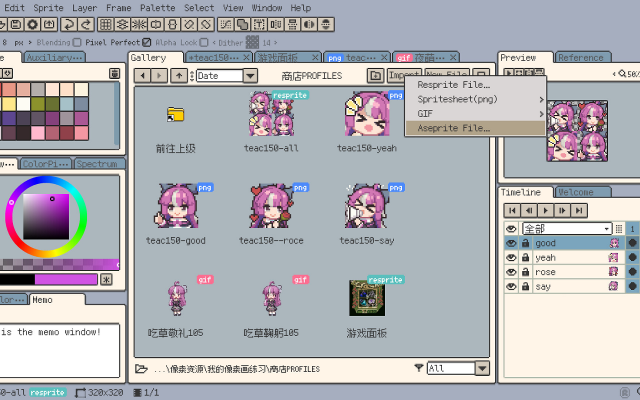
 RespriteA pixel art editor that runs the same project on a phone, a tablet and a desktop.Freemium1Pixel Art
RespriteA pixel art editor that runs the same project on a phone, a tablet and a desktop.
RespriteA pixel art editor that runs the same project on a phone, a tablet and a desktop.Freemium1Pixel Art
RespriteA pixel art editor that runs the same project on a phone, a tablet and a desktop.Resprite is a pixel art and animation editor for iOS, Android, Windows and macOS, built around a touch interface without losing the tools a desktop editor has: pixel-perfect lines, alpha lock, dithering patterns, custom brushes, gradients and symmetry. It imports and exports GIF, sprite sheets, PSD and APNG.
1 20 pieces -
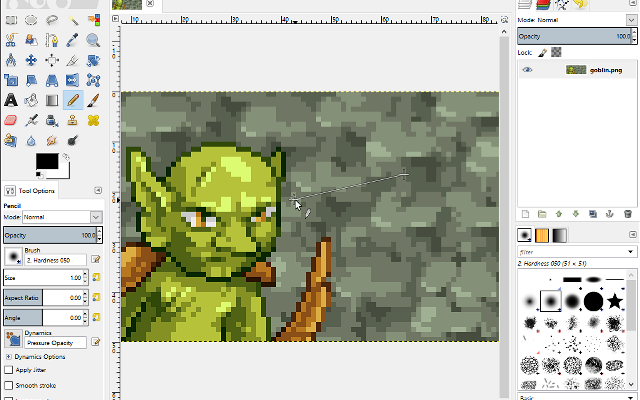
 GIMPThe free, open source image editor, configurable for pixel art.
A multi-purpose image editor designed as a free replacement for Photoshop. It can be configured for pixel art with the pencil tool, indexed mode and nearest neighbour scaling.
1 9 pieces -
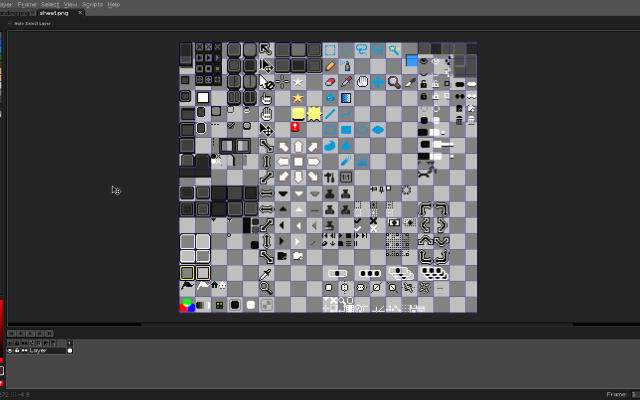
 6 screenshotsPro Motion NGA professional pixel art and animation tool descended from Deluxe Paint.Paid1Pixel Art
Pro Motion NGA professional pixel art and animation tool descended from Deluxe Paint.
6 screenshotsPro Motion NGA professional pixel art and animation tool descended from Deluxe Paint.Paid1Pixel Art
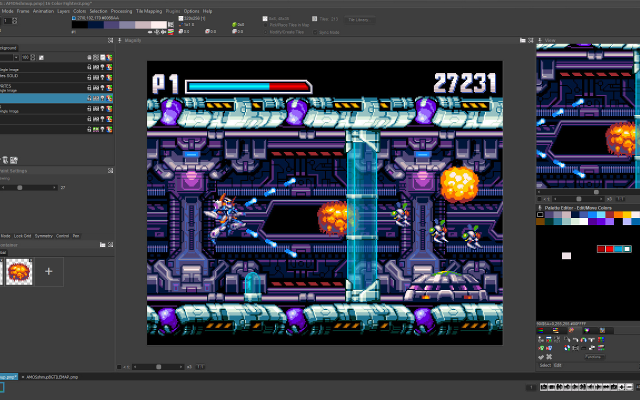
Pro Motion NGA professional pixel art and animation tool descended from Deluxe Paint.Pro Motion NG is inspired by Amiga Deluxe Paint and used in commercial game studios. It has a detached-window interface, deep palette and tile tools, and an animation workflow tuned for sprite production.
1 3 pieces -
 4 screenshots
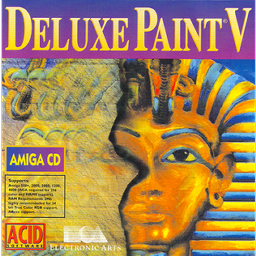 Deluxe PaintThe Amiga paint program that most early game art was drawn in.Paid1Pixel Art
Deluxe PaintThe Amiga paint program that most early game art was drawn in.
Deluxe PaintThe Amiga paint program that most early game art was drawn in.Paid1Pixel Art
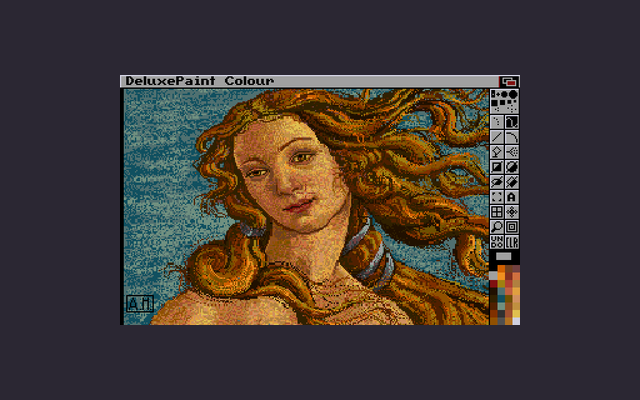
Deluxe PaintThe Amiga paint program that most early game art was drawn in.Deluxe Paint was the paint program of the Amiga era and the tool a great deal of 1980s and 1990s game art was made in. Its custom brushes, palette cycling and animation features set conventions that pixel art editors still follow, and its keyboard-driven workflow is why so many later programs feel the way they do. It is no longer sold; the versions that survive do so through archives and emulation.
1 0 pieces -
 BespritedA free, open-source pixel-art and sprite animation editorBesprited is a free and open-source pixel-art editor and animation tool for Windows, macOS and Linux. It builds on LibreSprite, the community continuation of Aseprite’s last open-source release, with a faster release cycle. It offers layers and frames with onion skinning and real-time preview, a stabilized pencil for clean lines, shading ink, custom brushes, symmetry, RotSprite rotation, a tiling mode for seamless textures, and JavaScript scripting. It reads and writes Aseprite .ase files as well as GIF, PNG sequences and sprite sheets.0 0 pieces
 -
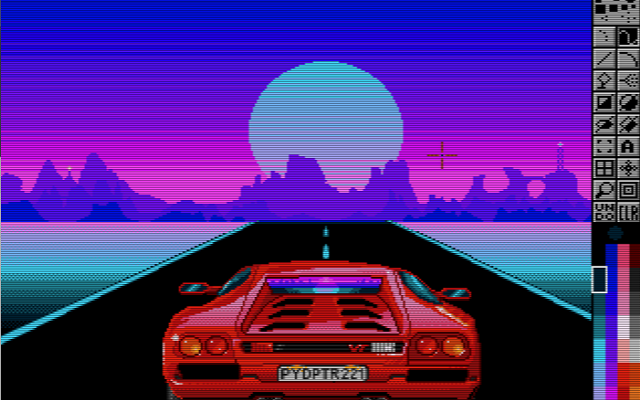
 PyDPainterA clone of Deluxe Paint written for modern computers.
PyDPainter is an open-source pixel art and animation program inspired by classic 16-bit painting tools like Electronic Arts' Deluxe Paint. Built with Python and PyGame, it provides a retro-styled digital canvas for creating pixel art, sprites, and frame-by-frame animations.
What it does
PyDPainter has traditional raster and pixel art tools, including custom brush creation, color palette management, stencil/masking features, and multi-frame animation controls. It combines a retro user interface layout running on modern hardware.What it is good at
It can be used for pixel art creation, retro game asset design, and animating in low-resolution with animation path, palette controls, speed controls, and GIF import and export.Who it is for
It is designed for pixel artists, retro game developers, demoscene creators, and digital artists who want the workflow and aesthetic of classic Amiga-era painting software while using modern hardware.0 0 pieces -
 2 screenshots
 SH Pixel StudioTool that can pixelate a model or an image and also stamp or adjust the quality of the pixelation.Paid0Pixel Art
SH Pixel StudioTool that can pixelate a model or an image and also stamp or adjust the quality of the pixelation.Paid $18.99, Free Demo Pixel Art Palette Tools3D ToolsEditorsProcedural GeneratorsUtilitiesTile & Map Editors MaintainedWhat is SH Pixelation Studio?
SH Pixel StudioTool that can pixelate a model or an image and also stamp or adjust the quality of the pixelation.Paid0Pixel Art
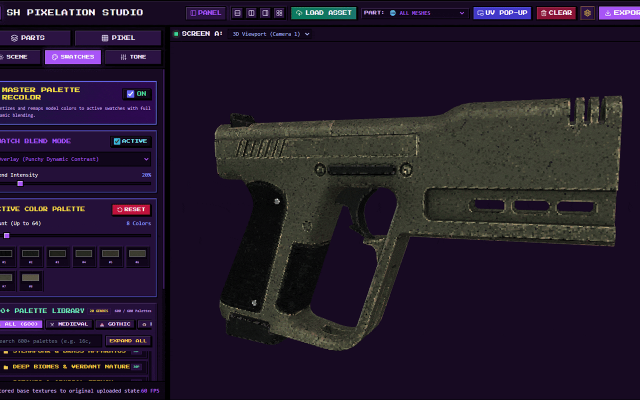
SH Pixel StudioTool that can pixelate a model or an image and also stamp or adjust the quality of the pixelation.Paid $18.99, Free Demo Pixel Art Palette Tools3D ToolsEditorsProcedural GeneratorsUtilitiesTile & Map Editors MaintainedWhat is SH Pixelation Studio?If you are tired of wrestling with clunky pipelines just to get that crisp, nostalgic retro look for your 3D assets, SH Pixelation Studio is built for you. Whether you are crafting indie low-poly retro games, stylized animations, or unique pixel art, this studio gives you complete control over downsampling, color palettes, and surface texturing without destroying your source geometry.
🔥 Key Features & Capabilities
Load Your Model: No complicated file routing or deep directory searches. Simply load your GLTF, GLB, OBJ, FBX or Image directly into the studio workspace and watch them load instantly.
Dual-Viewport Workspaces: Inspect your models from multiple angles simultaneously using independently orbitable viewports and side-by-side or stacked layouts.
Advanced Pixel & Dither Engine: Dial in your exact pixel size, choose from classic dithering matrices (Bayer, Floyd-Steinberg, Atkinson, and more), and posterize colors on the fly.
Submesh Targeting: Isolate specific submeshes and turn off the texture or the model part itself so you can pixelate even more accurately!
Over 500+ Grounded Color Palettes: Instantly remap your model's tonal clusters using hand-curated palette libraries ranging from retro hardware systems to cyberpunk neon and military camo.
Surface Paint Layers: Layer carbon fiber, honeycomb, scanlines, or custom stencils directly onto your surfaces with adjustable opacity and blend modes.
Looking to try before you buy?
Check out the official Demo version available on itch.io page! While advanced features like bulk batch processing and uncompressed high-res outputs are locked to the full version, the demo lets you test the core pixelation engine on your own 3D models and images. Perfect for indie developers searching for a fast, reliable tool to generate retro pixel art, low-poly textures, and PSX-style aesthetic assets for Unity, Unreal, Godot, or custom game engines.Surface Paint Layer
Making it easier to add details without having to leave the software!
You can simply upload your own image or apply the presets press STAMP and you'll see in real time how pixelation affects your new effect.
UI Colors
Make it yours!
UI colors that you can change making it feel easier for you to pixelate in your own vibe, with your own color!
Colors come in 6 variations and they are muted/soft to not feel like they'll blind you or take your attention too much.
Tone Map
Less reasons to leave and more reasons to stay!
Tone map has presets that make your life easier, why worry about how your model looks like due to swatches that feel darker/lighter than others when you can just adjust the tone map yourself!
Isolate & Hide
Struggling to understand how your model looks like inside a different part of the mesh? Maybe your texture is too bright and you want to make it less of an issue and that's where Isolation or Hiding of the texture comes in handy.
Since it's an easy-to-use 3D Canvas, isolation comes in handy because you can zoom/rotate and look exactly where you want to without seeing parts of the mesh blocking you!
Isolate & Hide parts as you please, this option was made to simplify your life instead of asking yourself "How do I know how my UV texture looks inside?!"
Swatches Blend Mode
Swatch Palettes usually come in lots of variations, you have medieval, gothic, nostalgia, anime and many many maaaaany more but the issue is that... usually your texture looks amazing already, right? You made it so of course it looks amazing.
Therefore, the process of adding a new palette of colors ONTO your model should feel almost as if it's upgrading your model instead of changing it completely . . . WHICH Is why Swatch Blend Mode exists, to simplify your life and beautify your already pixel perfect model.
Batch Import & Export and UI Updates.
Batch import and export is here! Now you can work on 5-10-20-30-100??? models at the same time and export all of them with folders and sub-folders. Upgrading your workflow with easy access, batch upload, download and save states that allow you to take a pause and come back later to continue on your work.
0 0 pieces -
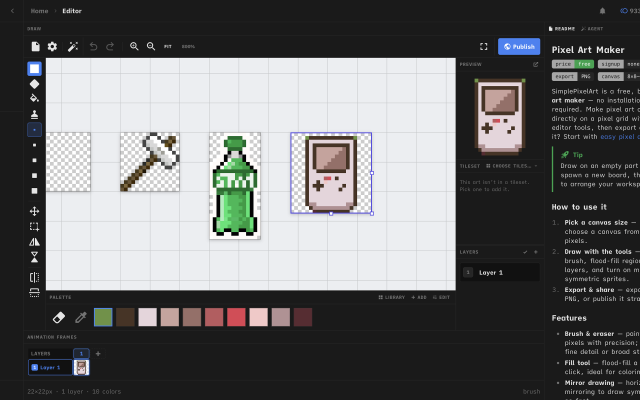
 Simple Pixel Art EditorFree, browser-based pixel art editor — draw sprites, build tilesets with auto-tiling terrains, paint tilemaps, animate fDraw sprites, build tilesets, paint tilemaps, and export game-ready assets for Godot, Unity, or Phaser — or just convert a photo and remix community templates. All free, in your browser.0 0 pieces
There are no more software for your current criteria.
There are no software for your current criteria.
AD| join Patreon to remove ads!
Thanks for your feedback! If you want to say more, please post a Suggestion or Bug Report!
our next patreon goal: $263 / $500