Filtering Options:
171 software:
-
 0 screenshotsPixel Character GeneratorBrowser tool that generates animated 32x32 pixel art characters and exports them as sprite sheets.Freemium0Pixel Art
Pixel Character GeneratorBrowser tool that generates animated 32x32 pixel art characters and exports them as sprite sheets.Pixel Character Generator is a browser tool that builds animated 32x32 pixel art characters for games. It has eight preset roles, such as knight, mage, rogue and archer, and options for body type, skin, hair, headgear, outfit, colours, cape, weapon and shield. A seed makes results repeatable, and a crowd button rolls twelve characters at once. Each character has idle, walk, attack, hurt, jump and die animations in a side view, plus front and back views. Shading uses hue-shifted colour ramps and a coloured outline. It exports a sprite sheet with JSON frame data. The free version allows three exports a day at 1x and 2x scale. The paid Pro plan adds 4x and 8x scale, a 4-direction top-down sheet, front and back frames, Godot 4 SpriteFrames files and crowd ZIPs. It is part of GameShipKit, a collection of browser tools for game developers.0 0 pieces
-
 0 screenshotsPixel Monster GeneratorBrowser tool that generates animated 32x32 pixel art monsters and exports them as sprite sheets.Freemium0Pixel Art
Pixel Monster GeneratorBrowser tool that generates animated 32x32 pixel art monsters and exports them as sprite sheets.Pixel Monster Generator is a browser tool that builds animated 32x32 pixel art enemies for games. It has nine monster types: slime, bat, ghost, floating eye, mushroom, spider, wisp, biting plant and rock golem. Each type has three body shapes, width and height sliders, colours, eye styles, patterns such as spots and stripes, and extras such as horns or a crown. A random button and a seed field make new monsters, and a horde button rolls twelve at once. Every monster has idle, move, attack, hurt and die animations on one sheet. It exports a sprite sheet with JSON frame data. The free version allows three exports a day at 1x and 2x scale. The paid Pro plan adds 4x and 8x scale, Godot 4 SpriteFrames files and horde ZIPs. It is part of GameShipKit, a collection of browser tools for game developers.0 0 pieces
-
 0 screenshotsAutotile GeneratorA browser tool that builds a full 47-tile blob autotile set from two textures or an RPG Maker A2 tile.Subscription0Pixel Art
Autotile GeneratorA browser tool that builds a full 47-tile blob autotile set from two textures or an RPG Maker A2 tile.Subscription Free to try; export needs Pro ($8/month or $59/year) Pixel Art Tile & Map Editors ActiveAutotile Generator is a browser tool that builds a complete 47-tile blob tileset, the layout used for terrain that blends on every side and corner. You pick a terrain texture and a background texture, or drop your own seamless images, and set the edge between them: width, roundness, ragged edges, outline and shadow. It can also take a single RPG Maker A2 autotile and expand it. A small test map lets you paint with the result before exporting. Exports include the tileset image, a Godot 4 TileSet with the terrain already set up, a Tiled Wang set and an RPG Maker A2 block. Building the tiles and painting the test map is free with no sign-up. Downloading the tileset needs the paid Pro plan. It is aimed at developers of top-down and RPG-style games who want autotiling without drawing 47 tiles by hand.0 0 pieces
-
 0 screenshotsCharacter RiggerTurn one pixel art or drawn character into 14 skeletal animations, sprite sheets and a Godot 4 rig.Paid0Pixel Art
Character RiggerTurn one pixel art or drawn character into 14 skeletal animations, sprite sheets and a Godot 4 rig.Character Rigger takes a single character image (pixel art or a drawn sprite) and builds a 2D skeleton for it. You place joints on the image, the tool generates a mesh with bone weights, and then applies 14 built-in motions such as idle, walk, run, jump, attack and hurt. Results can be exported as sprite sheets or GIFs, or as a Godot 4 scene with Skeleton2D, Polygon2D and an AnimationPlayer. Pixel art can be kept crisp with nearest-neighbor sampling. An optional assist feature can suggest joint positions or generate new motions from a text prompt, using the user's own Gemini, OpenAI or Claude API key. It is aimed at solo and small-team game developers who want simple character animation without learning a full skeletal animation package. It runs offline as a desktop app download on itch.io, and a limited version runs in the browser on gameshipkit.com.0 0 pieces
-
 0 screenshotsPixel VFX StudioBrowser tool that generates 37 animated pixel art effects you can recolour and export as sprite sheets.Freemium0Pixel Art
Pixel VFX StudioBrowser tool that generates 37 animated pixel art effects you can recolour and export as sprite sheets.Pixel VFX Studio is a browser tool that draws animated pixel art effects with code. It includes 37 effects in ten groups: fire, explosions, impacts, magic, ice, lightning, water, nature, weather and pickups. Loops such as torches, portals and rain wrap without a seam. One-shots such as explosions and slashes start and end on an empty frame. Each effect uses a ramp of six colours, so it can be recoloured with a preset palette or with custom colours. Size, frame count, speed and random seed can be changed. Optional dithering and a dark outline are available. It exports a sprite sheet with JSON frame data or a GIF. The free version allows three exports a day at 1x and 2x scale. The paid Pro plan adds 4x and 8x scale, Godot 4 SpriteFrames files, single frame PNGs and category ZIPs. It is part of GameShipKit, a collection of browser tools for game developers.0 0 pieces
-
 6 screenshotsCensorA perceptual palette analyser for creating and evaluating restricted palettes.Free0Palettes
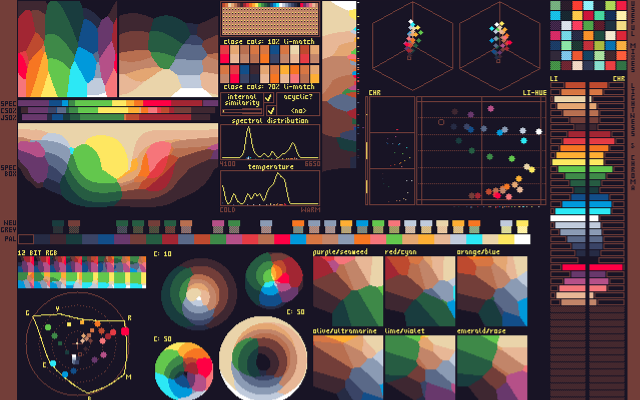
 CensorA perceptual palette analyser for creating and evaluating restricted palettes.
Censor is a standalone palette analyser inspired by DawnBringer's Palette Analyser for GrafX2, with a compatible layout. It helps with creating and evaluating restricted palettes by providing visualisations and highlighting certain properties.
It can be used in a browser on Lospec, by uploading an image or opening the analysis from any palette on the Lospec palette list. The command line version, installed with Cargo, reads a palette from an image, a text file, a list of hex codes or a Lospec palette name, and can also output its metrics as CSV.
0 0 pieces -
 Super Color PaletteGenerate, edit and customize color palettes.Super Color Palette lets you generate color palettes by adjusting hue, saturation, lightness, and more. You can edit individual colors or modify color properties uniformly across the entire palette. You can also upload an image and extract its color palette automatically.
Create palettes with up to 24 colors per group and 5 groups, allowing for a maximum of 120 colors. Choose from five color spaces (OKHSL, HSL, HSV, LCH, and HWB), generate palettes from a base HEX color, or explore different color harmonies (Monochromatic, Analogous, Complementary, Split Complementary, Triadic, and Tetradic).
Once your palette is ready, use the built-in accessibility checker to evaluate color compatibility and contrast ratios. You can save palettes locally, export them in various formats (PNG, JPG, SVG, ASE, GPL, and plain text), or share them via URL.
Super Color Palette also features light and dark modes, as well as a grayscale toggle.
0 0 pieces -
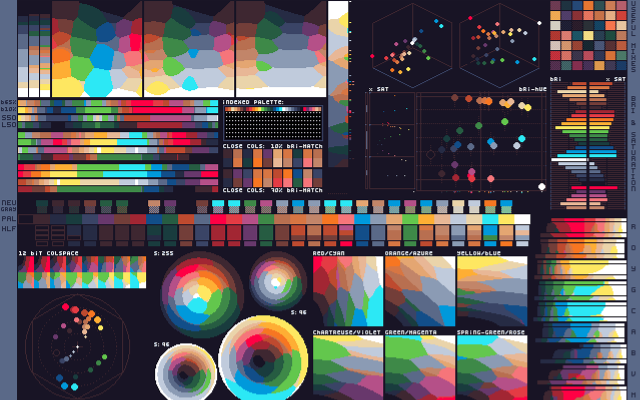 6 screenshotsDawnBringer Palette AnalyserShows how a limited palette covers the color spectrum, from any image or Lospec palette.Free0Palettes
DawnBringer Palette AnalyserShows how a limited palette covers the color spectrum, from any image or Lospec palette.
Analyse Palette was created by Richard "DawnBringer" Fhager as part of DB's Toolbox, a collection of Lua scripts for GrafX2. It generates a single image showing how a limited palette covers the color spectrum, along with other information about the palette.
PureAsbestos converted it to run outside of GrafX2, so it can be used in a browser on Lospec without any other software. Upload a pixel art image of up to 2048x2048 pixels and 256 colors to analyse its palette, or open the analysis from any palette on the Lospec palette list.
0 0 pieces -
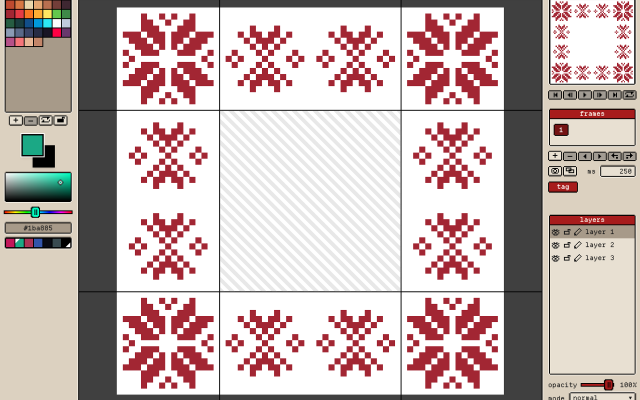 3 screenshots
 GribbleCross-platform Pixel Editor with Cloud Storage and Community FeaturesFreemium5Pixel Art
GribbleCross-platform Pixel Editor with Cloud Storage and Community Features
The pixel art editor
Gribble is a pixel art and animation editor that runs in the browser (gribble.app) or as an Android or iPhone app. One account syncs projects between all devices.
Website: gribble.app
Android: Play Store
iOS: App StoreLayers with opacity and 15 blend modes. Frame-by-frame animation with onion skin, frame tags and playback.
Every stroke is recorded, so a finished artwork can be exported as a timelapse.
The community features includes a global gallery with museum frames, a profile page, followers, likes and achievements.
Tools
Brushes, eraser, bucket, dither gradient, color picker, global color picker, ellipse tool, square tool, line tool, square select, lasso select, magic wand, dither, shading, outline, gradient, symmetry, smudge.
Features
Autosave, cloud-storage, timelapse, image/GIF imports, image/video/GIF/code/spritesheet exports, unique 9-patch mode and export, palette lock, alpha lock, themes, pixel perfect, 512x512 grids, palettes, gribble files (.grbl), artwork forking.
Features:animationlayerspalette manipulationsprite sheet exportonion skinning2dimage conversionexportonlinesprite editorditheringcross platformgif exportcolor reductionapple pencilpalettestimelapsejavascriptautosavepng exportsprite sheets5 3 pieces -
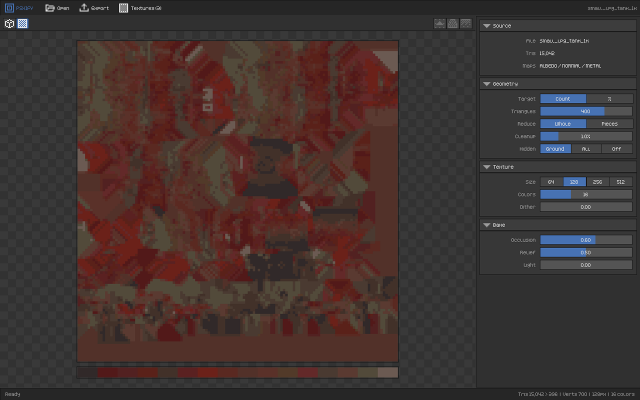
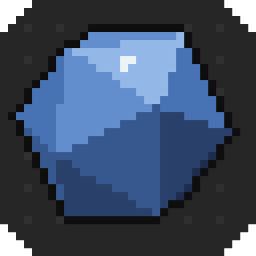 PSXIFYturn any realistic model into retro styleAny model in, PS1 asset out, in a second
Asset store packs, free libraries, your own sculpts, an old project: modern models look great but are useless for a PS1-style game as they are, with tens of thousands of triangles, 1K–8K PBR texture sets and normal maps. PSXIFY turns any of them into a real PSX-era asset: a few hundred triangles that keep the silhouette, one small texture atlas with a limited palette, and all the lighting detail baked into the colour.
Drop the .blend, .fbx, .obj or .glb into the window. That's it. Move a slider and see the result instantly in a 320×240 preview with vertex jitter, affine texture warping and 15-bit dither.
1 0 pieces -
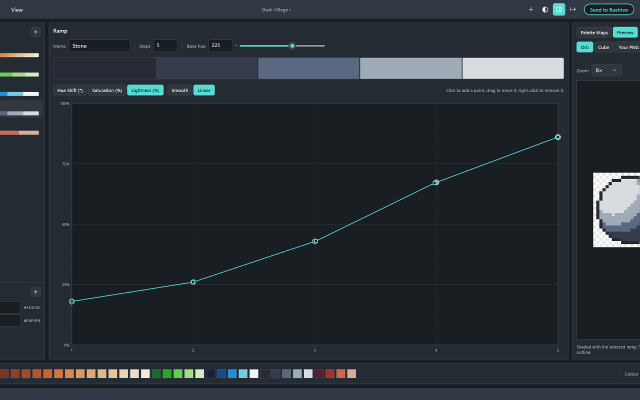
 HuetrivoFree palette designer for pixel artists, built ramp by ramp with hue, saturation and lightness curves.Huetrivo is a free palette designer made for pixel artists. Instead of picking colours one at a time, you build your palette ramp by ramp: choose a base hue, then shape how the ramp shades from dark to light with three curves, for hue shift, saturation and lightness.
New ramps come hue-shifted out of the box, with light steps leaning towards yellow and dark steps leaning away from it, so you start from good shading and fine-tune from there. Click to add curve points and drag to reshape them; smooth curves never overshoot, so your shades always stay in order.
Check your work as you go:
- A hue wheel and lightness plot show every ramp in the palette at once
- Greyscale mode shows the true lightness of every colour, to check your contrast
- Preview a ramp on a sample orb or cube, or open your own PNG and see it recoloured with your palette
Shared colours let you use one outline or highlight colour across every ramp, and a colour limit (4 to 256) warns you when the palette grows too big.
Export as a .hex file, a PNG strip (1 px or 8 px per colour) or a PNG with a row per ramp, ready to load into Aseprite or any other editor. If you use Rastrivo Studio, Send to Rastrivo opens the palette there in one click and saves it as a preset.
Free, with no account, ads or tracking. Available for Windows on the Microsoft Store, with a Mac version coming soon.
Features:palette manipulationexportpng exportcolor reductionaseprite exportproceduralpalettesmixeraseprite support0 0 pieces -
 0 screenshotsPixelArtSuiteFree browser-based pixel art tools: convert images, edit on layers, export bead-ready patterns with exact color counts.Free0Pixel Art
PixelArtSuiteFree browser-based pixel art tools: convert images, edit on layers, export bead-ready patterns with exact color counts.Free pixel art tools in your browser — convert images, edit on layers, export bead and Minecraft patterns. No sign-up.Features:layerspalette manipulationimage conversionditheringcolor reductionbead patternpng exportprintable grids0 0 pieces
-
 0 screenshotsCrosyBrowser-based cross-stitch chart creation, editing and progress tracking.Freemium0Pixel Art
CrosyBrowser-based cross-stitch chart creation, editing and progress tracking.Freemium 30 credits/pattern unlock; credit packs and optional Pro. Pixel Art EditorsConverters & Scalers ActiveCrosy is a browser-based editor for cross-stitch charts. It converts a photo to a limited-color stitch grid, or starts from a blank design. Users can adjust chart dimensions and thread colors, edit individual stitches and backstitch, and mark stitching progress. Projects save on the current device, with optional account cloud sync within plan limits. Preview, standard editing and progress tracking are free. A 30-credit pattern unlock enables chart and project downloads in PDF, image, SVG and exchange formats. Credit packs and optional Pro subscriptions are available. Crosy uses image conversion and direct grid editing; it is not an AI image generator.Features:image conversionpalette manipulationgrid editingcross stitchbackstitchprogress trackingpdf export0 0 pieces
-
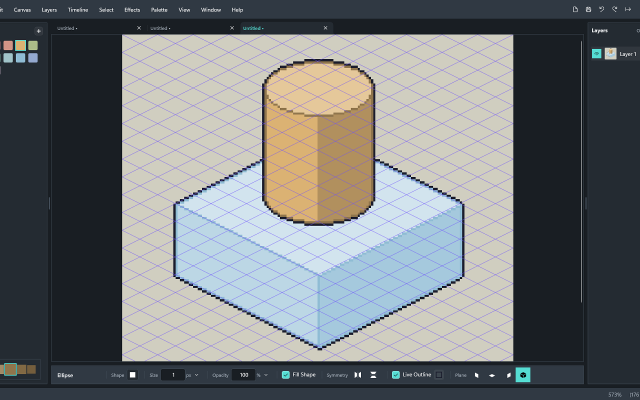
 Rastrivo StudioIsometric Pixel Art & AnimationPaid ($14.99 / £12.99), with a free trial Pixel Art EditorsAnimation ToolsTile & Map EditorsFont & Charset Tools MaintainedRastrivo Studio is a pixel art and animation editor for Windows, made by a solo developer.
Its standout feature is built-in isometric tools: a 2:1 iso grid, pixel-clean lines that snap to iso angles, shapes that sit on walls and floors, and shaded cubes and cylinders drawn in a single drag.
It also has everything you’d expect for sprites and animation: a frame timeline with onion skin, per-frame timing and animation tags; pixel-perfect pencil, dither brush and dither gradient, symmetry and live outline; RotSprite rotation and free transform; custom brushes and shareable brush packs; a built-in pixel font creator with a Text tool; .hex palette import (works great with Lospec palettes); and export to PNG at any scale, sprite sheets with Aseprite-format JSON, and transparent animated GIFs.
One-off purchase on the Microsoft Store, with a free 30-day trial.
Features:isometricanimationonion skinningditheringcustom brushessprite sheet exportsprite editorgif exporttilemapstilemap exportcustom fonts0 0 pieces -
 0 screenshotsMyBeadPattern Pixel Art ConverterA free browser-based image-to-pixel-art converter with editing and printable grids.Free0Pixel Art
MyBeadPattern Pixel Art ConverterA free browser-based image-to-pixel-art converter with editing and printable grids.MyBeadPattern Pixel Art Converter turns an image into a pixel-art grid in the browser. Users can adjust the grid and colors, edit individual pixels, and export a PNG or printable PDF chart with coordinates and a color list. Source images are processed locally on the device. The converter is free to use and does not require an account. It uses image-processing algorithms rather than a generative AI model.0 0 pieces
-
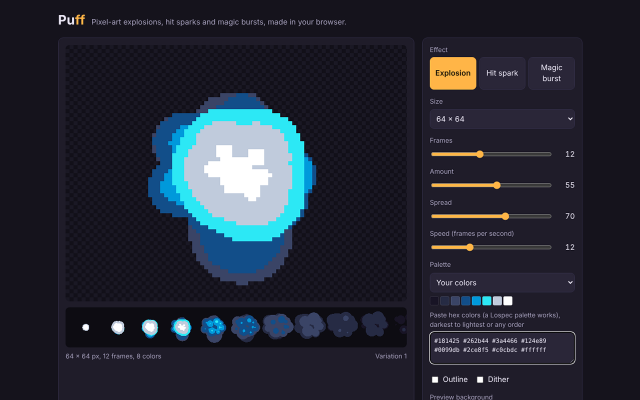 2 screenshotsPuffProcedural pixel art effect generator for explosions, hit sparks, magic, and looping fire, smoke and aurasFreemium0Pixel Art
PuffProcedural pixel art effect generator for explosions, hit sparks, magic, and looping fire, smoke and aurasFreemium Free in browser (GIF export); $5 adds sprite sheets and JSON Pixel Art Effect & Particle GeneratorsProcedural Generators ActivePuff generates animated pixel art effects from particle rules, for game developers and pixel artists who need effect sprites. It has twelve effects: nine one-shots (explosion, hit spark, magic burst, shockwave, smoke, debris, mushroom blast, chain explosion and plasma burst) and three seamless loops (fire, smoke and aura). Each numbered variation always draws the same frames; New variation draws another. Settings cover effect type, frame size from 16 to 256 px, frame count from 4 to 48, particle amount, spread, playback speed, palette (eight built in, or up to 32 pasted hex colors such as a Lospec palette; every frame uses only those colors), outline and ordered dither. The free version runs on its web page and exports animated GIFs. The $5 download is a single HTML file that runs in any browser without an internet connection and adds sprite sheet PNG export with a JSON frame map (columns, rows, each frame's position, Godot hframes and vframes) and a Godot 4 SpriteFrames file, for one effect or all twelve at once.0 0 pieces
-
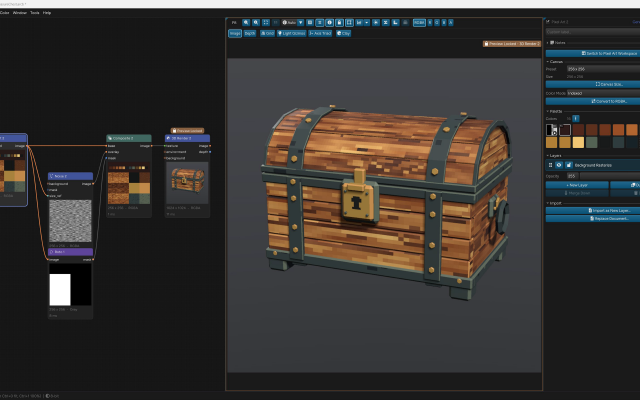
 ArcBrushThe node-based image editor.Freemium Free for personal use; one-time $49 commercial license Other Low-Spec EditorsPalette ToolsProcedural GeneratorsConverters & Scalers3D ToolsUtilities ActiveArcBrush is a node-based image editor for Windows, macOS and Linux. Images are built as a graph of nodes, so every step stays editable.
Its Pixel Art node is a sprite, icon and tile editor inside that graph. It has layers, Pixel-Perfect tools, symmetry axes, seamless wrapping, Marquee, Lasso and Magic Wand selections, RGBA or Indexed canvases whose palette round-trips with Swatches, and a shading ink along palette ramps.
Other nodes can recolor, pack into atlases and batch export the result. Export Data writes CSV, JSON or text sprite tables.
It also has nodes for texture and material work, photo editing and compositing. It is free for personal use; commercial use needs a one-time Pro license.Features:layerspalette manipulationsprite sheet export2dcustom brushesimage conversionexporttilemapssprite editorcross platformeffectstexture paintingditheringnormal mapsbatch processing3dcolor replacementrenderingcolor reductionpng exportsprite sheetsprocedural1 0 pieces -
 2 screenshots
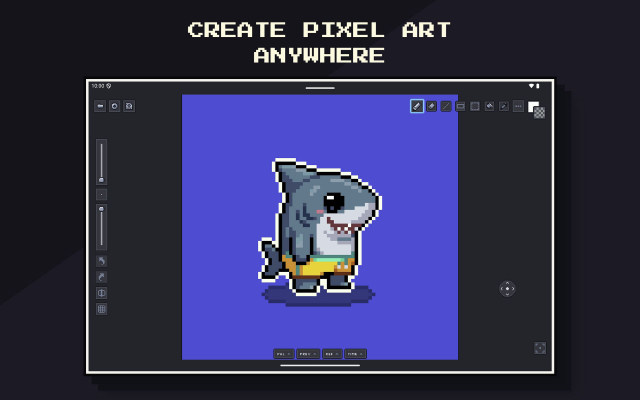
 Pixsama: Pixel Art EditorAn offline pixel art and animation editor for Android phones and tablets, built for touch and stylus.Freemium0Pixel Art
Pixsama: Pixel Art EditorAn offline pixel art and animation editor for Android phones and tablets, built for touch and stylus.Pixsama is a pixel art and sprite animation editor for Android 10 and newer. It supports drawing with touch or a compatible stylus, with movable panels for palettes, animation, previews and reference images. It works offline without an account.
Features include layers, frame-by-frame animation, onion skinning, indexed colour, custom palettes, selections and PNG export. The free version supports canvases up to 128 × 128 pixels, three layers and six animation frames.
An optional Pro upgrade increases these limits and adds workflows including editable Aseprite import and export, sprite sheets, animated GIF and WebP export, seamless tiled drawing, symmetry and dithering.
Features:animationlayerspalette manipulationsprite sheet exportonion skinningindexed colourselectionsstylus supportreference imagesaseprite supporttiled modesymmetryditheringpng exportgif exportwebp exportoffline0 0 pieces -
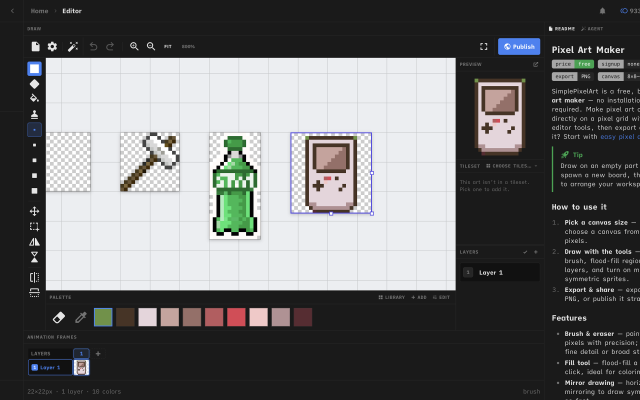
 Simple Pixel Art EditorFree in-browser pixel art editor: sprites, animation, auto-tiling tilesets and tilemaps, exports for Godot and Tiled.
Simple Pixel Art Editor is a free pixel art editor that runs in the browser, with no install or account needed. It covers sprite drawing with layers, mirror drawing and selections, frame-by-frame animation with onion skin and frame tags, and exports to PNG, GIF and sprite sheets.
It also includes tools for game assets: a tileset editor that generates Wang-16 and blob-47 auto-tile terrains from a base tile and exports Godot 4 TileSet (.tres) and Tiled (.tsx) files, a tilemap painter with an isometric mode, a palette library and an image-to-pixel-art converter.
It suits beginners and hobbyists making sprites and tilesets for small 2D games. The source code is MIT-licensed.
Features:animationlayersonion skinningsprite sheet exportgif exportpng exportengine exporttilemap exporttilesisometricpalette manipulationimage conversioncustom brushes9 1 piece -
0 screenshotsSprite Sheet BuilderFree browser tool that packs, splits and converts sprite sheets for 2D game development.Free0Pixel Art
Sprite Sheet BuilderFree browser tool that packs, splits and converts sprite sheets for 2D game development.Sprite Sheet Builder is a set of free, browser-only sprite tools for 2D game developers. Pack PNG, JPG, WebP, GIF or HEIC frames into one transparent sheet with grid or auto-pack layout and adjustable padding and spacing, then preview the loop at 1-30 FPS before exporting. Split an existing sheet by grid or by transparent-region detection and download the frames as individual transparent PNGs. Convert animated GIFs into sprite sheets and back. Exports are engine-ready: TexturePacker-style JSON for Phaser and Unity, a Godot .tres SpriteFrames resource, and Sparrow XML for Flixel-family engines. The FNF Sprite Sheet and XML Generator groups animations and exports Sparrow XML plus a Psych Engine character JSON in one ZIP, and can re-import an existing atlas. Files never leave the browser - decoding, packing and export all run on the visitor's device, with no account and no watermark. Engine guides for Unity, Godot and Phaser are in the engine section of the site.0 0 pieces
-
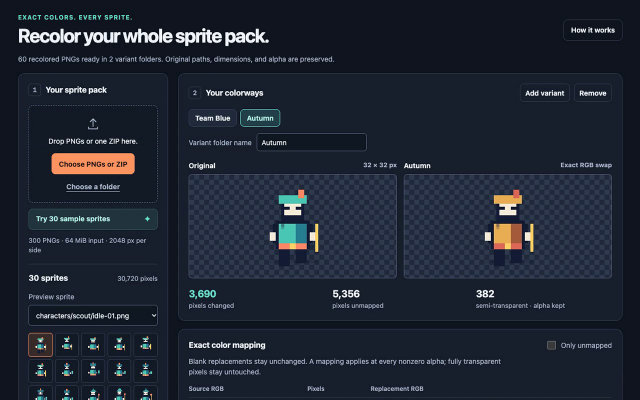
Palette BatchA browser-based PNG recoloring tool with reusable RGB mappings and batch palette variants.Paid $5 USD one-time offline edition; free single-image browser demo. Pixel Art Palette Tools ActivePalette Batch applies user-selected RGB replacements to PNG sprites. It can recolor a sprite collection into named variants for team colors, biome changes, or palette corrections. Unmapped colors stay unchanged. Image dimensions and pixel transparency are preserved, including semi-transparent pixels. Fully transparent pixels are left untouched.
The offline edition imports multiple PNGs, folders, or a ZIP, previews the changes, and exports up to eight named variants in a ZIP. Folder paths and original filenames are preserved within each variant folder. Color mappings can be saved and loaded as JSON. Processing runs locally in a current desktop browser.
The free browser demo supports one image, one variant, and PNG export. The offline batch edition is a $5 USD one-time download. Batch limits include 300 PNGs, 64 MiB of input, 2048 pixels per side, and 8,388,608 source pixels. Animated, 16-bit, and interlaced PNGs are not supported. Output is 8-bit RGBA; PNG metadata and color profiles are omitted. Additional ZIP and output limits are documented in the app.
Development used AI-assisted code. The tool applies explicit color mappings and does not use AI models to process images.
0 0 pieces -
 XpriteFree, open-source pixel art and animation editor for the browser.Xprite is a free, open-source browser-based editor for pixel art, sprites, and frame-by-frame animation. It provides drawing tools, layers, animation frames and tags, palette controls, and export to PNG, GIF, and sprite sheets. It runs in modern browsers and can be installed as a PWA on supported desktop and mobile devices.
The editor opens and saves .ase and .aseprite projects. It supports mouse, touch, and stylus input, with panels that can be moved, resized, and combined into a custom workspace. The interface is available in English and Simplified Chinese.
Core editing runs locally on the user's device. Browser-saved projects do not automatically sync between devices, so downloadable project files should be kept as backups.
Xprite is is an independent project inspired by Aseprite and LibreSprite, and is not affiliated with or endorsed by Aseprite or Igara Studio.1 0 pieces -
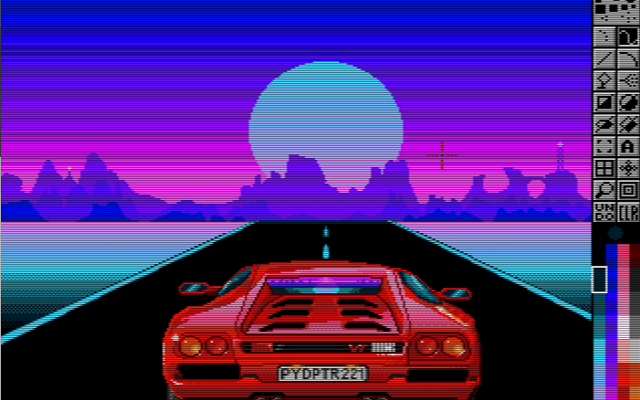
 PyDPainterA clone of Deluxe Paint written for modern computers.
PyDPainter is an open-source pixel art and animation program inspired by classic 16-bit painting tools like Electronic Arts' Deluxe Paint. Built with Python and PyGame, it provides a retro-styled digital canvas for creating pixel art, sprites, and frame-by-frame animations.
What it does
PyDPainter has traditional raster and pixel art tools, including custom brush creation, color palette management, stencil/masking features, and multi-frame animation controls. It combines a retro user interface layout running on modern hardware.What it is good at
It can be used for pixel art creation, retro game asset design, and animating in low-resolution with animation path, palette controls, speed controls, and GIF import and export.Who it is for
It is designed for pixel artists, retro game developers, demoscene creators, and digital artists who want the workflow and aesthetic of classic Amiga-era painting software while using modern hardware.0 0 pieces -
 9 screenshots
 BaipixA free, open source pixel art editor in the browser, with layers, palettes, isometric tools and clean SVG export.Free1Pixel Art
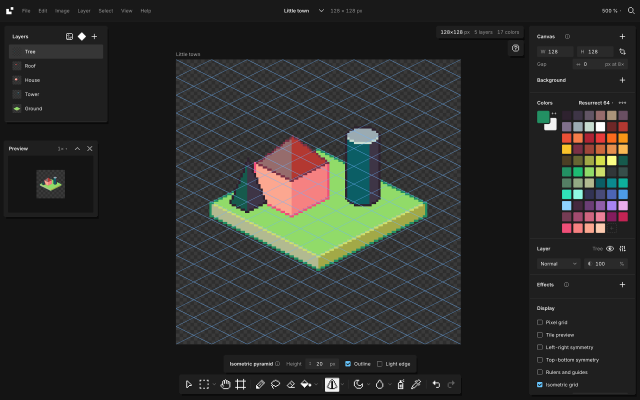
BaipixA free, open source pixel art editor in the browser, with layers, palettes, isometric tools and clean SVG export.Baipix is a pixel art editor that runs in the browser, with no account and no install. It is free and its source code is public under the MIT license. Drawings are saved in the browser, a deleted one waits in the trash, and files can be downloaded as .baipix. The interface is in English, French and Ukrainian.
It covers the usual pixel art tools (pixel-perfect pencil with a stabilizer, shapes, paint bucket, gradient with dithering, lasso and magic wand selections, symmetry, a tile preview for seamless textures) along with layers, groups, blend modes, layer effects (outline, drop shadow, glow) and reusable components: a sprite drawn once can be placed on any board, and its copies follow it.
Palettes belong to each file: classic presets, the colors used in the drawing, palettes the user keeps, or .hex and .gpl files. Shade and lighten step along the palette’s ramps. A reference image can sit under the drawing to trace over, and the eyedropper picks its colors.
For isometric work it has a 2:1 grid that tools snap to, 2:1 lines, box, cylinder and pyramid tools shaded from the palette, extrusion of flat shapes into volumes, shapes drawn on walls or on the ground, staggered tile previews and images laid onto a face. A file can hold several boards side by side.
Exports: PNG at 1× to 32×, SVG with one path per color and the layers kept as groups, .aseprite files, tilesets for game engines (PNG sheet with a Tiled tileset and map), and the drawing as code (React, CSS, JSON or ASCII).
Its strongest areas are isometric pixel art and work that ends up in design tools or code: components and multiple boards for icon sets and UI assets, and SVG that pastes into Figma as vector shapes. It suits game artists making sprites, tiles and isometric scenes, designers who need pixel icons, and people trying pixel art without installing anything. It has no animation yet, and works best with a mouse or trackpad; tablet support is in progress.
Docs: baipix.app/docs
1 0 pieces
There are no more software for your current criteria.
There are no software for your current criteria.
AD| join Patreon to remove ads!
Thanks for your feedback! If you want to say more, please post a Suggestion or Bug Report!
our next patreon goal: $300 / $500