Filtering Options:
153 software:
-
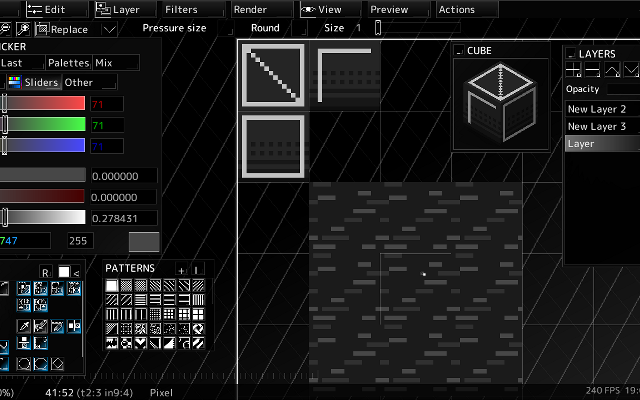 4 screenshots
 voidspriteopen-source pixel art editor with extensive format support and features useful for game developmentFree24Pixel Art
voidspriteopen-source pixel art editor with extensive format support and features useful for game developmentvoid◆sprite is an actively developed cross-platform, open-source pixelart editor.
voidspriteopen-source pixel art editor with extensive format support and features useful for game developmentFree24Pixel Art
voidspriteopen-source pixel art editor with extensive format support and features useful for game developmentvoid◆sprite is an actively developed cross-platform, open-source pixelart editor.
Has features useful for game development, such as split sessions (multiple files on one canvas) and previews of spritesheet animations, tilesets or 3D cubes.
Other unique features include: layer variants, on-canvas comments, custom patterns, templates and real-time LAN collaboration.
Supports many image formats, including some specific to other editors like Aseprite and GraphicsGale.
Most common color palette formats are supported too, and can be used in a separate indexed editor mode.Features:animationlayerspalette manipulationsprite sheet exportonlinetilemaps2dtilescross platformsprite editorimage conversionccollaboration24 6 pieces updated 24 days ago -
0 screenshotsVoxelDraftBrowser-based voxel editor for creating and exporting voxel artFreemium0Voxel Art
 VoxelDraftBrowser-based voxel editor for creating and exporting voxel artVoxelDraft is a browser-based voxel editor for making small voxel scenes, characters, and game assets. It provides editing, rendering, animation, sharing, and export workflows for OBJ, GLB, VOX, Minecraft .schem, and Roblox .rbxl formats. Because it runs in a browser, it can be used without installing a desktop editor. A hosted MCP endpoint is also available for AI-assisted voxel modeling workflows.0 0 pieces updated a month ago
 -
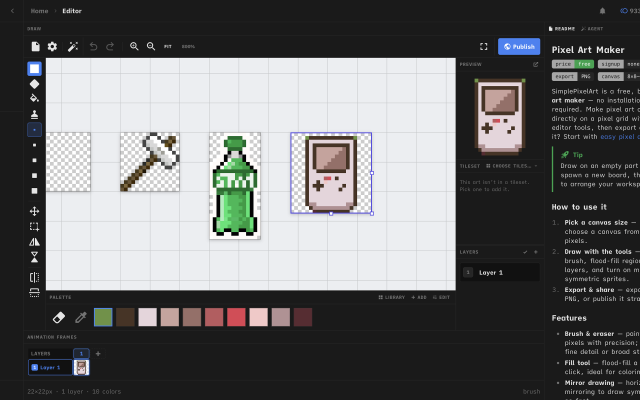
 Simple Pixel Art EditorFree, browser-based pixel art editor — draw sprites, build tilesets with auto-tiling terrains, paint tilemaps, animate fDraw sprites, build tilesets, paint tilemaps, and export game-ready assets for Godot, Unity, or Phaser — or just convert a photo and remix community templates. All free, in your browser.0 0 pieces
 -
0 screenshotsSprite Sheet BuilderFree browser tool that packs, splits and converts sprite sheets for 2D game development.Free0Pixel Art
Sprite Sheet BuilderFree browser tool that packs, splits and converts sprite sheets for 2D game development.Sprite Sheet Builder is a set of free, browser-only sprite tools for 2D game developers. Pack PNG, JPG, WebP, GIF or HEIC frames into one transparent sheet with grid or auto-pack layout and adjustable padding and spacing, then preview the loop at 1-30 FPS before exporting. Split an existing sheet by grid or by transparent-region detection and download the frames as individual transparent PNGs. Convert animated GIFs into sprite sheets and back. Exports are engine-ready: TexturePacker-style JSON for Phaser and Unity, a Godot .tres SpriteFrames resource, and Sparrow XML for Flixel-family engines. The FNF Sprite Sheet and XML Generator groups animations and exports Sparrow XML plus a Psych Engine character JSON in one ZIP, and can re-import an existing atlas. Files never leave the browser - decoding, packing and export all run on the visitor's device, with no account and no watermark. Engine guides for Unity, Godot and Phaser are in the engine section of the site.0 0 pieces
-
0 screenshotsPalette BatchA browser-based PNG recoloring tool with reusable RGB mappings and batch palette variants.Paid0Pixel Art
Palette BatchA browser-based PNG recoloring tool with reusable RGB mappings and batch palette variants.Paid $5 USD one-time offline edition; free single-image browser demo. Pixel Art Palette Tools ActivePalette Batch applies user-selected RGB replacements to PNG sprites. It can recolor a sprite collection into named variants for team colors, biome changes, or palette corrections. Unmapped colors stay unchanged. Image dimensions and pixel transparency are preserved, including semi-transparent pixels. Fully transparent pixels are left untouched.
The offline edition imports multiple PNGs, folders, or a ZIP, previews the changes, and exports up to eight named variants in a ZIP. Folder paths and original filenames are preserved within each variant folder. Color mappings can be saved and loaded as JSON. Processing runs locally in a current desktop browser.
The free browser demo supports one image, one variant, and PNG export. The offline batch edition is a $5 USD one-time download. Batch limits include 300 PNGs, 64 MiB of input, 2048 pixels per side, and 8,388,608 source pixels. Animated, 16-bit, and interlaced PNGs are not supported. Output is 8-bit RGBA; PNG metadata and color profiles are omitted. Additional ZIP and output limits are documented in the app.
Development used AI-assisted code. The tool applies explicit color mappings and does not use AI models to process images.
0 0 pieces -
 XpriteFree, open-source pixel art and animation editor for the browser.Xprite is a free, open-source browser-based editor for pixel art, sprites, and frame-by-frame animation. It provides drawing tools, layers, animation frames and tags, palette controls, and export to PNG, GIF, and sprite sheets. It runs in modern browsers and can be installed as a PWA on supported desktop and mobile devices.
The editor opens and saves .ase and .aseprite projects. It supports mouse, touch, and stylus input, with panels that can be moved, resized, and combined into a custom workspace. The interface is available in English and Simplified Chinese.
Core editing runs locally on the user's device. Browser-saved projects do not automatically sync between devices, so downloadable project files should be kept as backups.
Xprite is is an independent project inspired by Aseprite and LibreSprite, and is not affiliated with or endorsed by Aseprite or Igara Studio.1 0 pieces -
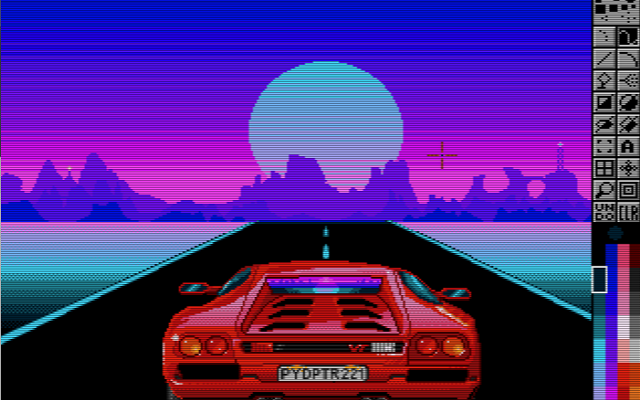
 PyDPainterA clone of Deluxe Paint written for modern computers.
PyDPainter is an open-source pixel art and animation program inspired by classic 16-bit painting tools like Electronic Arts' Deluxe Paint. Built with Python and PyGame, it provides a retro-styled digital canvas for creating pixel art, sprites, and frame-by-frame animations.
What it does
PyDPainter has traditional raster and pixel art tools, including custom brush creation, color palette management, stencil/masking features, and multi-frame animation controls. It combines a retro user interface layout running on modern hardware.What it is good at
It can be used for pixel art creation, retro game asset design, and animating in low-resolution with animation path, palette controls, speed controls, and GIF import and export.Who it is for
It is designed for pixel artists, retro game developers, demoscene creators, and digital artists who want the workflow and aesthetic of classic Amiga-era painting software while using modern hardware.0 0 pieces -
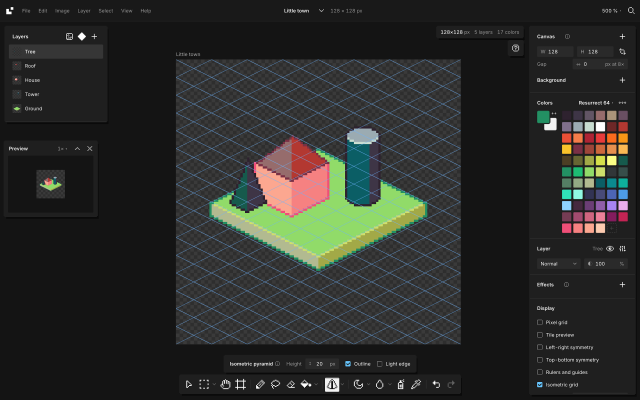
 BaipixA free, open source pixel art editor in the browser, with layers, palettes, isometric tools and clean SVG export.Baipix is a pixel art editor that runs in the browser, with no account and no install. Drawings are saved in the browser and can be downloaded as .baipix files.
It covers the usual pixel art tools (pixel-perfect pencil with a stabilizer, shapes, paint bucket, gradient with dithering, lasso and magic wand selections, symmetry, a tile preview for seamless textures) along with layers, groups, blend modes, layer effects (outline, drop shadow, glow) and reusable components whose copies follow their master.
Palettes belong to each file: classic presets, the colors used in the drawing, palettes the user keeps, or .hex and .gpl files. Shade and lighten step along the palette's ramps.
For isometric work it has a 2:1 grid that tools snap to, 2:1 lines, box, cylinder and pyramid tools shaded from the palette, extrusion of flat shapes into volumes, shapes drawn on walls or on the ground, staggered tile previews and images laid onto a face. A file can hold several boards side by side.
Exports: PNG at 1× to 32×, SVG with one path per color and the layers kept as groups, .aseprite files, and tilesets for game engines (PNG sheet with a Tiled tileset and map).
The interface is in English and French.
0 0 pieces -
0 screenshotsSwatchsmithA browser tool that recolours whole folders of PNG sprites into palette variants.Paid0Pixel Art
SwatchsmithA browser tool that recolours whole folders of PNG sprites into palette variants.
Swatchsmith is a batch palette-swap tool for pixel art. It loads PNG sprites, as single files or whole folders (sub-folders are kept), lists every colour they use, and lets you change colours one by one, lock colours, shift hue, saturation and brightness, or map a selection of colours to a palette by brightness order or nearest colour. Each set of changes is a variant, and every sprite is exported in every variant at once.
For parts of a sprite that share colours, a region can be painted on the sprite or loaded from mask images, so that a colour changes only inside or only outside it.
Palettes can be loaded from .hex (Lospec), .gpl, JASC .pal and paint.net files, or taken from a PNG image. The export is a ZIP with the recoloured PNGs, .hex and .gpl palettes for each variant, a palette lookup texture with Godot 4 and GLSL shaders for runtime palette swaps, and a project file for reusing the changes.
It is a single HTML file that runs offline in a desktop web browser; images are not uploaded anywhere. A free demo (3 sprites, 1 variant) runs in the browser. It is aimed at game developers and pixel artists who need team colours, enemy tiers or time-of-day versions of many sprites.
0 0 pieces -
 InkticaPixel art editor for iOS and AndroidInktica is a pixel art editor for artists and game developers creating low-resolution graphics and editing textures.
Core Editing & Selection Tools
Drawing Tools: Includes Brush, Eraser, Flood-fill, Gradient, Line, Rectangle, Ellipse, and Pipette.
Pixel-Perfect Algorithm: Applies to drawing tools to ensure single-pixel-wide lines without unwanted extra pixels.
Selection: Supports copying, cutting, moving, pasting, rotating, and flipping selected image sections.
Layers: Supports layer management for organizing artwork elements.
Animation & Reference
Frame-by-Frame Animation: Includes dedicated tools for creating frame-based animations.
Onion Skinning: Displays overlay previews of preceding frames relative to the active frame.
Reference Images: Loads gallery images onto the canvas for comparison while drawing.
Color Palettes
Preset Palettes: Includes built-in palettes based on hardware profiles like Atari 2600, NES, and Game Boy.
Custom & Imported Palettes: Supports custom color palettes as well as importing palettes from Lospec.
Import, Export & Compatibility
File Import: Opens Aseprite project files (.ase, .aseprite) alongside standard raster formats (.png, .jpeg, .gif).
Export & Upscaling: Exports animations and images to formats including MP4 video, standard raster formats, or local storage/social sharing, with upscaling options to prevent interpolation blur on standard displays.
1 1 piece -
 2 screenshots
 spritebitA free pixel art editor for sprites, animation and game tiles. Runs in your browser or as a Windows desktop app.Free0Pixel Art
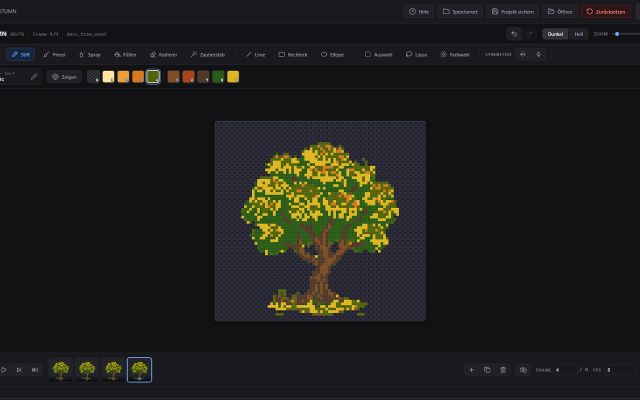
spritebitA free pixel art editor for sprites, animation and game tiles. Runs in your browser or as a Windows desktop app.spritebit is a free pixel art editor made for drawing, not for fiddling with settings. Open it in your browser and start painting: no account
spritebitA free pixel art editor for sprites, animation and game tiles. Runs in your browser or as a Windows desktop app.Free0Pixel Art
spritebitA free pixel art editor for sprites, animation and game tiles. Runs in your browser or as a Windows desktop app.spritebit is a free pixel art editor made for drawing, not for fiddling with settings. Open it in your browser and start painting: no account and your work stays on your device. Prefer a real program? The Windows desktop app has the same features, opens the same project files and handles canvases up to 8192 × 8192.
Draw
Pencil with Clean Stroke for crisp 1-pixel lines, brush, spray, fill and symmetry. The shading tool walks through your colour ramp, with a soft gradient from the centre or from one side. Turn any selection into a custom brush and save your favourites for every project. Tiled mode shows your image repeated around itself, so seamless patterns line up as you paint.
Colour
Load palettes straight from Lospec (.hex, .gpl, .pal or the PNG) and save your own. Replace a colour across a frame, a layer or the whole sprite. Reduce a photo to a palette, and add light and drop shadows on their own layer that you can change at any time.
Animate
A layer × frame timeline with tags, onion skin and linked cels. Play your animation right on the canvas.
For games
Tilemap layers: paint a tile once and it changes everywhere it's used. Export PNG, GIF, spritesheets with a JSON atlas, Godot 4 scenes, or code.
spritebit gets new features regularly and listens to feedback. The desktop app tells you when an update is ready and installs it with one click. It's open source (MIT), and what you draw is yours.
Available in English and German.
Features:layersframe exportanimationonion skinningpalette manipulationcroppingsprite sheet exportgif export0 0 pieces -
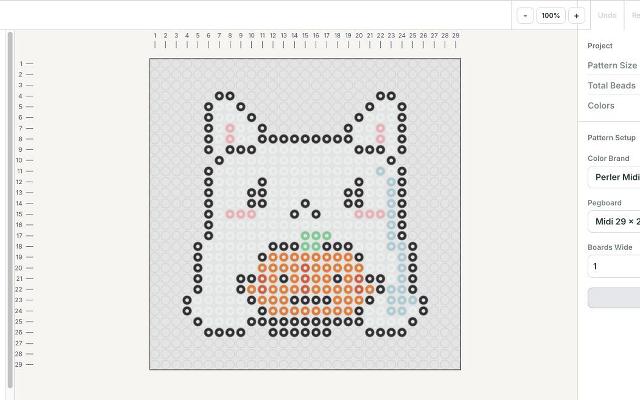
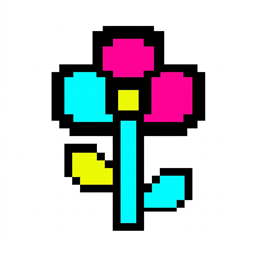 Fuse Bead PatternsA browser editor that turns images into printable fuse bead patterns.Fuse Bead Patterns is a browser-based editor for planning fuse bead projects. It converts images into a bead grid, maps colors to supported bead palettes, and lets users paint, fill, erase and replace colors. Patterns can be exported as printable PDF charts, grid images, SVG or spreadsheets. Projects can be saved to a local file and reopened. Image conversion runs in the browser without an account. The editing interface is in English. Physical bead colors and pegboard fit should be checked before making a project.0 0 pieces
 -
 4 screenshots
 PixorRenders 3D models and their animations into pixel-art sprite sheets, from 4, 8 or 16 directions.Paid0Pixel Art
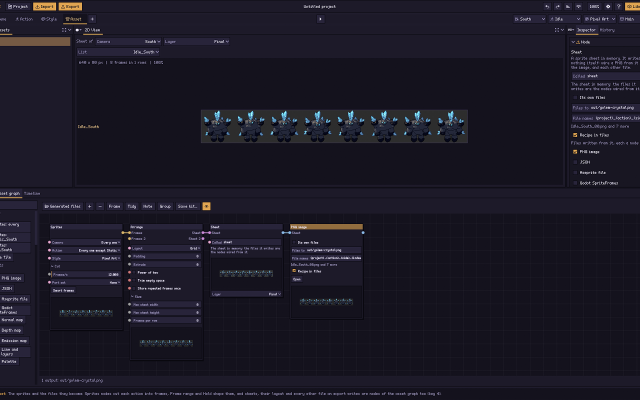
PixorRenders 3D models and their animations into pixel-art sprite sheets, from 4, 8 or 16 directions.Paid $19.99 one-time, free updates, free browser demo Pixel Art 3D ToolsAnimation ToolsLighting & Normal Map Tools ActivePixor is a desktop program that renders 3D models (glTF/GLB, FBX, OBJ, MagicaVoxel .vox) into pixel-art sprites and sprite sheets. It renders each animation from 4, 8 or 16 directions at one fixed pixel scale, with the pivot on the same pixel in every frame.
PixorRenders 3D models and their animations into pixel-art sprite sheets, from 4, 8 or 16 directions.Paid0Pixel Art
PixorRenders 3D models and their animations into pixel-art sprite sheets, from 4, 8 or 16 directions.Paid $19.99 one-time, free updates, free browser demo Pixel Art 3D ToolsAnimation ToolsLighting & Normal Map Tools ActivePixor is a desktop program that renders 3D models (glTF/GLB, FBX, OBJ, MagicaVoxel .vox) into pixel-art sprites and sprite sheets. It renders each animation from 4, 8 or 16 directions at one fixed pixel scale, with the pivot on the same pixel in every frame.The look is built from nodes: light bands, hue-shifted colour ramps, selective outlines, palettes (Lospec .hex and GIMP .gpl), dithering and cleanup. It measures and reduces flicker between animation frames.
It exports PNG sheets with JSON, .aseprite files with layers and tags, Godot SpriteFrames, GIF, and normal and depth maps, and has a command line for batches. A free browser demo covers import, camera, animation and PNG export. It is aimed at game developers who model in 3D and want consistent multi-direction sprites.
Features:3d to 2dsprite sheetsmulti directionalanimationpalettesditheringoutlinesnormal mapsaseprite exportgodot exportcommand line0 0 pieces -
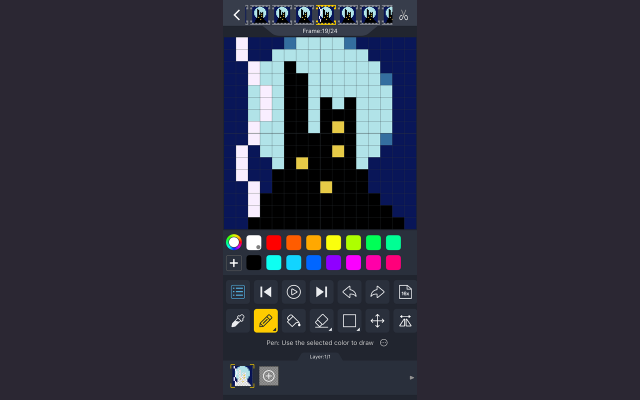
 DivoomThe official app for Divoom products, allowing you to create and import pixel art to display on Divoom devices.
Divoom is a pixel art editor for Android and iOS devices, letting you create and import pixel art for display on Divoom devices such as the Ditoo speaker or the Pixoo picture frame.
It can be used without these devices just as a portable pixel art program and features the ability to import and resize images, as well as layers and animations.
There is also a text display function with many animated effects and palettes, as well as some audio features such as a keyboard and simple DJ mixer.
Divoom also features a pixel art gallery and community, allowing you to display images from community members on your devices and interact with pixel artists across the globe.
0 0 pieces -
 2 screenshots
 Pixel to 3D Batch BuilderTransform pixel art into lowpoly, voxels or sheets.Paid0Other Low-Spec
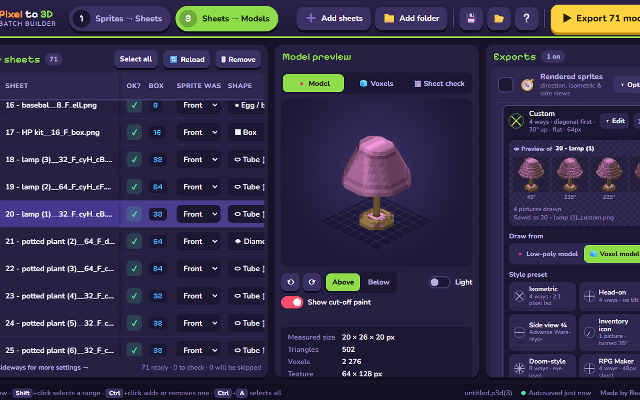
Pixel to 3D Batch BuilderTransform pixel art into lowpoly, voxels or sheets.Paid $12 Other Low-Spec Converters & Scalers3D ToolsEditorsProcedural GeneratorsUtilities MaintainedThis is a windows program that lets you convert your individual pixel art images into:
Pixel to 3D Batch BuilderTransform pixel art into lowpoly, voxels or sheets.Paid0Other Low-Spec
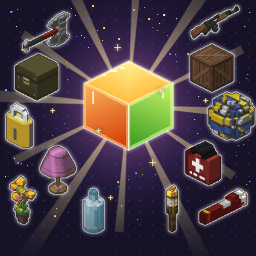
Pixel to 3D Batch BuilderTransform pixel art into lowpoly, voxels or sheets.Paid $12 Other Low-Spec Converters & Scalers3D ToolsEditorsProcedural GeneratorsUtilities MaintainedThis is a windows program that lets you convert your individual pixel art images into:- 3D low poly models (.GLB)
- Normal maps & roughness maps for said low poly models
- Voxel models (.VOX)
- Spritesheets
- (Doom II, Diablo 2, Advance Wars, RPG Maker, UI Icons, Red Alert 2)
- Turntable animated spinning .GIF
- and more.
Designed for layperson pixel artists - this is as easy as it gets. You can convert entire folders.
It will save you hours, days, weeks or even months of otherwise tedious work.Features:3d model export3d modellinglow polyvoxeluv mappingisometricnormal mapssprite sheet export3d0 0 pieces -
 3 screenshots
 DitherMaster StudioDithering, CRT, VHS, ASCII and glitch effects made easyPaid1Other Low-Spec
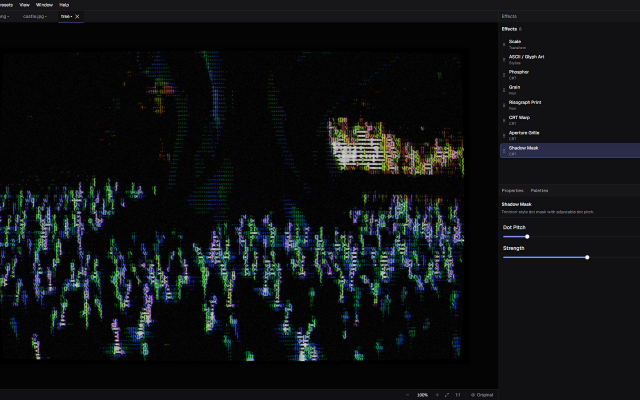
DitherMaster StudioDithering, CRT, VHS, ASCII and glitch effects made easyDitherMaster Studio makes dithering, CRT, VHS, ASCII and glitch effects easy to experiment with. Stack effects, tweak the settings, and save combinations as presets. No complicated workflow required.
DitherMaster StudioDithering, CRT, VHS, ASCII and glitch effects made easyPaid1Other Low-Spec
DitherMaster StudioDithering, CRT, VHS, ASCII and glitch effects made easyDitherMaster Studio makes dithering, CRT, VHS, ASCII and glitch effects easy to experiment with. Stack effects, tweak the settings, and save combinations as presets. No complicated workflow required.
LOSPEC palettes can be directly imported as palettes into the App!Features:palette manipulationimage conversioncross platformimage editingimage processorcolor reductionascii1 0 pieces -
 Sprite (Alpha)Micro Pixel EditorSprite is a keyboard first pixel art editor focused on small canvases, quick animations and a fast workflow.Features:animationlayerspalette manipulationonion skinningsprite sheet exportexportsprite editorgame boycustom charsetsautosaveretro constraintsditheringgif exportonlineframe exportcustom fontscross platformcolor replacementcollaboration0 0 pieces
 -
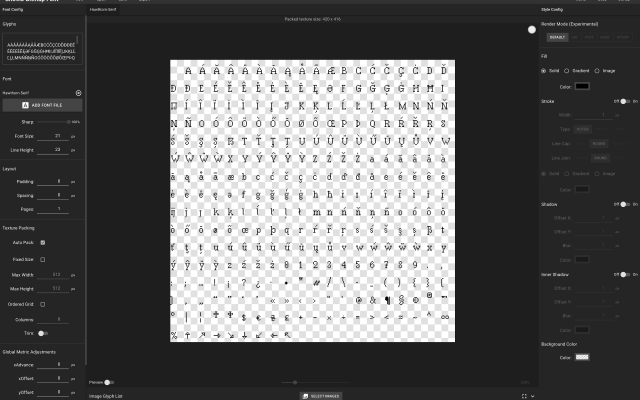
 SnowBamboo BMFTTF to PNG bitmap font converter.The software allows you to convert any TrueType font (TTF) into a PNG bitmap font sheet, along with JSON, FNT, or TXT files containing spacing and kerning data. The exported bitmap fonts are ready to use in most game engines.
You can adjust spacing, add special visual effects to your font, and preview the final bitmap font live in the app.
1 0 pieces -
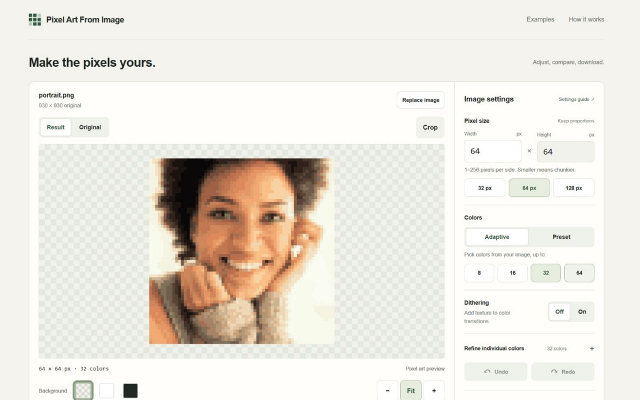
 Pixel Art From ImageA browser-based image converter with palette reduction and PNG export.Pixel Art From Image is a free browser-based tool for converting existing images into low-resolution, palette-limited images. It accepts PNG, JPEG, and static WebP files up to 20 MiB. Conversion runs locally in the browser using image-processing algorithms, without an AI model or an account requirement.
Users can adjust the output size, reduce images to 8, 16, 32, or 64 colors, choose fixed palettes, enable dithering, and crop the source image. Manual color replacement supports undo and redo. Results can be exported as PNG at 1×, 2×, 4×, or 8× scale.
0 0 pieces -
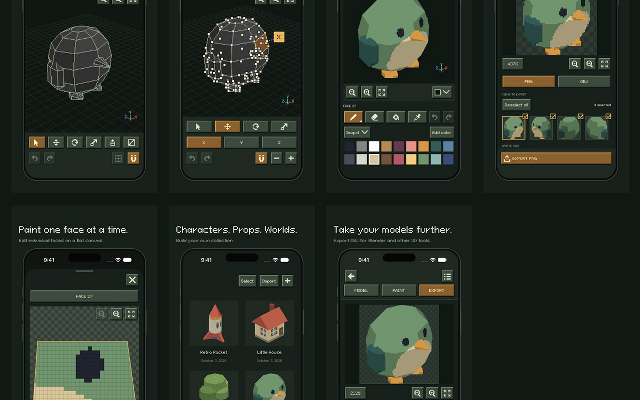
 isopxlIsopxl is a low poly 3d pixel art editorIsopxl is a low poly 3d editor for pixel art game developers and artists. You can create 3d models, paint textures, and export assets specifically for isometric games, though it also includes an OBJ exporter so you can take your models further in tools like Blender.
Isopxl's strongest use is making small 3d assets that become consistent pixel-art sprites. You can rotate an object, check its silhouette, and keep details consistent between views. Palettes and surface painting give you control over its visual style.
0 0 pieces -
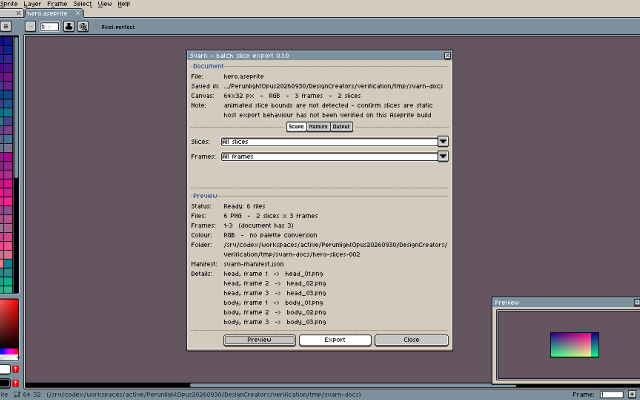
SvarnExport Aseprite slices and frames with a checked manifestExport saved Aseprite slices and frames as PNG files with predictable names, dimensions and file hashes in a manifest. Requires Aseprite 1.3, licensed separately. Checked on Linux with 1.3.18.6-dev only; Windows, macOS, large documents and upgrades are unverified. Saved RGB or Indexed documents with static rectangular slices only. No grayscale, animated slice bounds, atlas packing or engine import. The optional $4.99 download bundles the unchanged tool with installation instructions and worked examples. It does not unlock extra exporter features. Development used AI assistance for code and documentation. The tool does not use generative AI at runtime.Features:slice exportframe exportpredictable filenamesfresh output foldersdimensions and file hash manifest0 0 pieces
-
 0 screenshotsPixelCirclesFree browser tool that turns a picture into a pixel art grid or fuse-bead pattern with colour counts, and prints grids.Free0Pixel Art
PixelCirclesFree browser tool that turns a picture into a pixel art grid or fuse-bead pattern with colour counts, and prints grids.PixelCircles is a free web tool that works in the browser. Its pixel art pages turn a picture into a grid of coloured squares, using 8, 16 or 32 colours taken from the picture or a set of 36 fuse bead colours, and count the squares or beads of each colour. The pattern can be printed or saved as a PNG. It also makes blank numbered grids from 4 to 128 squares a side, and 16×16, 32×32 and 64×64 templates to print on A4 or Letter paper. Pictures are converted in the browser and are not uploaded. It is meant for people who make fuse bead sprites or plan pixel art on paper. The same site also has Minecraft planners for circles, spheres and domes.0 0 pieces
0 screenshotsPixelCirclesFree browser tool that turns a picture into a pixel art grid or fuse-bead pattern with colour counts, and prints grids.Free0Pixel Art
PixelCirclesFree browser tool that turns a picture into a pixel art grid or fuse-bead pattern with colour counts, and prints grids.PixelCircles is a free web tool that works in the browser. Its pixel art pages turn a picture into a grid of coloured squares, using 8, 16 or 32 colours taken from the picture or a set of 36 fuse bead colours, and count the squares or beads of each colour. The pattern can be printed or saved as a PNG. It also makes blank numbered grids from 4 to 128 squares a side, and 16×16, 32×32 and 64×64 templates to print on A4 or Letter paper. Pictures are converted in the browser and are not uploaded. It is meant for people who make fuse bead sprites or plan pixel art on paper. The same site also has Minecraft planners for circles, spheres and domes.0 0 pieces -
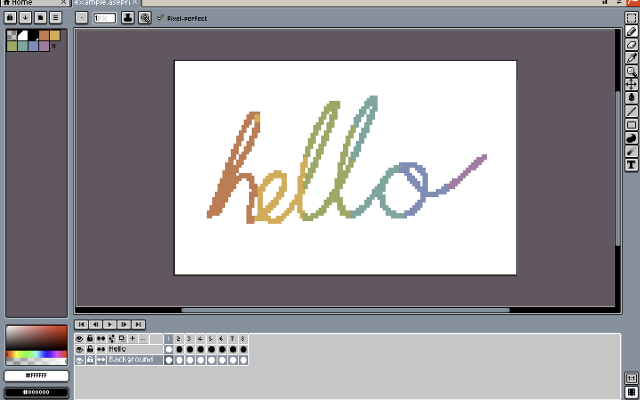
 BespritedA free, open-source pixel-art and sprite animation editorBesprited is a free and open-source pixel-art editor and animation tool for Windows, macOS and Linux. It builds on LibreSprite, the community continuation of Aseprite’s last open-source release, with a faster release cycle. It offers layers and frames with onion skinning and real-time preview, a stabilized pencil for clean lines, shading ink, custom brushes, symmetry, RotSprite rotation, a tiling mode for seamless textures, and JavaScript scripting. It reads and writes Aseprite .ase files as well as GIF, PNG sequences and sprite sheets.0 0 pieces
 -
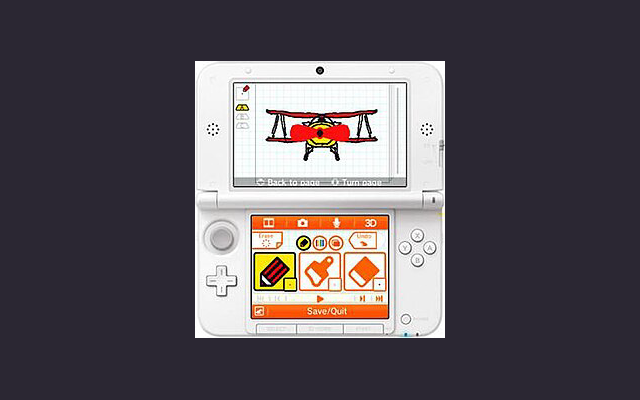
 Flipnote Studio 3DA simple drawing & animation program on the Nintendo 3DS, with limited colour palette and resolution.
Flipnote Studio 3D allows users to create short animated sketches known as Flipnotes. Flipnotes can be made up of hundreds of frames, and can be played back at a variety of speeds. The software offers users the option to create 3D Flipnotes by drawing different parts of the animation on up to three layers. The main tools include a pen, an eraser, and a paintbrush. New to Flipnote Studio 3D are tools that draw shapes, fill enclosed areas (paint bucket), and insert text. The application features a limited color palette, including black, white, red, blue, green, and yellow. This is a slight improvement upon Flipnote Studio, which did not include yellow and green as selectable colors, but were still possible using color mixing. The selection tool is used to copy and manipulate parts of a frame. Users can also use the 3DS system's camera and microphone to add audio and photos to their creations. These animations can be shared by exporting them as GIF or AVI files.
The program is now discontinued and can only be used on a 3DS that already have it installed or a modded 3DS.
0 4 pieces
There are no more software for your current criteria.
There are no software for your current criteria.
AD| join Patreon to remove ads!
Thanks for your feedback! If you want to say more, please post a Suggestion or Bug Report!
our next patreon goal: $263 / $500